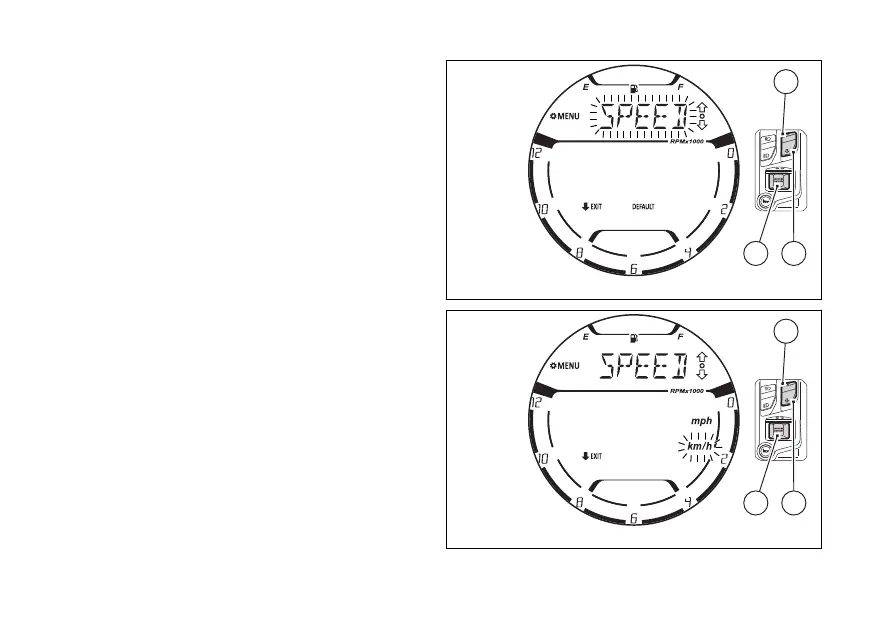
Speed/Travelled distance “SPEED”:
Use (1) and (2) to select the flashing item
"SPEED” (Fig 126) and press (4).
The display shows the 2 available units of
measurement “Km/h” and “mph”, with the one
selected flashing (Fig 127).
This phase can be interrupted by pressing (2)
for 2 seconds.
Otherwise, with (1) and (2) it is possible to
select the desired unit of measurement that will
to flash. Press (4) to confirm.
Successively, the display will show the flashing
“SPEED” indication again (Fig 126).
The modification of the unit of measurement for this
value concerns the following functions:
●
TOT, TRIP 1, TRIP 2, RANGE (km – miles)
●
Vehicle speed (Km/h - mph)
Fig 126
Fig 127
138















 To Next Page