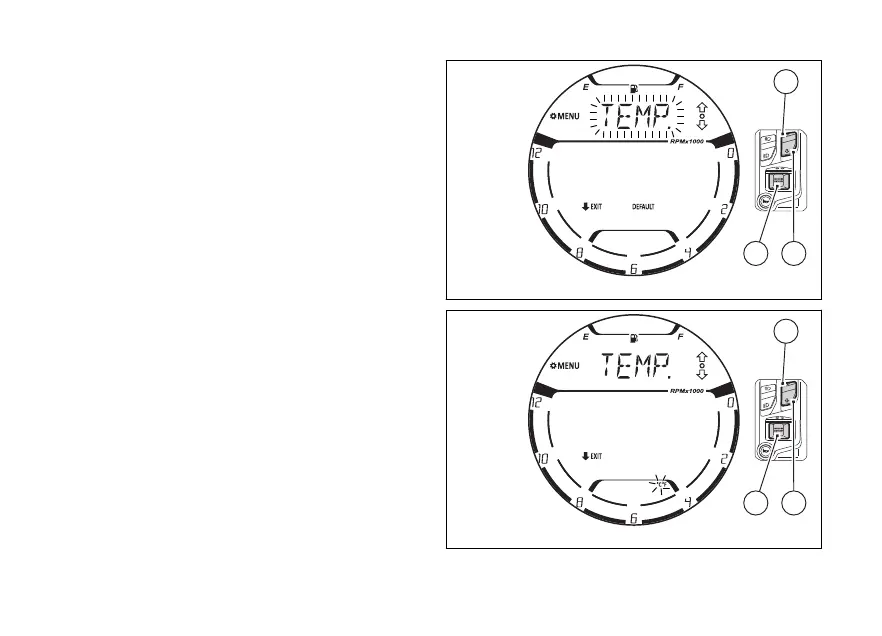
Temperature “TEMP.”:
Use (1) and (2) to select the flashing item
"TEMP.” (Fig 128) and press (4).
The display shows the 2 available units of
measurement “°C” and “°F”, with the one selected
flashing (Fig 129).
This phase can be interrupted by pressing (2)
for 2 seconds.
Otherwise, with (1) and (2) it is possible to
select the desired unit of measurement that will
to flash. Press (4) to confirm.
Successively, the display will show the flashing
“TEMP:” indication again (Fig 128).
The modification of the unit of measurement for this
value concerns the following functions:
●
T-AIR
Fig 128
Fig 129
139















 To Next Page