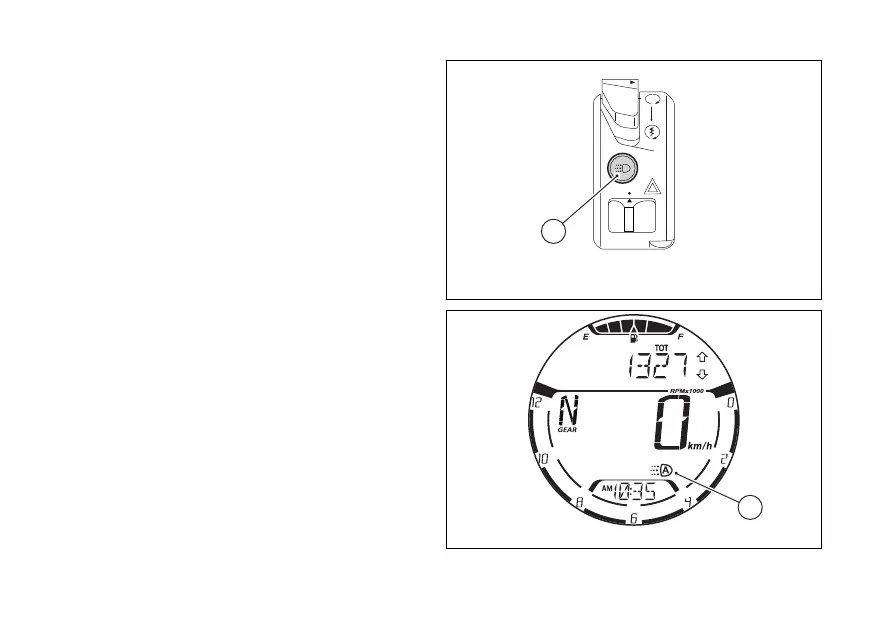
DRL (Daytime Running Light) — only for
version with DRL lights
It is possible to switch the DRL lights by
them to “MANUAL” with (5) on the
switch. Press (5) again, the DRL lights will
turn on again and set to “AUTO”. When the DRL
lights are set to “AUTO”, the display shows the
symbol (A, Fig 21)
If the DRL light is set to “MANUAL” pressing
(5), upon next Key-On the DRL light is always
automatically set to “AUTO” again.
If instead the “AUTO” or “MANUAL” has been
set through the menu, the status is always
stored also upon At the following Key-On
the DRL light control is initialised with the last
(“AUTO” or “MANUAL”). Refer to the chapter
menu - DRL light mode - only if
present (DRL CONTROL)” on page 135.
By pressing (7, Fig 18) the high and low beams
are turned on whereas the DRL light is turned
Upon releasing the light (7, Fig 18) the DRL
light is automatically switched on again.
Fig 20
Fig 21
43















 To Next Page