156
x Platemaking / Master Feed / Ejection Section
chap.4
0.5-1.0mm
2. Adjustment for A and C modes
Before adjustment
A and C mode adjustment must be
carried out AFTER B mode
adjustment has been completed.
IMPORTANT :
Adjustment procedure
1) Remove the drum from the machine body.
2) Access HELP mode H-02.
For basic HELP mode procedures.
\See page 213
HELP mode H-02 \ see p.221
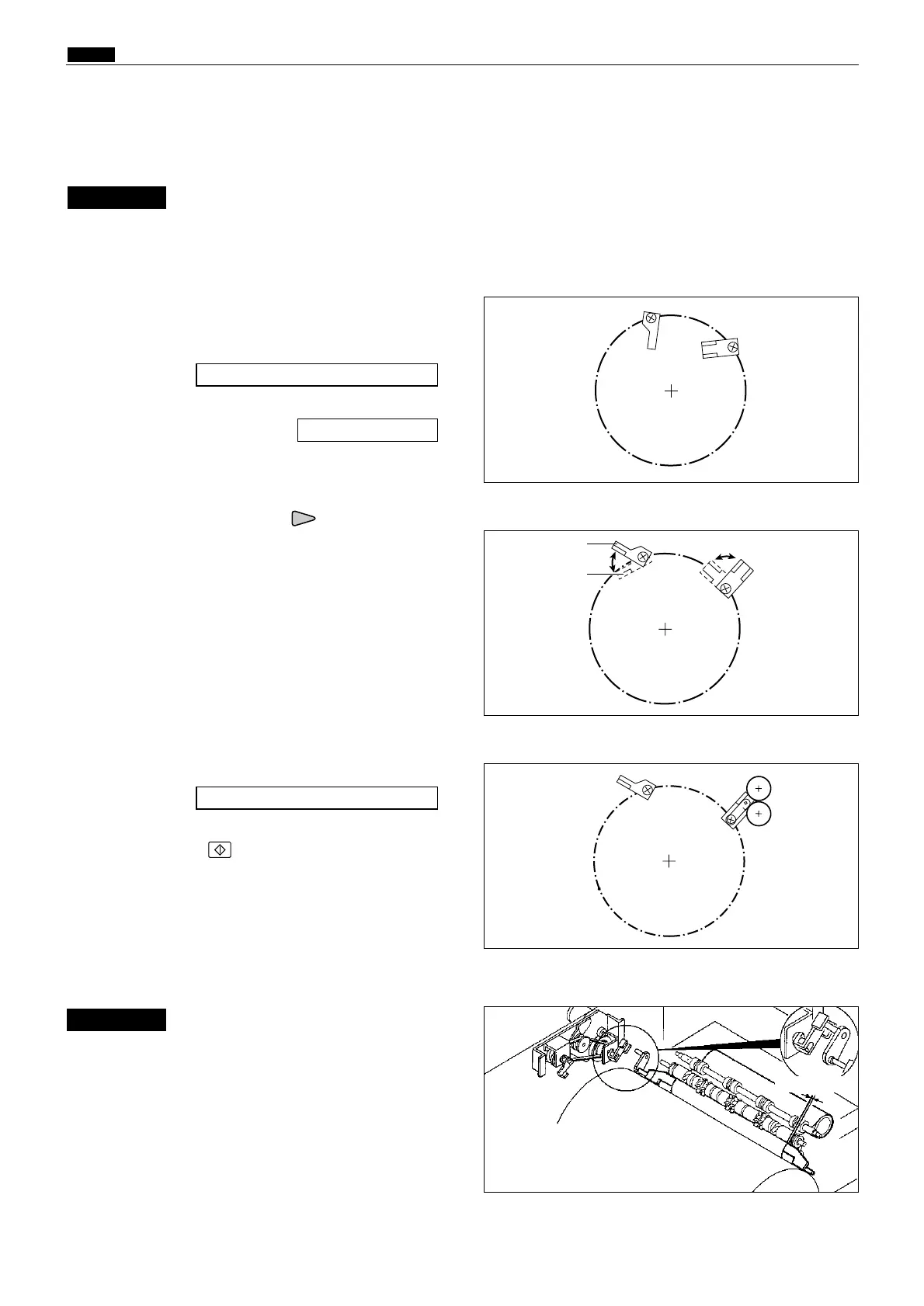
3) Press and hold down the "up" PRINTING
SPEED ADJUSTMENT key, until the master
clump open/close lever moves into the "more
open than B mode (toward C mode) position"
(see right).
4) Turn the power off, then on again.
The master clump open/close lever will move into
the B mode position and stop there.
5) Turn off the power, and install the drum to the
machine body.
6) Access HELP mode H-09.
7) Press the PRINT key to move the drum to the
master removal position, and stop it there.
8) Use HELP20 to move the master clump open/
close lever to the C mode position.
HELP mode H-09 \ see p.231
Do not move the master clump
open/close lever towards the A
mode position from the B mode
position. Doing so will break the
master clump.
9) Open the scanner unit.
IMPORTANT :
B mode
C mode
¡More open than B mode (toward C mode) position
¡Stopping drum in master detachment position
¡When drum is removed from main body (A mode)










 To Next Page