JOB Entry
21
Programming a JOB on the Control Panel
2
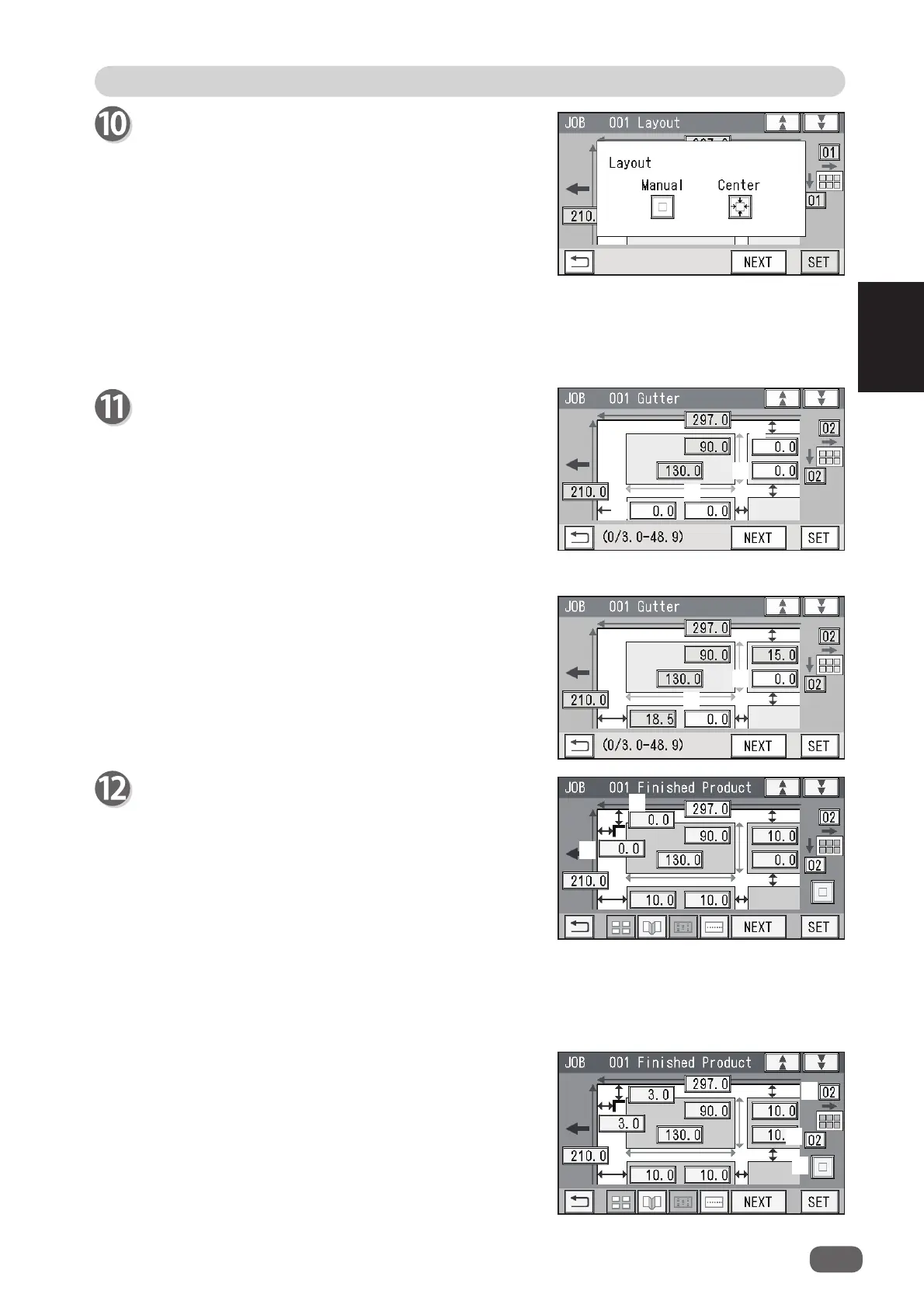
Gutter (Layout - Manual)
1. Enter a value for the lead margin with the
NUMERIC keys and touch
SET
.
2. Enter a value for a gutter cut with the NUMERIC
keys and touch
SET
.
3. Enter a value for the right margin with the
NUMERIC keys and touch
SET
.
4. Enter a value for a gutter slit with the NUMERIC
keys and touch
SET
.
Gutter
(
Layout
-
Center
)
1. Enter a value for a gutter cut with the NUMERIC
keys and touch
SET
.
2. Enter a value for a gutter slit with the NUMERIC
keys and touch
SET
.
2. Touching
3
changes
Layout
setting that washave
been set in step 10.
3. Touching
4
or
5
changes the number of cards on
one sheet lengthwise or crosswise.
Finished Product (Free entry screen)
1. Touching SET moves the cursor to the items set in
steps 7 to 11.
Check the values.
You can re-enter values if necessary by touching
each item.
When you use
Read REG Mark
, enter the distance
(
1
) between the right edge of the document and the
side mark with the NUMERIC keys. Touch
SET
.
Enter the distance (
2
) between the lead edge of the
document and the lead mark with the NUMERIC
keys. Touch
SET
.
Layout
-
Layout
Select and touch a layout of the fi nished product out
of
Manual
or
Center
.
Manual
: Enables you to manually enter values of the
lead margin, a gutter cut, a gutter slit, and
the right margin to set a layout of the fi nished
product. Go to step 11.
Center
: Automatically sets a layout of the fi nished
product in the center of the document.
Automatically makes settings for the lead
margin and the right margin by entering
values for a gutter cut and a gutter slit.
Go to step 12.
1
2
3
4
1
2
1
2
3
4
5



 To Next Page