JOB Entry
23
Programming a JOB on the Control Panel
2
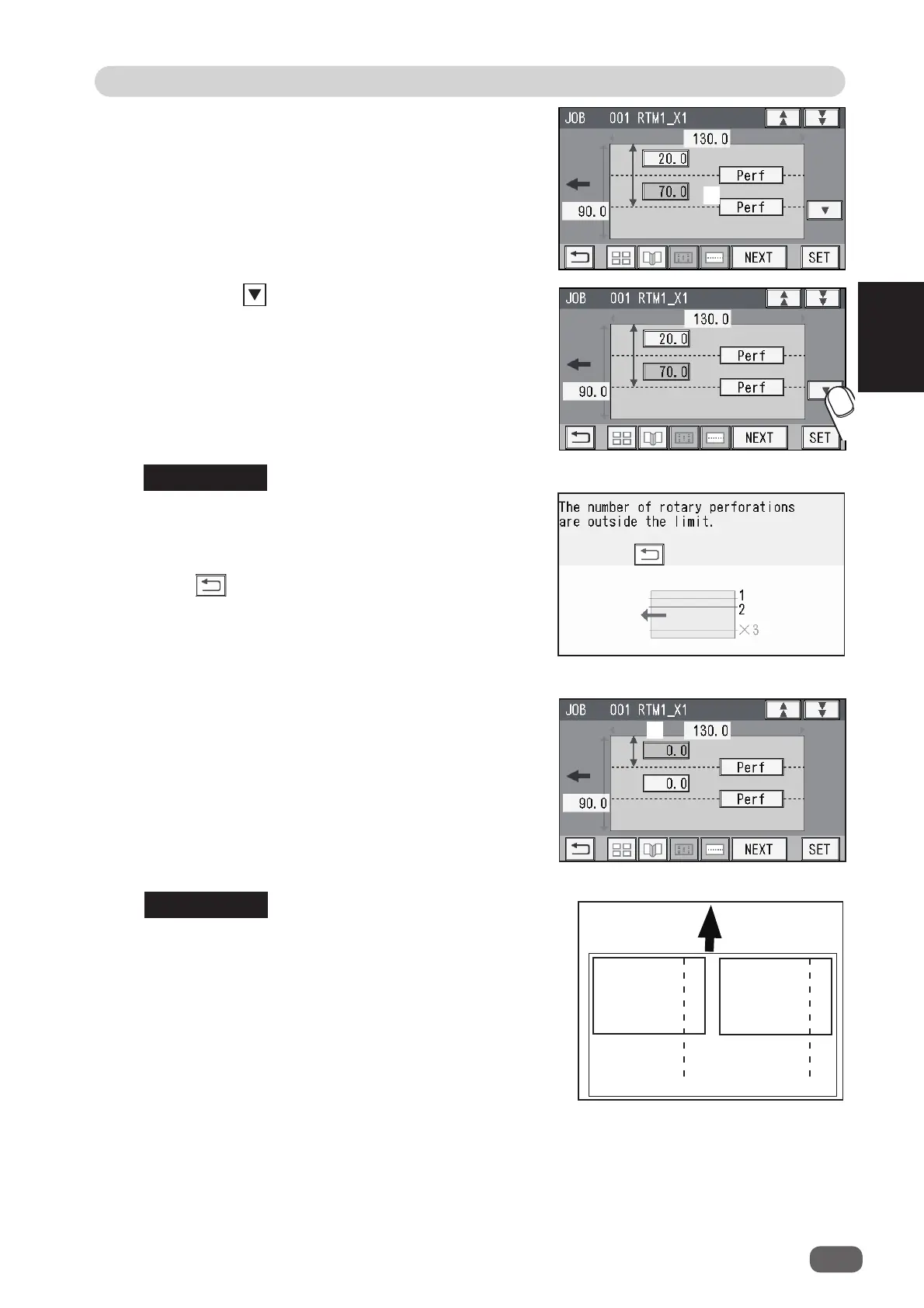
5. Touch the icon.
If the number of cards in the X direction is
2
,
entering the processing position (
1
) in the X direction
processes the same position in the X direction on the
other fi nished product. (The rotary tool on the right
side of the
RTM (Rotary Tool Module)
processes the
fi nished product on the right and the fi nished product
on the left side processes that on the left.)
4. Touch
4
and select a type of
rotary tool
that is
used for
X1-L
(
2
).
Every time
4
is touched,
Perf
,
Micro
, or
Score
is
displayed.
Proceed to step 15.
Touching
NEXT
may display the screen as shown on
the right.
The third processing position in the
X
direction on
the fi nished product is set.
Touch to return to the previous screen.
● When setting one
RTM (Rotary Tool Module)
and
two cards in the X direction
1. Enter the distance between the right edge of the
fi nished product and the processing position (
1
)
in the X direction with the NUMERIC keys. Touch
SET
.
1
REFERENCE
REFERENCE
4
Document
feed direction
L R



 To Next Page