JOB Entry
24
RTM1_X1_Y
(Settings in the Y direction of Pattern 1
on the X side)
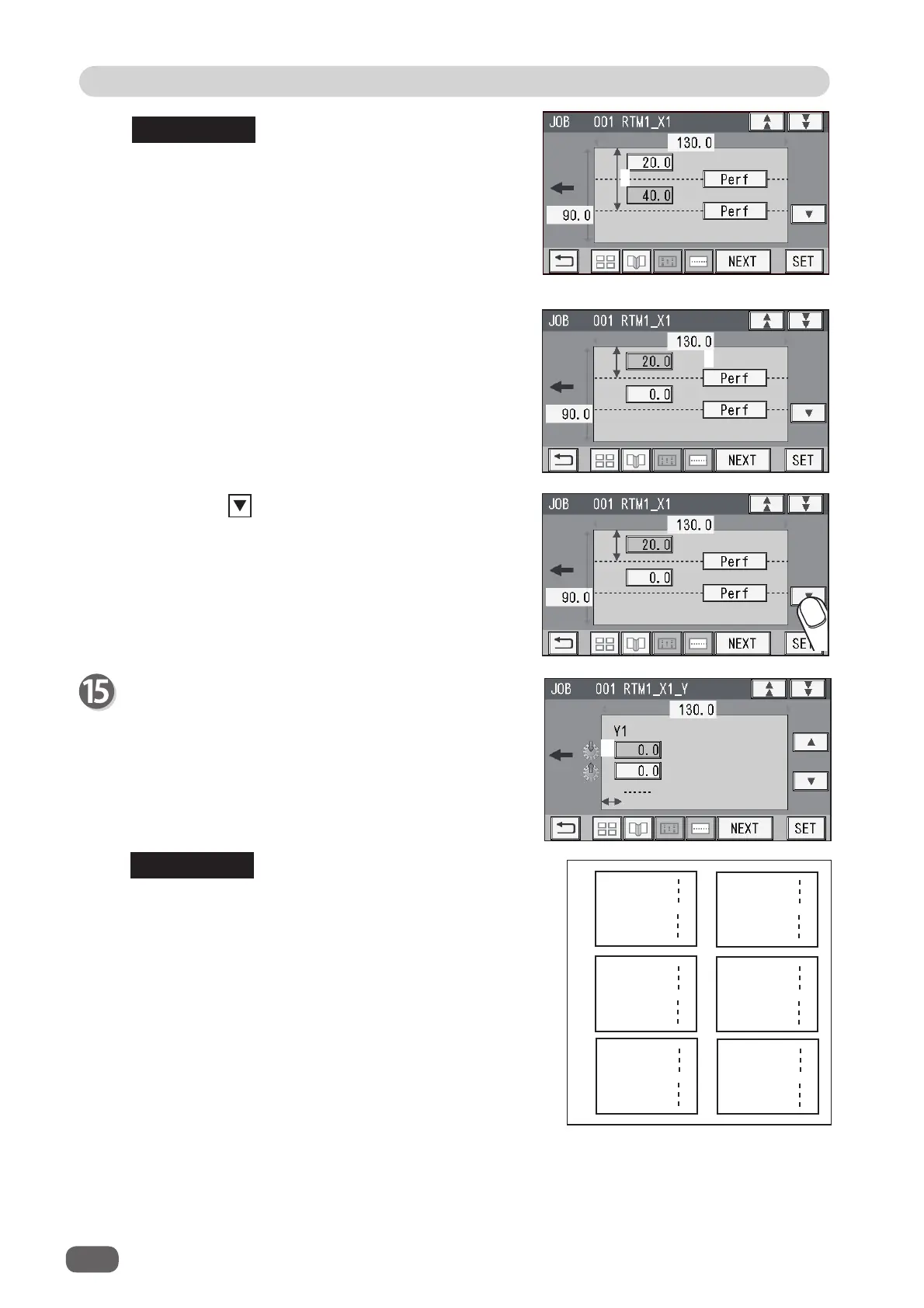
1. Enter the distance between the lead edge of the
fi nished product and
1
(
On
position: the processing
start position of the rotary tool) of
Y1
(
Set 1
in the Y
direction) with the NUMERIC keys.
Touch
SET
.
If the number of cards in the Y direction is any of
2
to
6
, entering a processing position (
1
) in the Y direction
sets the
On
position of
Y1
at the same position in the
Y direction on another fi nished product.
If the number of cards in the X direction is
2
, entering
the processing position (
2
) in the X direction displays
the value in red, which shows that an invalid value
is entered because two cards are programmed to be
processed with one
RTM (Rotary Tool Module)
in
the X direction.
Enter
0
for (
2
).
REFERENCE
3
2
2. Touch
3
and select a type of
rotary tool
that is
used for
X1
(
1
).
Every time
3
is touched,
Perf
,
Micro
, or
Score
is
displayed.
3. Touch the icon.
REFERENCE
1



 To Next Page