JOB Entry
26
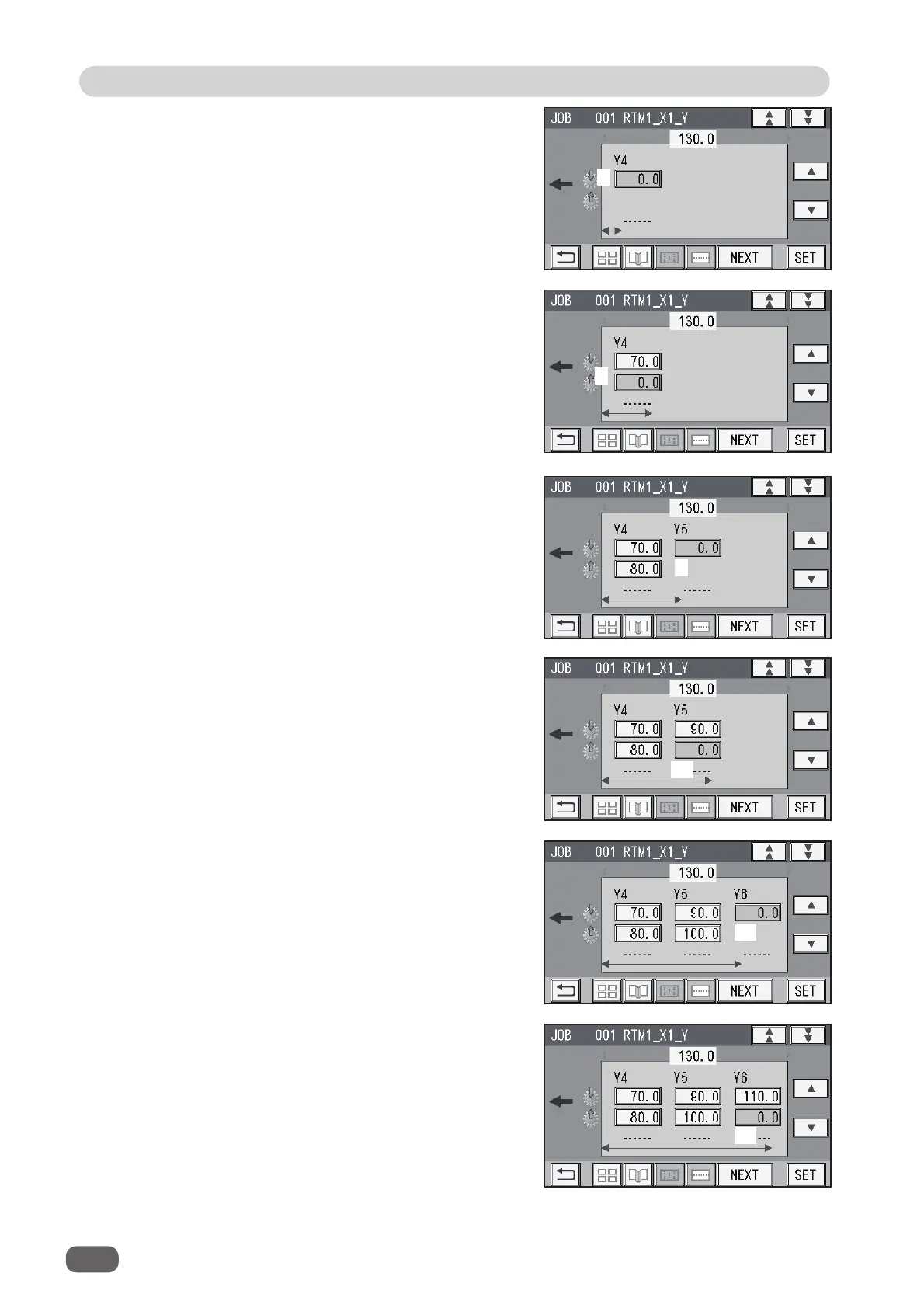
8. Enter the distance between the lead edge of
the fi nished product and
8
(
Off
position: the
processing stop position of the rotary tool) of
Y4
(
Set 4
in the Y direction) with the NUMERIC
keys.
Touch
SET
.
7. If the number of cards in the Y direction is
1
,
Y4
to
Y6
are displayed.
Enter the distance between the lead edge of
the fi nished product and
7
(
On
position: the
processing start position of the rotary tool) of
Y4
(
Set 4
in the Y direction) with the NUMERIC
keys.
Touch
SET
.
9. Enter the distance between the lead edge of
the fi nished product and
9
(
On
position: the
processing start position of the rotary tool) of
Y5
(
Set 5
in the Y direction) with the NUMERIC
keys.
Touch
SET
.
7
8
9
10. Enter the distance between the lead edge of
the fi nished product and
10
(
Off
position: the
processing stop position of the rotary tool) of
Y5
(
Set 5
in the Y direction) with the NUMERIC
keys.
Touch
SET
.
11. Enter the distance between the lead edge of
the fi nished product and
11
(
On
position: the
processing start position of the rotary tool) of
Y6
(
Set 6
in the Y direction) with the NUMERIC
keys.
Touch
SET
.
12. Enter the distance between the lead edge of
the fi nished product and
12
(
Off
position: the
processing stop position of the rotary tool) of
Y6
(
Set 6
in the Y direction) with the NUMERIC
keys.
Touch
SET
.
10
11
12



 To Next Page