JOB Entry
27
Programming a JOB on the Control Panel
2
Touch the icon.
●
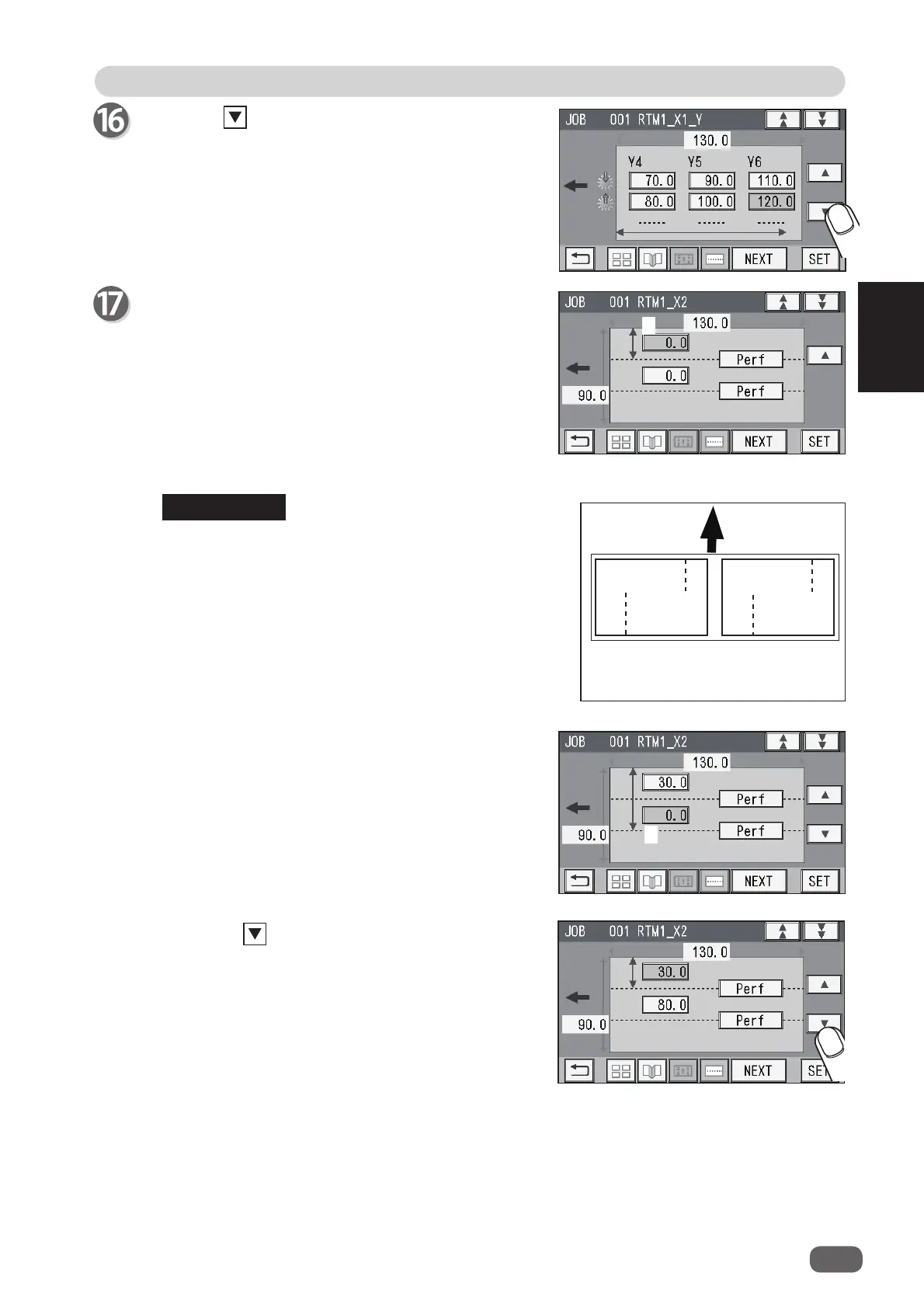
Pattern 2 in the X direction (crosswise)
X2
1. Enter the distance between the right edge of the
fi nished product and the processing position in
the X direction (
1
: X2-R) with the NUMERIC keys.
Touch
SET
.
If the number of cards in the X direction is
1
, go to
step 18-2.
If the number of cards in the X direction is
2
, go to
step 19.
2. Enter the distance between the right edge of the
fi nished product and the processing position in
the X direction (
2
: X2-L) with the NUMERIC keys.
Touch
SET
.
If the number of cards in the X direction is
2
,
entering the processing position (
1
) in the X direction
processes the same position in the X direction on the
other fi nished product. (The rotary tool on the right
side of the
RTM (Rotary Tool Module)
processes the
fi nished product on the right and that on the left side
processes that on the left.)
2
Document
feed direction
X1-
R
X1-L
X2-R
X2-L
REFERENCE
3. Touch the icon.
1



 To Next Page