JOB Entry
39
Programming a JOB on the Control Panel
2
10.
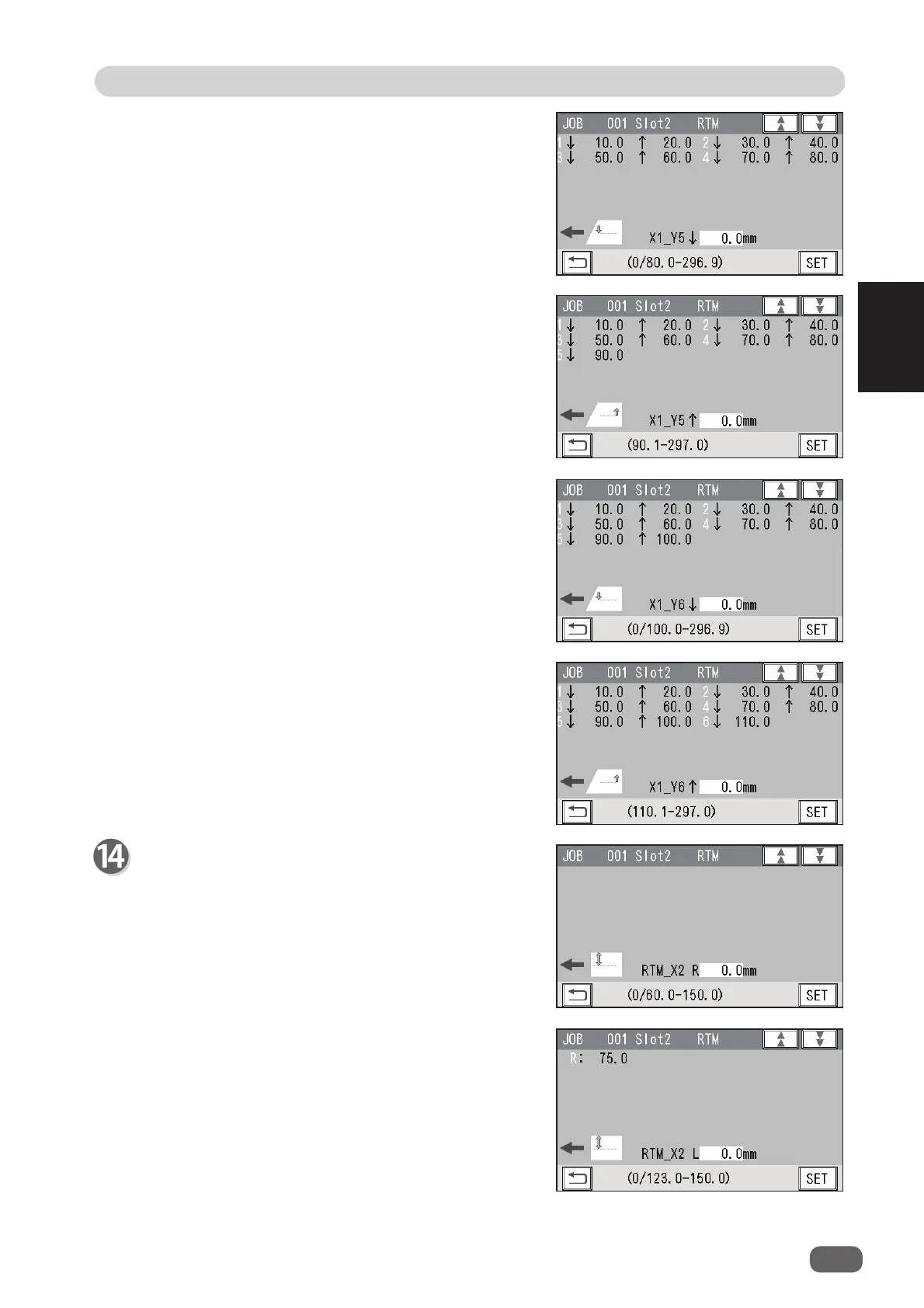
X1_Y5 ↑
Enter the distance between the lead edge of the
document and the
Off
position (the processing
stop position of the rotary tool) of
Y5
(
Set 5
in the
Y direction) with the NUMERIC keys. Touch
SET
.
12.
X1_Y6 ↑
Enter the distance between the lead edge of the
document and the
Off
position (the processing
stop position of the rotary tool) of
Y6
(
Set 6
in the
Y direction) with the NUMERIC keys. Touch
SET
.
11.
X1_Y6 ↓
Enter the distance between the lead edge of the
document and the
On
position (the processing
start position of the rotary tool) of
Y6
(
Set 6
in the
Y direction) with the NUMERIC keys. Touch
SET
.
9.
X1_Y5 ↓
Enter the distance between the lead edge of the
document and the
On
position (the processing start
position of the rotary tool) of
Y5
(
Set 5
in the Y
direction) with the NUMERIC keys. Touch
SET
.
Slot2 RTM
X2
(Pattern 2 in the X direction)
1.
RTM_X2 R
Enter the distance between the right edge of the
document and the rotary tool on the right side (
R
) of
the
RTM (Rotary Tool Module)
with the NUMERIC
keys. Touch
SET
.
2.
RTM_X2 L
Enter the distance between the right edge of the
document and the rotary tool on the left side (
L
) of
the
RTM (Rotary Tool Module)
with the NUMERIC
keys. Touch
SET
.



 To Next Page