JOB Entry
45
Programming a JOB on the Control Panel
2
12.
X1_Y6 ↑
Enter the distance between the lead edge of the
document and the
Off
position (the processing
stop position of the rotary tool) of
Y6
(
Set 6
in the Y
direction) with the NUMERIC keys. Touch
SET
.
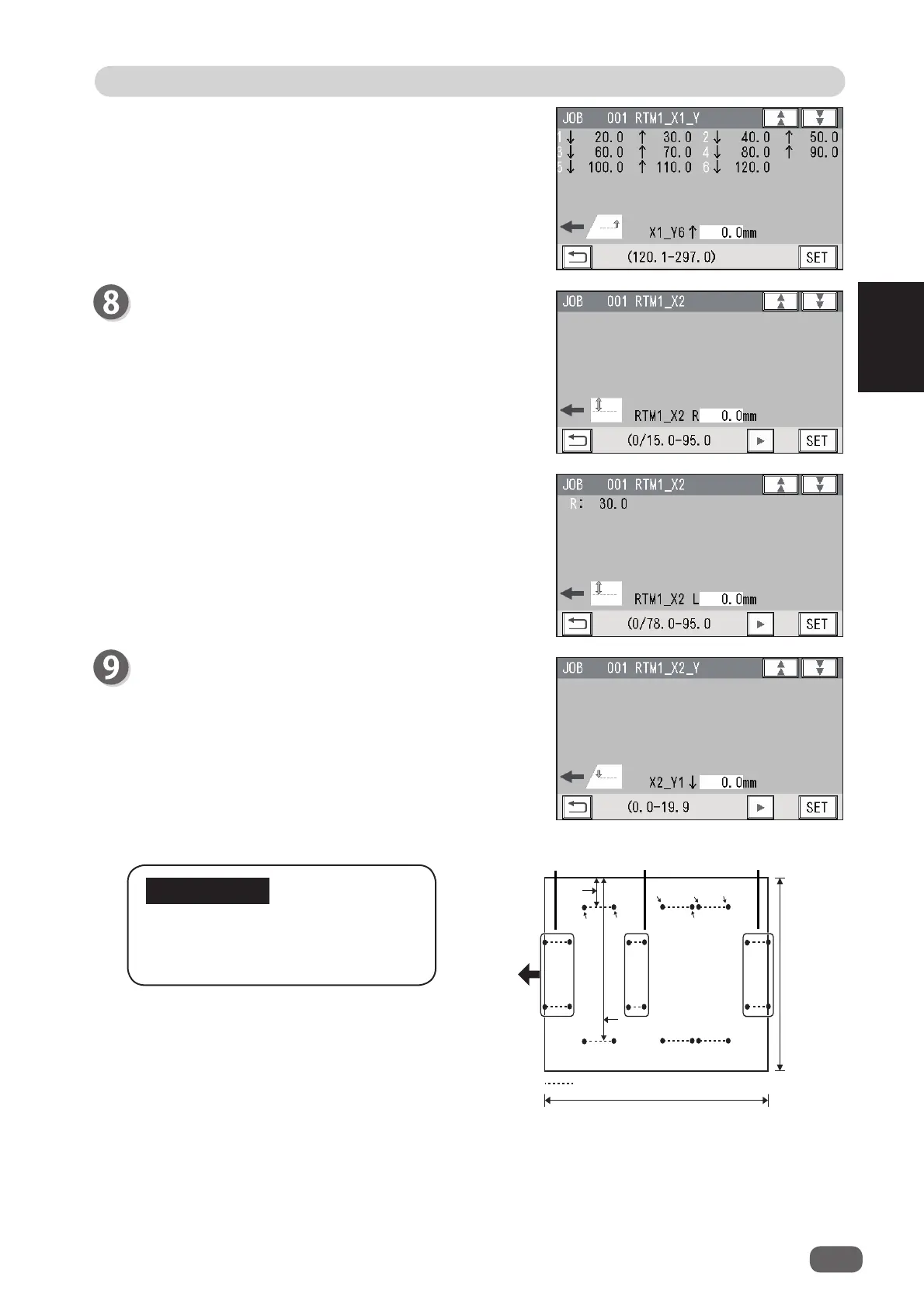
RTM2_X2
X2
(Pattern 2 in the X direction)
1.
RTM_X2 R
Enter the distance between the right edge of the
document and the rotary tool on the right side (
R
) of
the
RTM (Rotary Tool Module)
with the NUMERIC
keys. Touch
SET
.
Processing a document in the Y
direction of
Pattern 2
can be made
between each set of
Pattern 1
.
2.
RTM1_X1 L
Enter the distance between the right edge of the
document and the rotary tool on the left side (
L
) of
the
RTM (Rotary Tool Module)
with the NUMERIC
keys. Touch
SET
.
RTM1_X2_Y
X2
(Pattern 2 in the X direction)
Enter values of
On
position(s) and
Off
position(s) for
Y1
to
Y6
of
X2
in a similar way to step 7.
IMPORTANT
;<2Q
;/
;<2Q
;<2II
;<2Q
;<2II
;5
3HUIRUDWLRQ
'RFXPHQW
IHHG
GLUHFWLRQ
;
<㸦/HQJWKZLVH㸧
;<2II
&URVVZLVH㸧
Set 1 of
Pattern 1
Set 2 of
Pattern 1
Set 3 of
Pattern 1
Rotary processing position



 To Next Page