66
PC Controller Setting
Document Size
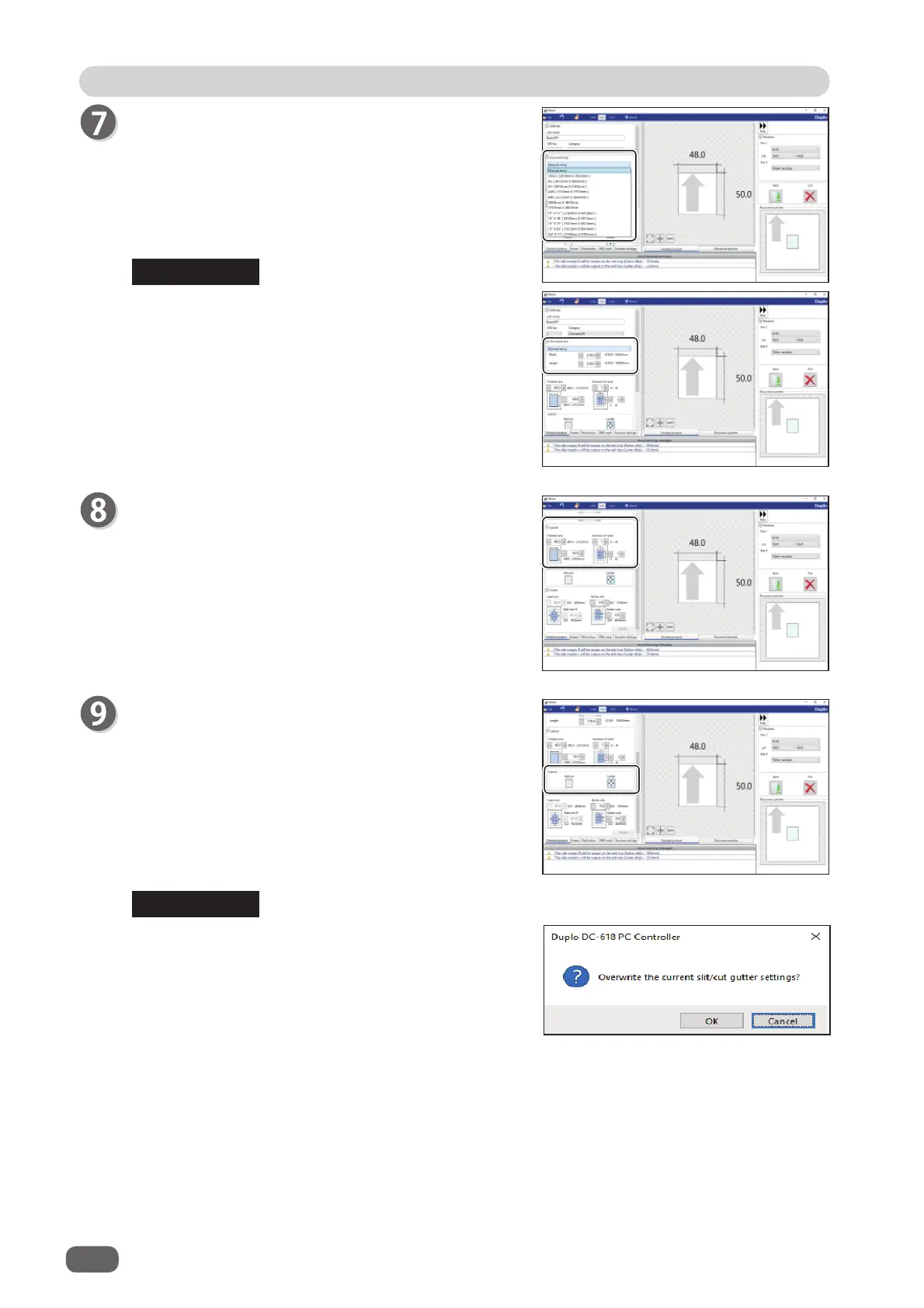
Select the document size from the
Document size
box.
Select
Manual entry
when processing custom-size
documents. Enter the width and the length of the
document.
Layout
Finished size
Enter the width and the length of the fi nished product.
Number of cards
Enter the number of the fi nished products in a
horizontal and a vertical direction.
Layout
Select and touch
ON
or
OFF
.
Manual
: Enables you to manually enter values to set
a layout of the fi nished product.
Center
: Automatically sets a layout of the fi nished
product in the center of the document.
Automatically makes settings for
Lead trim
(the lead margin cut) and
Side trim R
(the
right margin slit).
If you click
Center
, the message as shown on the
right appears.
Click
OK
.
Clicking
Cancel
returns to the previous screen
without selecting
Center
.
REFERENCE
REFERENCE



 To Next Page