EasyManua.ls Logo

Duplo RTM-08 - Page 82

Duplo RTM-08
116 pages
Print Icon
To Next Page IconTo Next Page
To Previous Page IconTo Previous Page
Loading...
74
PC Controller Setting
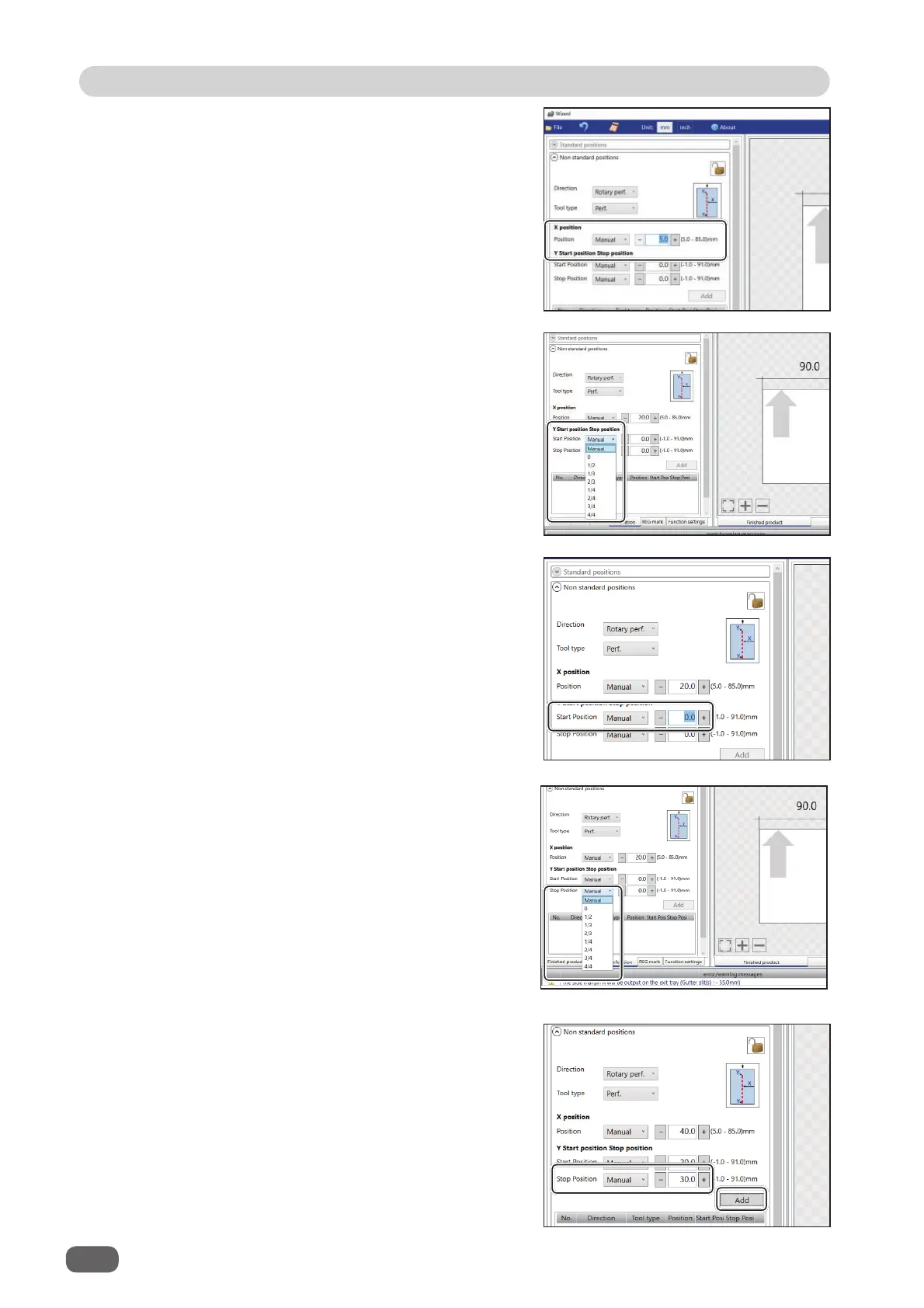
3. If you have selected
Manual
in step 2, enter a
value for
Position
with the NUMERIC keys or
by clicking
+
or
-
.
4.
Y Start position Stop position (lengthwise)
Click the
Start Position
box and select a
processing start position (lengthwise) of the
rotary
tool
out of
Manual
,
0
,
1/2
,
1/3
,
2/3
,
1/4
,
2/4
,
3/4
, and
4/4
.
5. If you have selected
Manual
in step 4, enter
a value for
Start Position
(lengthwise) of the
rotary tool
with the NUMERIC keys or by
clicking
+
or
-
.
6. Click the
Stop position
box and select a
processing stop position (lengthwise) of the
rotary tool
out of
Manual
,
0
,
1/2
,
1/3
,
2/3
,
1/4
,
2/4
,
3/4
, and
4/4
.
7. If you have selected
Manual
in step 6, enter
a value for
Stop Position
(lengthwise) of the
rotary tool
with the NUMERIC keys or by
clicking
+
or
-
. Then click
Add
.