76
PC Controller Setting
Function settings
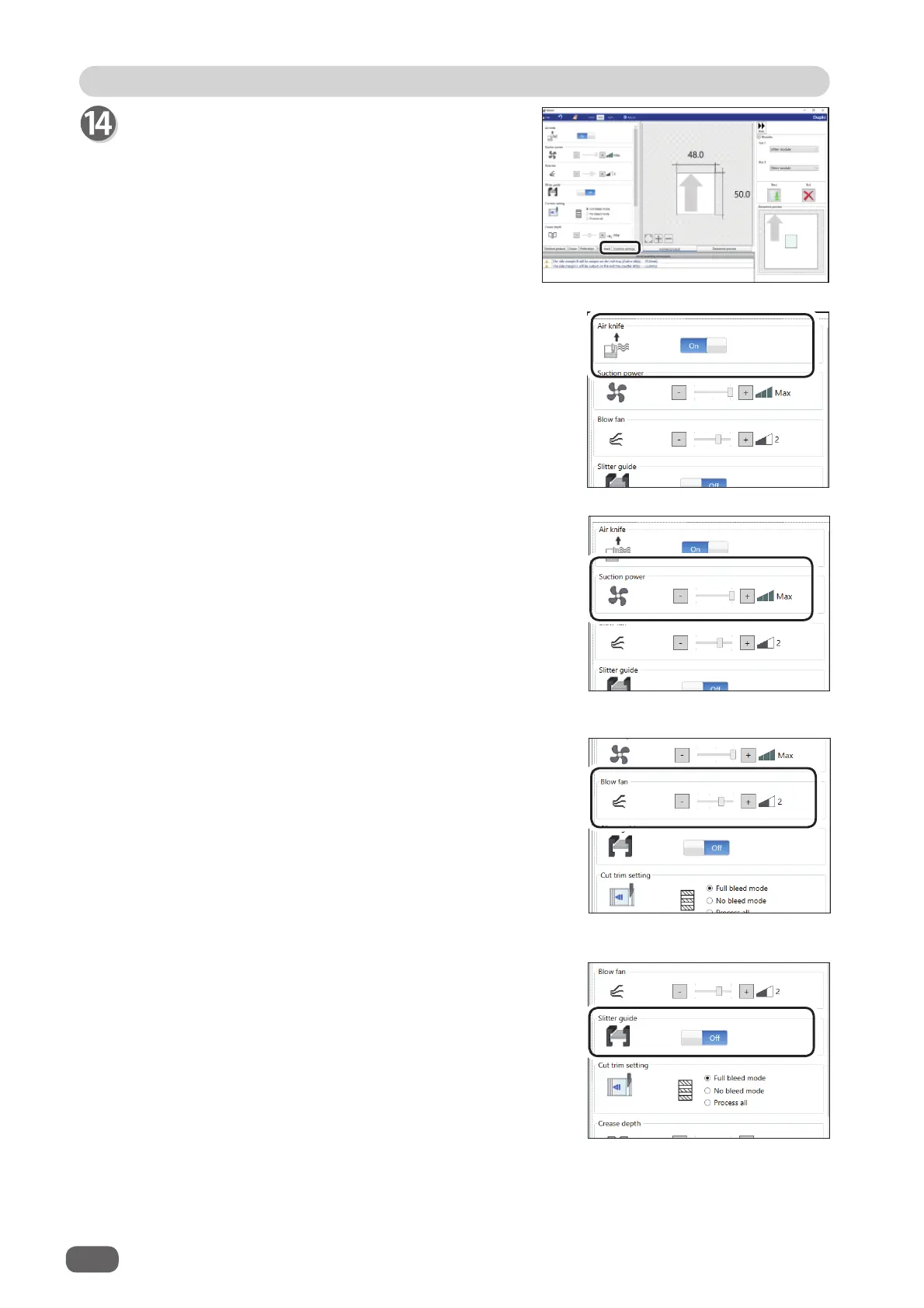
Click the
Function settings
tab.
Air knife
Compressed air is blown out from the front to the
corner of a document. This prevents a double feed.
To use this function, select
On
. If not, select
Off
.
Select
Off
when processing light weight documents.
Suction power
A document is fed by being suctioned to the
conveyance belt
.
Select suction power level out of
Max
,
Mid
, or
Min
by clicking
+
or
-
.
Blow fan
Air is blown out from the lead edge side of a
document to loosen the documents when it is fed.
Select air level from 0 to 3 by clicking
+
or
-
.
Set the air level higher if the DC-618 does not feed
a document. Set the air level lower if a double feed
occurs.
Slitter guide
This enables you to use modules as slitter guides
to stabilize the document conveyance if you do not
use them to process a JOB.
It is recommended that you select
On
when
processing light weight documents.
Select and touch
On
or
Off
.
The
RTM (Rotary Tool Module)
and the
slitter
module
can be used as slitter guides.



 To Next Page