2
85
PC Controller Setting
4
Programming a JOB on a Computer
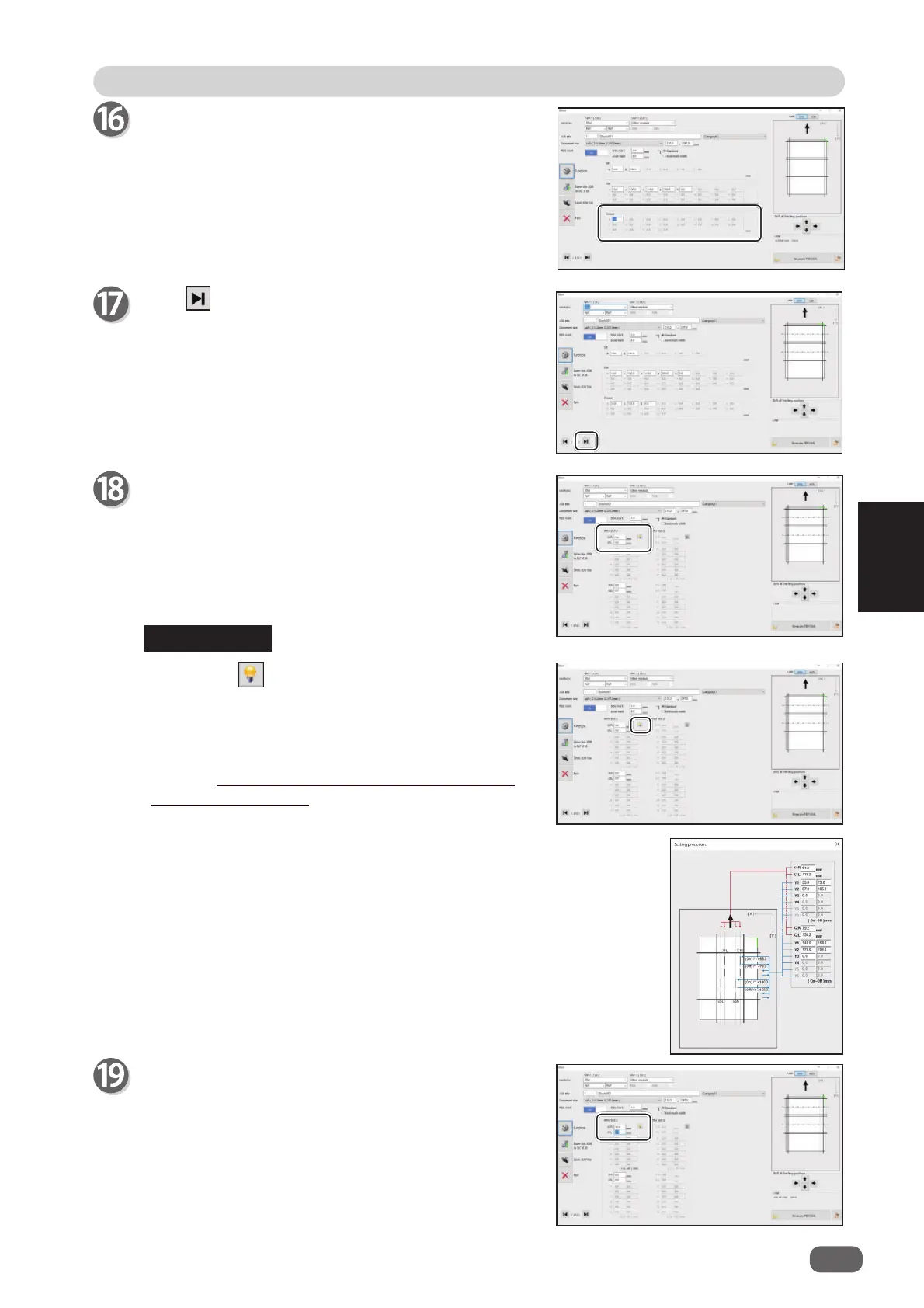
Crease
Click each
Crease
box and enter the distance from
the right edge of the document to the crease position
with the NUMERIC keys. Press the Enter key to set
the value.
You can set up to 20 creases.
Entering
0
fi nishes the settings for
Crease
.
Click .
RTM Slot 2 X1R
Enter the distance between the right edge of the
document and the position of
X1R
(Pattern 1 in the X
direction, the right side tool) with the NUMERIC keys.
Clicking the icon displays the
Setting
procedure
screen, which you can use as reference
for setting rotary tool positions.
There is a limitation on processing positions of the
RTM (Rotary Tool Module)
.
(→ P. 60 ● Settings for processing with the RTM
(Rotary Tool Module))
RTM Slot 2 X1L
Enter the distance between the right edge of the
document and the position of
X1L
(Pattern 1 in the X
direction, the left side tool) with the NUMERIC keys.
REFERENCE



 To Next Page