86
PC Controller Setting
REFERENCE
REFERENCE
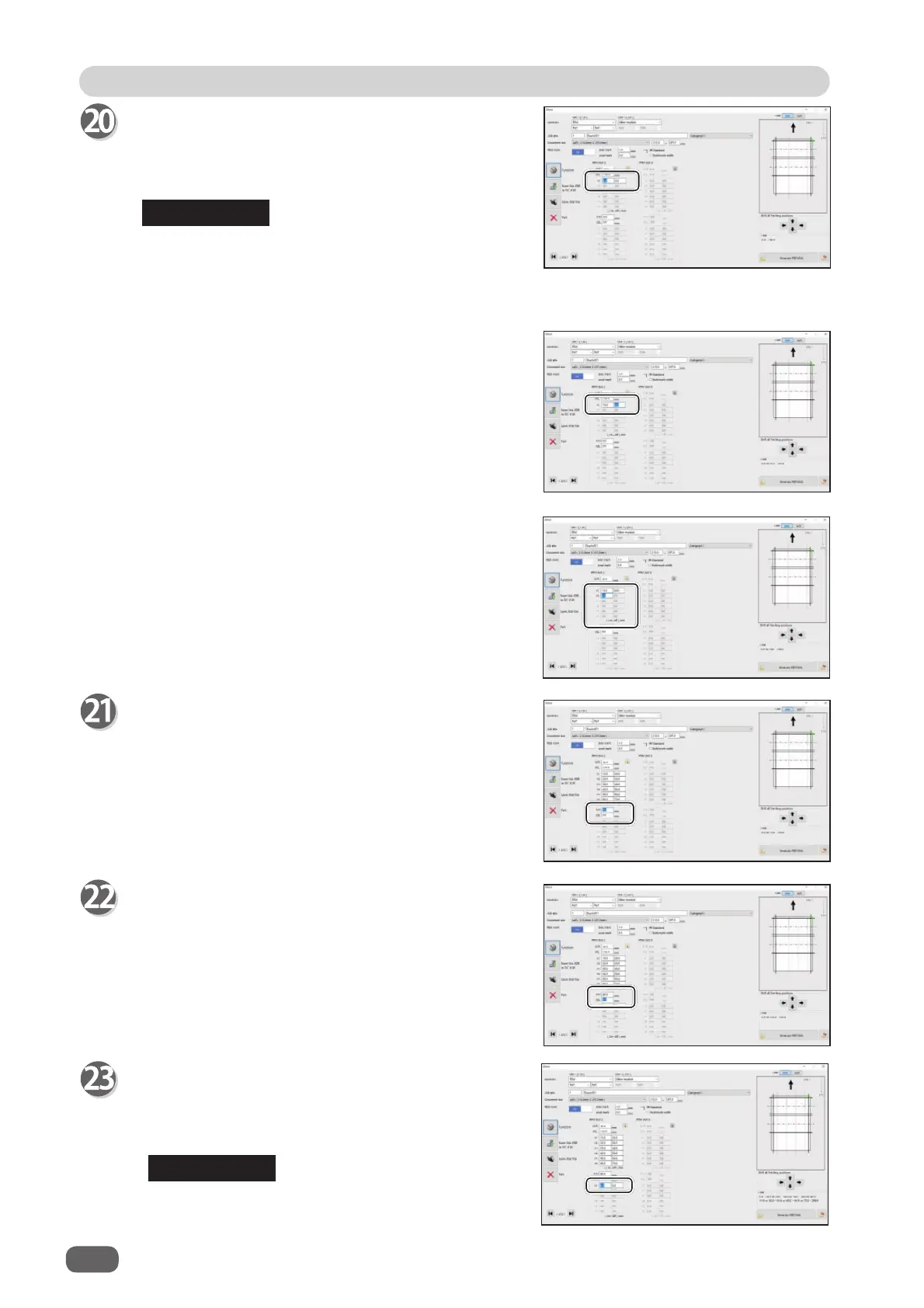
RTM Slot 2 Y1
1. Enter the distance from the lead edge of the
document to the
On
position (processing start
position) of Y1 (Pattern 1 in the Y direction).
2. Enter the distance from the lead edge of the
document to the
Off
position (processing stop
position) of
Y1
(Pattern 1 in the Y direction).
3. In similar ways to steps 20-1 and 20-2, enter values
for
Y2
to
Y6
.
Entering
0
fi nishes the settings for Pattern 1 in the
Y direction.
On
position: A position displayed as
↓
when a
JOB is programmed on the control
panel
(
Y1 On
=
Y1↓
,
Y1 Off
=
Y1
↑)
RTM Slot 2 X2R
Enter the distance from the right edge of the
document to the
X2R
position (Pattern 2 in the X
direction, the right side tool).
RTM Slot 2 X2L
Enter the distance from the right edge of the
document to the
X2L
position (Pattern 2 in the X
direction, the left side tool).
RTM Slot 2 Y1
1. Enter the distance from the lead edge of the
document to the
On
position of
Y1
(Pattern 1 in the
Y direction).
You cannot set the
On
and
Off
positions at the
same positions as entered in step 20.



 To Next Page