DuraLabel.com | 800.788.5572
2.3 Loading Ribbon | 9
LOADING THE PRINTER
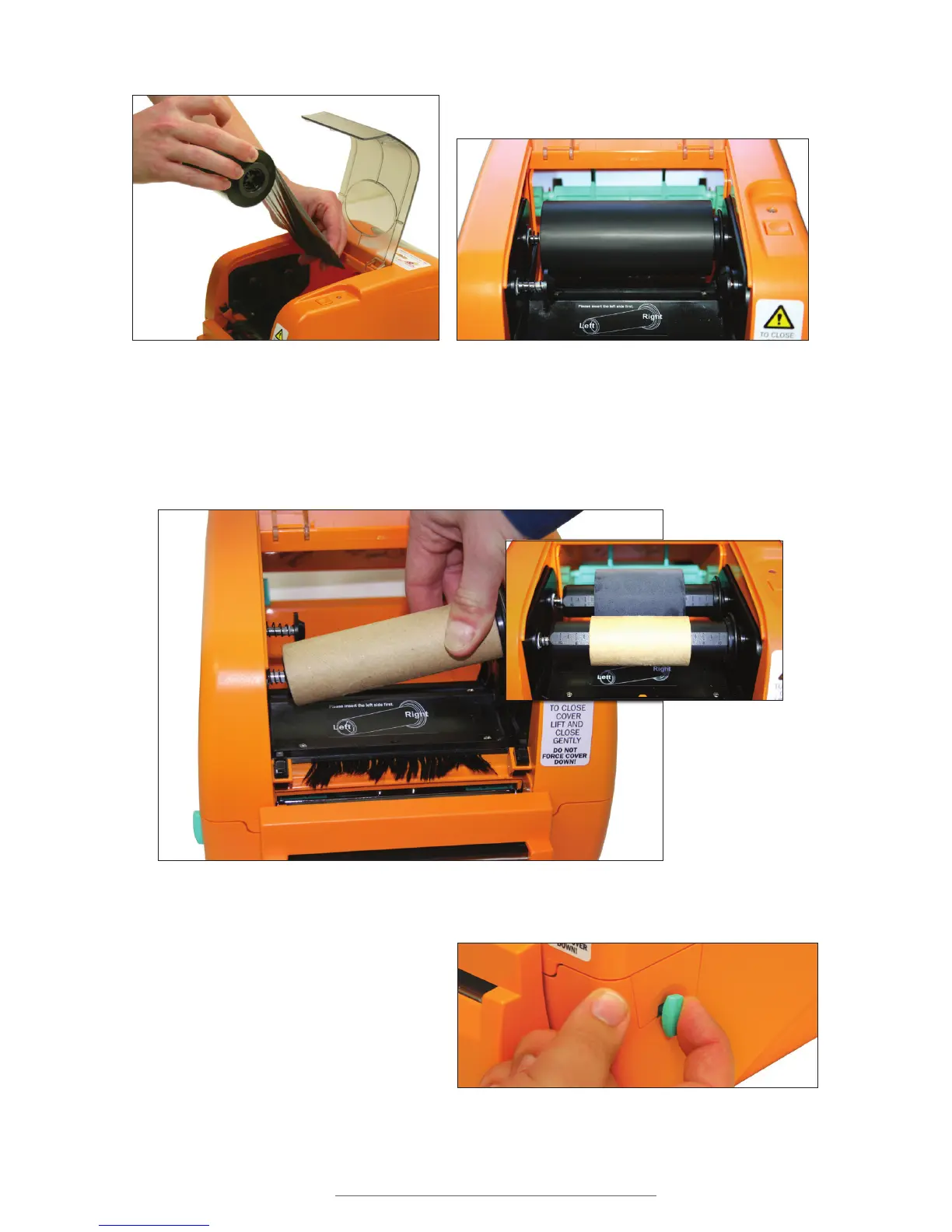
E. Place the ribbon rewind spindle (with paper core) on the front hubs by inserting the
left side of the spindle first, fitting it onto the front spring-loaded hub. Then fit the
right (flanged) side of the spindle onto the right hub.
F. Open the printer cover by pulling
the release levers on the sides of
the printer toward you.
Figure 7 Ribbon supply (4.3") spindle being inserted
at rear hubs
Figure 8 Ribbon supply (4.3") spindle inserted at rear hubs
Figure 9 Ribbon rewind spindle with paper core (4.3") being applied to the front spring-loaded hub
Figure 10
Ribbon supply
(2.5") spindles
loaded and aligned
with each other
Figure 11 Printer release lever being pulled forward



 To Next Page