DuraLabel.com | 800.788.5572
8.2 Cutter | 39
CLEANING AND GENERAL MAINTENANCE
8.2 Cutter
A. Open the DuraLabel PRO/PRO 300 cover.
B. Rewind any loaded supply away from the cutting mechanism.
C. Place a cleaning swab between your forefinger and thumb and squeeze until it
snaps. Alcohol will be distributed to the cotton side of the swab.
D. Run the swab back and forth across the cutting mechanism several times to
remove any buildup of labeling adhesive.
8.2.1 CLEANING CUTTER FROM THE INSIDE
NOTE:7RFOHDQERWKVLGHVRIWKHFXWWLQJEODGHVPRUHHIÀFLHQWO\UHPRYHWKHFXWWHU
from the printer. An advanced cutter cleaning guide is available by contacting Technical
Support.
A. Using both hands, gently lift the cutting mechanism from the printer. Wires will still
be connected, so avoid pulling the cutting mechanism too hard or too far from the
printer.
B. Place a cleaning swab between your forefinger and thumb and squeeze until it
snaps. Alcohol will be distributed to the cotton side of the swab.
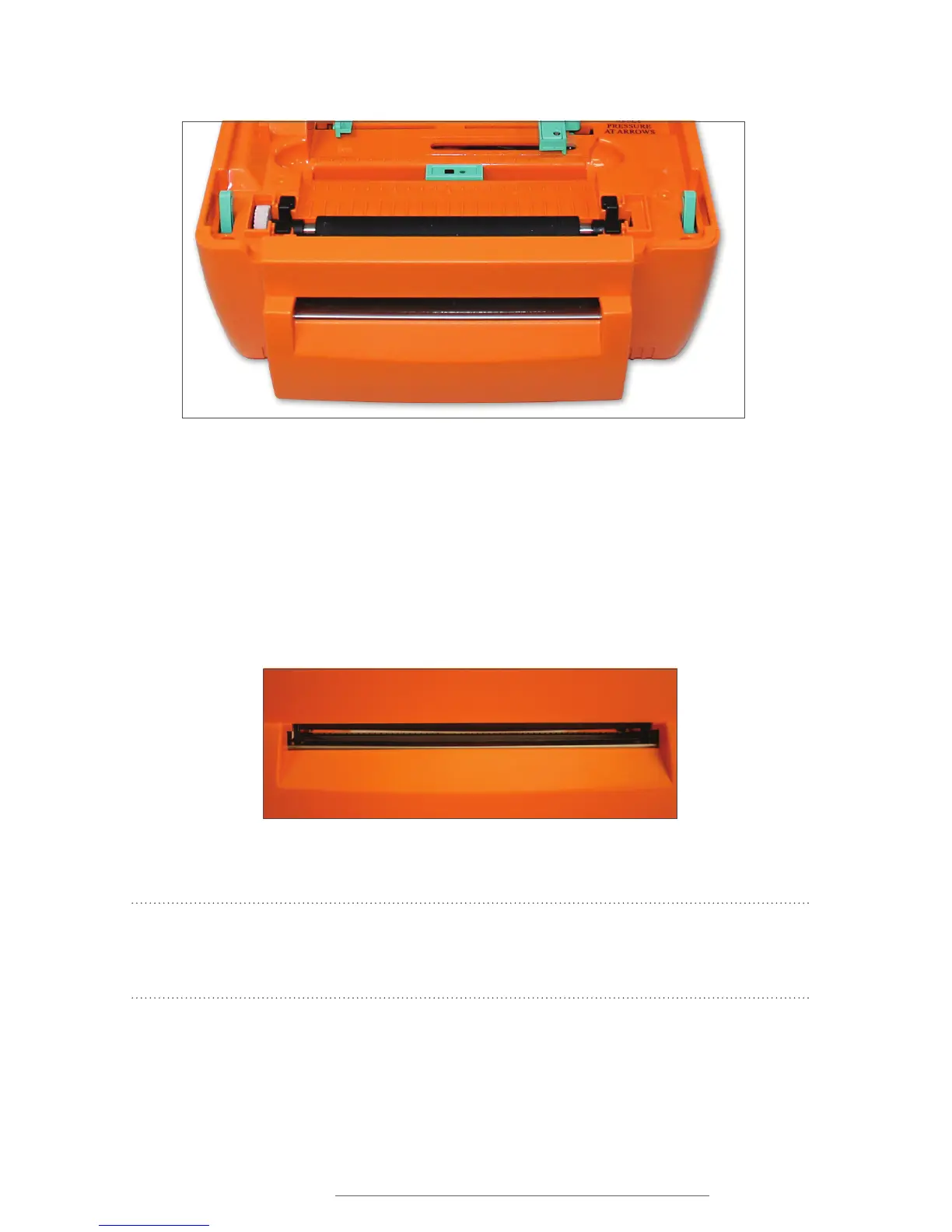
Figure 3 Cutter mechanism (detachable face in front)
Figure 4 Printed label opening



 To Next Page