DuraLabel.com | 800.788.5572
8.3 Platen Roller | 41
CLEANING AND GENERAL MAINTENANCE
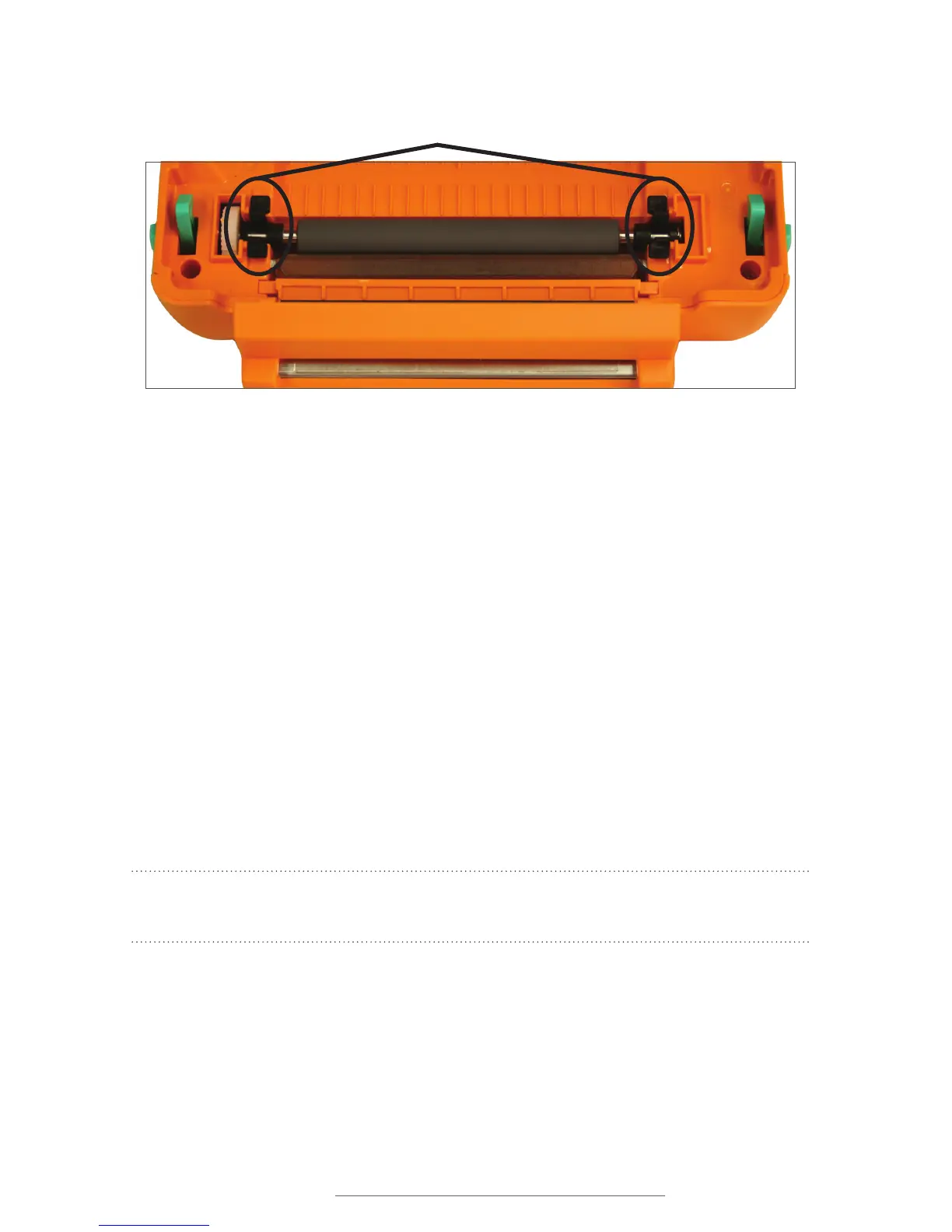
Black Tabs
Figure 6 Platen roller
8.3 Platen Roller
A. Remove the platen roller by squeezing the black tabs on either side and lifting up.
B. Place a cleaning swab between your forefinger and thumb and squeeze until it
snaps. Alcohol will be distributed to the cotton side of the swab.
C. Run the swab back and forth across the platen roller several times to remove any
buildup.
D. Replace platen roller.
E. Let the platen roller dry for a few minutes, then reload ribbon and supply. Your
DuraLabel PRO/PRO 300 is now ready to use.
To maintain optimal performance, the DuraLabel PRO/PRO 300 printer should be
cleaned after every two rolls of supply. The print head, cutter mechanism and platen
roller should be cleaned with alcohol swabs to remove buildup of adhesive, dust and
other substances. Always turn the printer OFF before cleaning, performing maintenance
or loading supplies.
NOTE: Visit DuraLabel.com/duralabel-pro-300/dlp300-support.php to view proper
cleaning procedures.



 To Next Page