38 | 8.1 Print Head
DuraLabel.com | 800.788.5572
8. Cleaning and General Maintenance
IMPORTANT! Always turn the printer OFF before cleaning, performing
maintenance or loading supplies. Always wait at least 5 seconds before turning
the power back ON.
Basic cleaning of print head, cutter and platen roller will prolong the printer’s life and help
produce crisp, clear labels and signs. Refer to Section 2.1, Printer Parts, for additional
cleaning and maintenance information. You can also view a DuraLabel PRO/PRO 300
cleaning video by visiting DuraLabel.com/duralabel-pro-300/dlp300-support.php.
8.1 Print Head
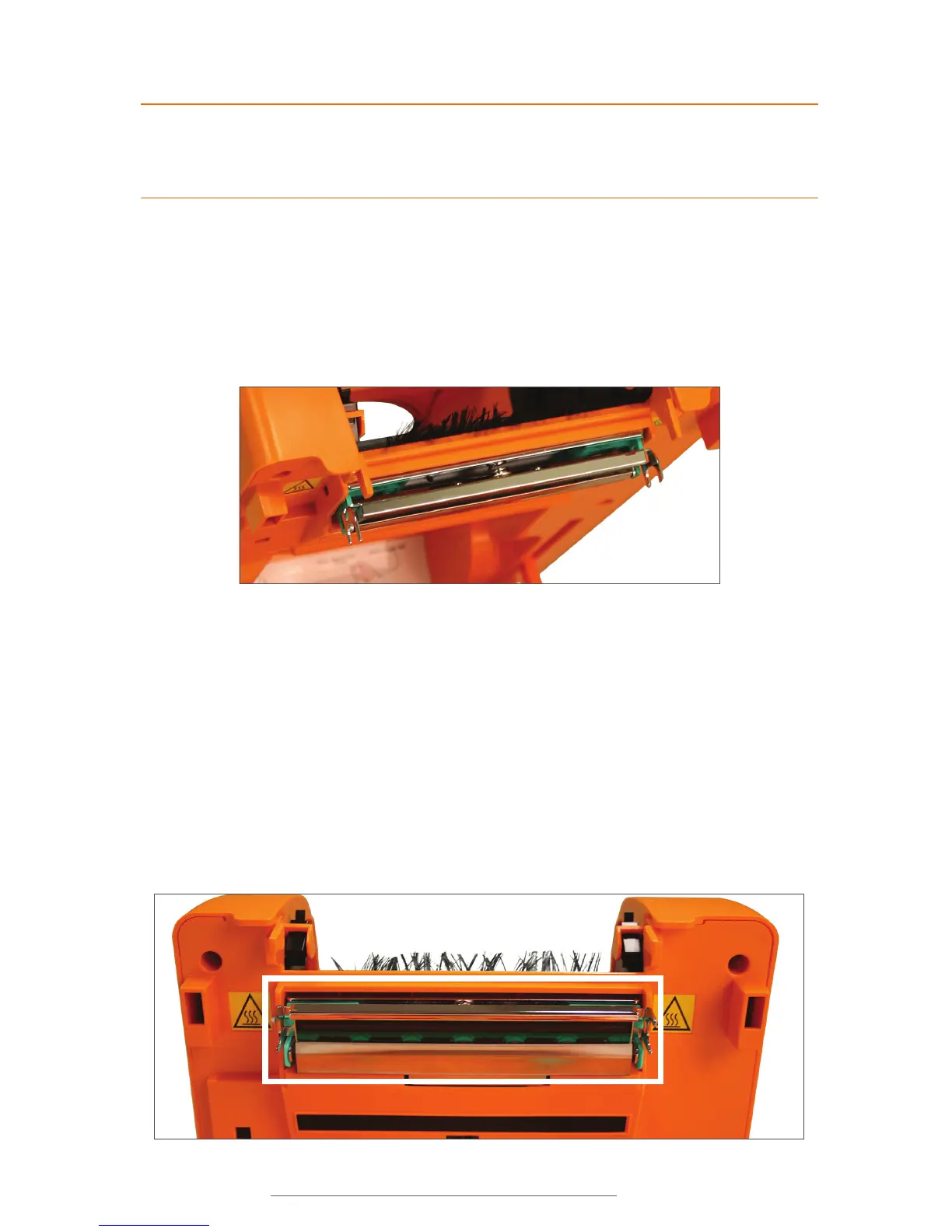
Figure 1 The print head includes the entire metal bar that sits under the printer cover.
A. Open printer cover and remove any supplies.
B. Remove the rewind spindle, placing it out of your way.
C. Place a cleaning swab between your forefinger and thumb and squeeze until it
snaps. Alcohol will be distributed to the cotton side of the swab.
D. Run the swab back and forth across the print head several times to remove any
built-up adhesive, ribbon residue or dust particles.
E. E. Clean the front and underside of the print head.
Figure 2 Clean the entire area outlined in white.



 To Next Page