Operation
Operating Manual 512/532 Version 00.0 - 12/201330
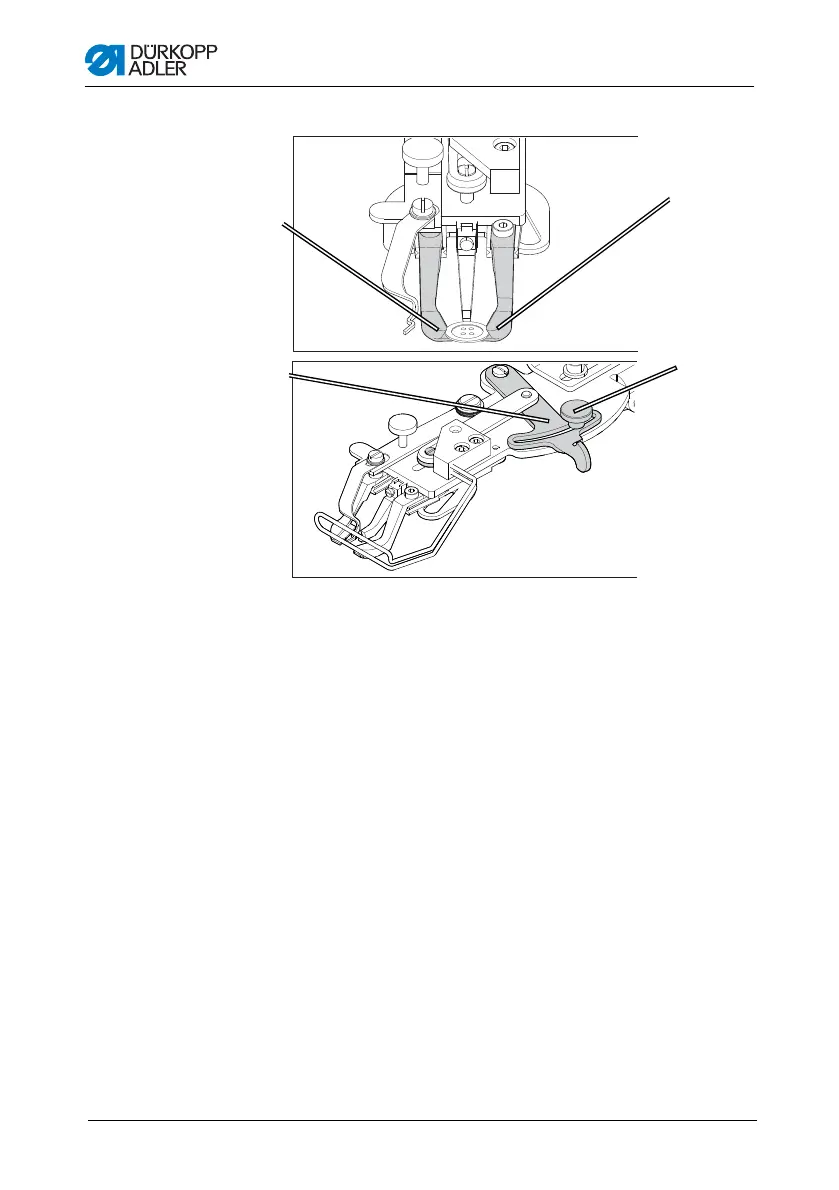
Figure 9: Adjusting the button mount – optional clamp
The button should be able to slide lightly into the button mount
and be easy to align.
However, the button must be securely clamped so that it cannot
twist when the sewing material is inserted.
The lever (2) regulates the size of the opening in the button mount.
1. Switch on the sewing machine.
2. Press the Ready button.
Clamp raises, pedal ready for sewing.
3. Press the Ready button.
Clamp remains raised, pedal is disabled.
4. Loosen the knurled screw (3).
5. Open the button amount to the correct distance using the
lever (2).
6. Insert the button.
③
①
④
(1) – Button mount, left
(2) – Lever
(3) – Knurled screw
(4) – Button mount, left
②










 To Next Page