Settings via the software
Operating Manual 512/532 Version 00.0 - 12/2013 35
5 Settings via the software
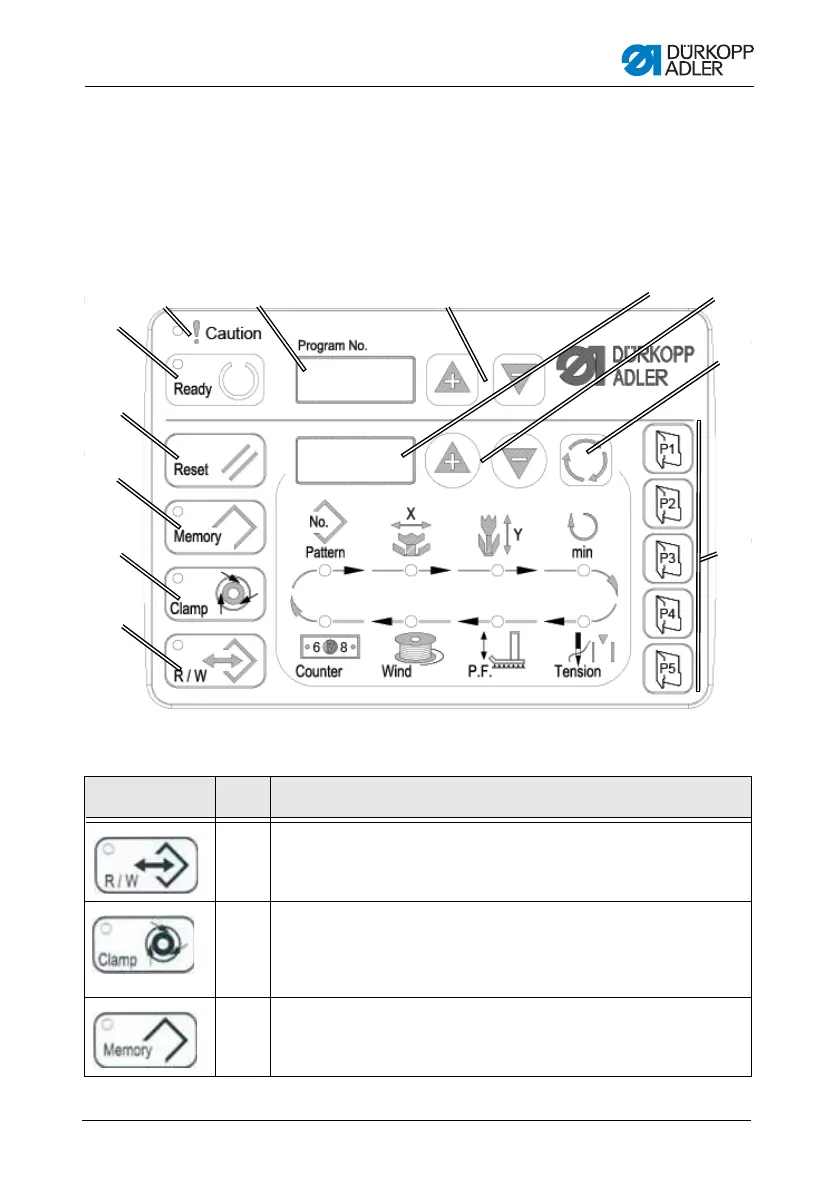
5.1 Control panel
Figure 11: Control panel
Control panel buttons:
Button / LED Pos. Function
(1) USB button with LED
Save/load seam appearances to/from a USB stick.
(2) Needle thread clamp button with LED
Clamps the needle thread on the first stitch.
LED on = Needle thread clamp on
LED off = Needle thread clamp off
(3) Memory button
Perform memory functions.




 To Next Page