Setup
Operating Manual 512/532 Version 00.0 - 12/201374
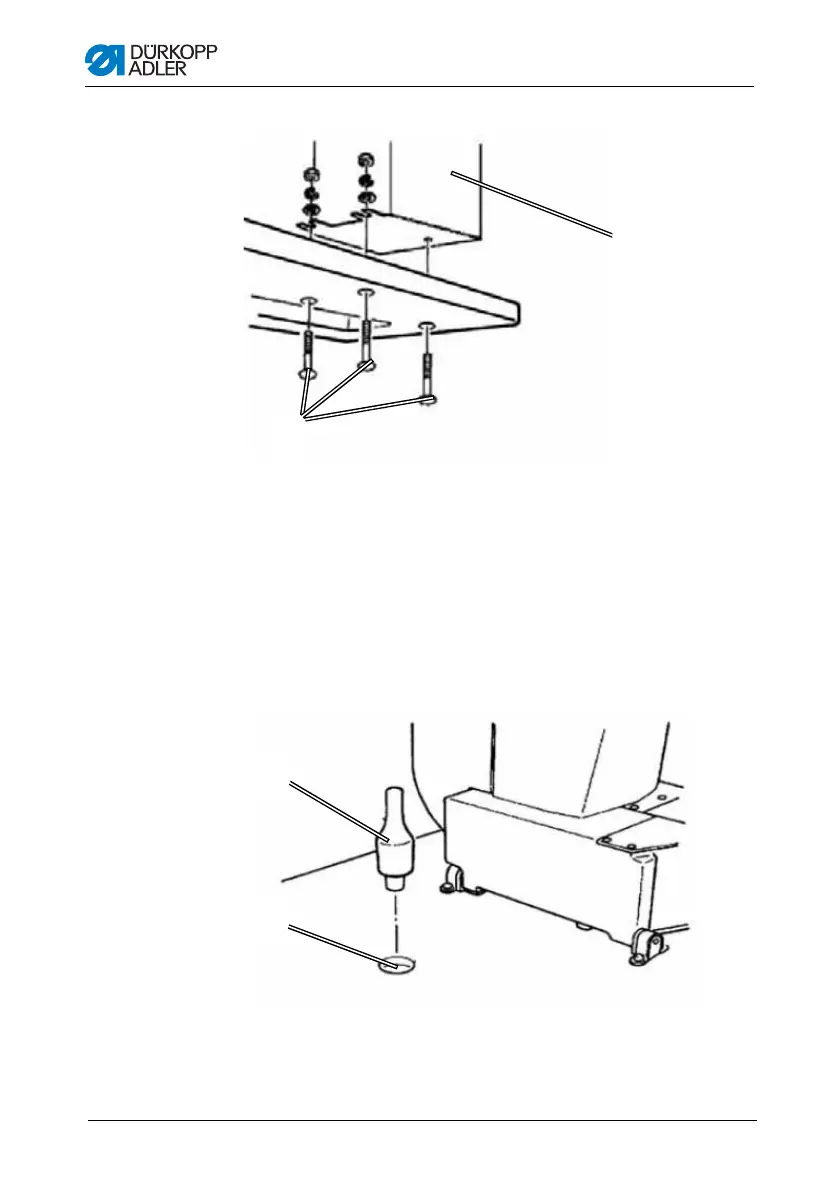
Figure 21: Completing the table plate II
1. Place the control cabinet (2) on the underside of the table plate.
2. Screw the control cabinet (2) to the underside of the table plate
using 3 screws (1), washers, retaining rings and nuts.
8.3.4 Mounting the upper section support
Figure 22: Mounting the upper section support
1. Insert the upper section support (1) into the hole (2) in the table
plate.
①
(1) – Screws (2) – Control cabinet
②
②
①
(1) – Upper section support (2) – Hole










 To Next Page