| 7
7
Controls and Indicators
User Manual
Screen Display
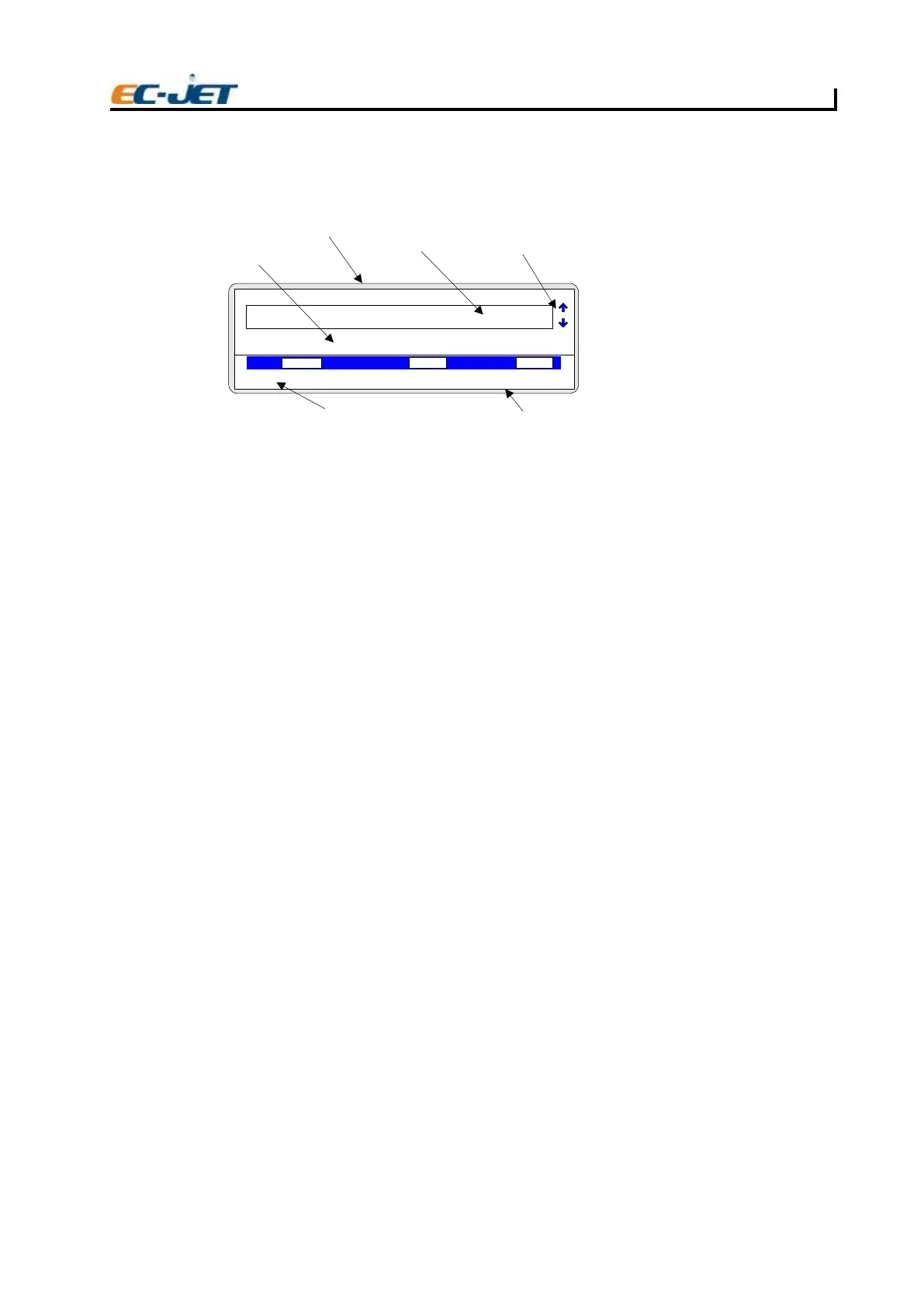
The screen is an LCD (Liquid Crystal Display) on which information about the printer is shown. The
display can be divided into main areas:
Message Display
This part of the display area is used for displaying, creating and editing messages to be printed.
Operation Menual Display
This is used to display the operation message.
Cursor Selection
The cursor keys can be used to select messages 1 to 60. Alternatively, simply press numbers 1 to 60
on the keyboard to select messages 1 to 60 respectively.
Apperance Line
This is used to display valve of VOD,pressure and phase.
Status Line
The status line is present in all menu displays. It is used to convey warning messages and print
failure conditions, to the operator.
Time / Date Display
This display time and date.
LED Status Indicators
There are five indicators on the top left of the keyboard.
power This is a red LED which, when illuminated, indicates that the power supply is switched on.
ready This indicates that the power is on, the printer is ready to print.
Jet When illuminated, the jet is running and the printer is ready to print.
warning This indicator is illuminated when a warning is issued by the system. The warning
message is displayed in the status line of the display.
fail When illuminated, this indicates that a
serious printer failure has occurred. In this event,
it may be necessary to contact your local EC-JET distributor.
Start and Stop keys
Start Key
This initiates the start-up sequence which is responsible for carrying out internal checks and regulating
the ink flow until it is ready for printing. Once ready, the machine will display the CURRENT MESSAGE
screen.
Stop Key
This initiates the shutdown sequence which purges the nozzle of ink and automatically carries out
procedures to clean the nozzle. This prevents a potentially serious blockage of the nozzle caused by
dried ink.
CURRENT MESSAGE
F1: 2FegasseM tidE :Check Status
F3: 4FegasseM weN :Change Setup
VOD PRESSURE PHASE
00000
000
1
Jet Off
Operation Display Area
Message Display Area
Message Selection Cursors
Status Line
Time/Date Display Area
Screen Display Area
EJ06
2006-03-24 14:01:38



 To Next Page