44 |
44 User Manual
Routine Maintenance
REPLENISHING INK AND SOLVENT
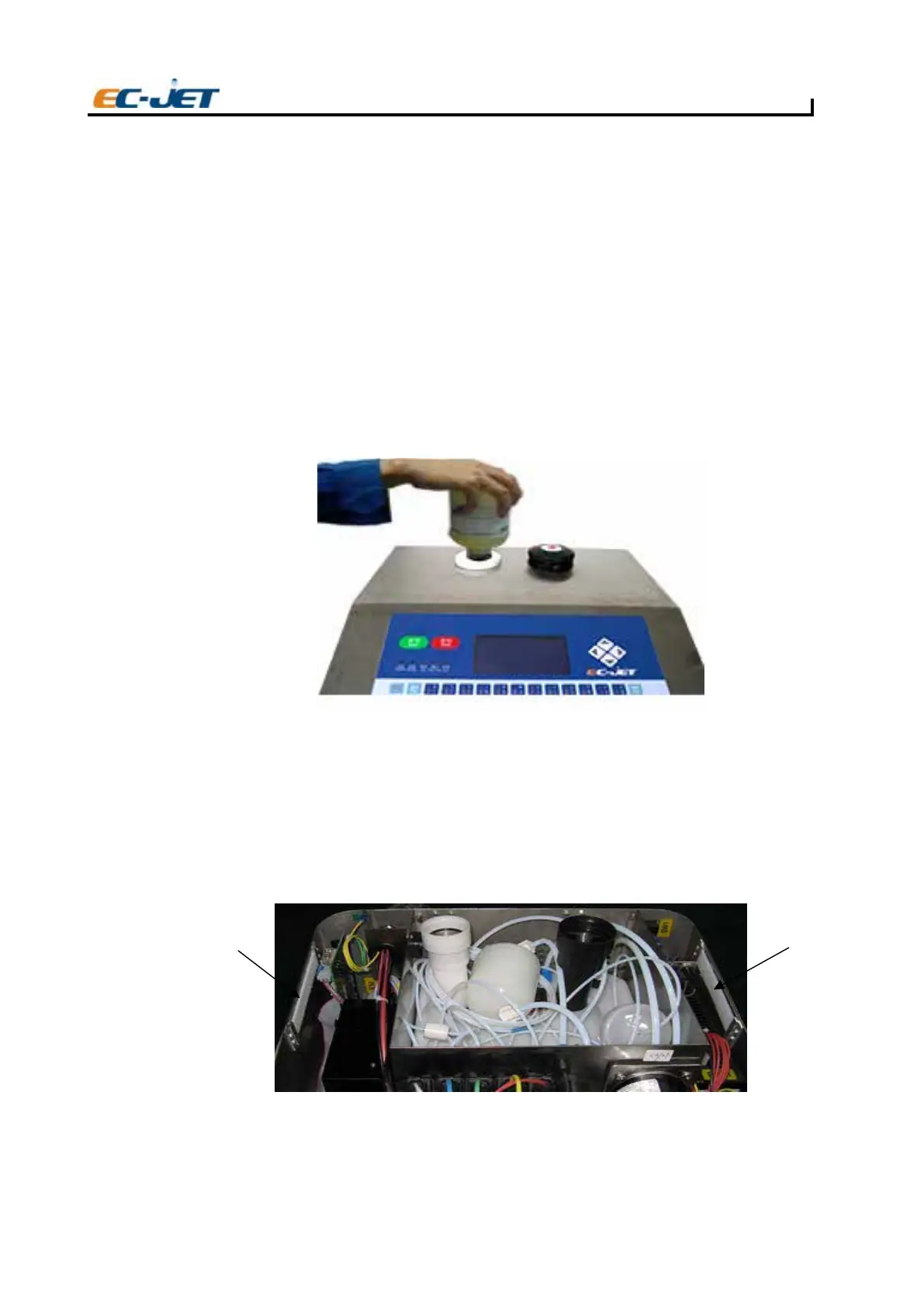
Using the bottles supplied, replenish the system with ink and solvent by emptying the bottles into the
appropriate fillers on top of the printer. The solvent filler cap is coloured white, and the ink filler cap
(to the right of the solvent filler) is coloured black.
The solvent bottle is emptied into the left hand filler by pushing the bottle down firmly to pierce the foil
seal, then turning half a turn either way to cut the foil seal and allow solvent to drain into the system.
Watch the solvent drain into the system. The PRINT STATUS screen should show "Solvent OK".
Remove the solvent bottle carefully, ensuring that it is empty, and refit the filler cap.
Now fill the machine with ink in the same way. The ink cannot be seen as it leaves the bottle and drains
into the system, it should therefor
e be left in place for 1-2 minutes to allow sufficient time for the bottle
to empty. The PRINT STATUS screen should show "Ink OK". Remove the ink bottle, being very careful
not to spill any ink which may be left in the bottle.
NOTE: The printer will not start if ink or solvent are low.
CAUTION: Use only EC-JET ink and solvent. Do not add any more ink or solvent until requested
by the printer overfilling could seriously damage the printer.
Cleaning/Replacing the Air Filter
To clean or replace the air filter, steps should be followed as:
To the machine that its number before SN: C5000:
1. Open the cover.
EJ88
Air
filter
Air
filter



 To Next Page