EN
55
shall be added to the respective basic time for the specific program. The maximum period that can
be set is 13 hours.
Example: It is 8:30 PM and the bread shall be finished the next day at 7:00 AM, i.e. in 10 hours and
30 minutes. Press and hold the TIME button until the display shows 10:30, i.e. the time between
the current time (8:30 PM) and the period, when the bread shall be finished. The time is set at
increments of 10 minutes.
Attention: Do not use ingredients that can spoil when using the time function. This includes milk,
eggs, fruit, yoghurt, onions etc.!
BREAD MAKER FUNCTIONS
Sound functions
A sound is triggered:
• whenever any of the program buttons are pressed,
• during the second kneading cycle under the BASIC, WHOLE WHEAT, QUICK, CAKE and
SANDWICH programs to signal that cereals, fruit, nuts or other ingredients can be added,
• when the program ends,
• a repetitive beep noise is triggered during warm-up at the end of the baking process.
Keeping warm
Bread is automatically kept warm for a period of 1 hour after the baking process concludes. To remove
the bread, turn off the program by pressing the START/STOP button.
Memory
In case of a power outage during the bread making process, the program will automatically continue,
even without pressing the START/STOP button, providing power is restored within 10 minutes. If the
power outage would last longer than 10 minutes, data will not be stored in the memory and you must
use new ingredients and turn the bread maker on again. If the dough did not reach the rising stage at
the time of the power outage, you can press the START/STOP button and restart the program from
the beginning.
Safety functions
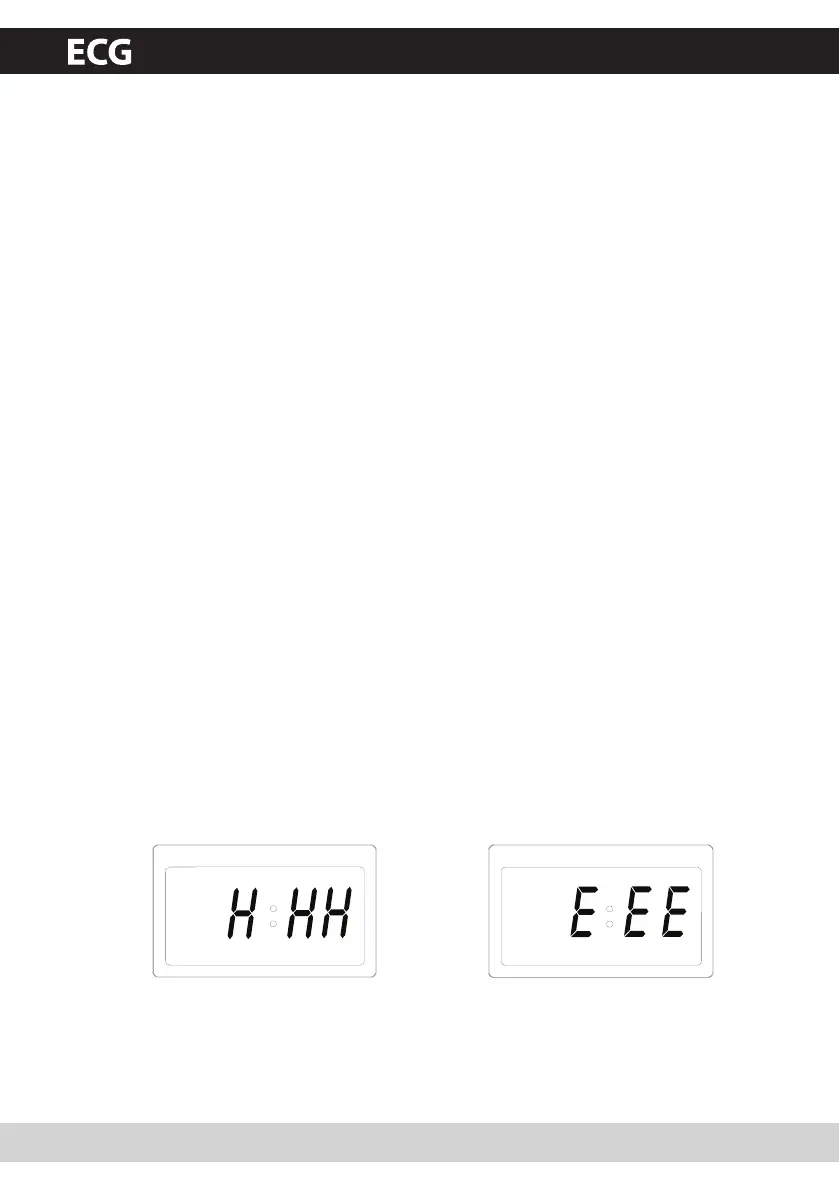
1. If the temperature of the bread maker is too high (over 40 °C) for example after previous use, the
display will show H:HH, a sound is triggered upon pressing the START/STOP button repeatedly.
Hold the START/STOP button down until H:HH is cleared and the basic settings are displayed.
Remove the baking form and wait until the bread maker cools down.
2. If E:EE is displayed after pressing the START/STOP button (see fig. 2 below), the temperature
sensor circuit has been disconnected. Have an authorized technician inspect the sensor.
LIGHT MEDIUM DARK 1.0kg 1.3kg
LIGHT MEDIUM DARK 1.0kg 1.3kg
Fig. 1 Fig. 2
PCB 538 CZ+SK+DE+EN.indb 55 18.6.2010 15:30:14


 To Next Page