110
2.
Registering, correcting or deleting a memory point
Point registration
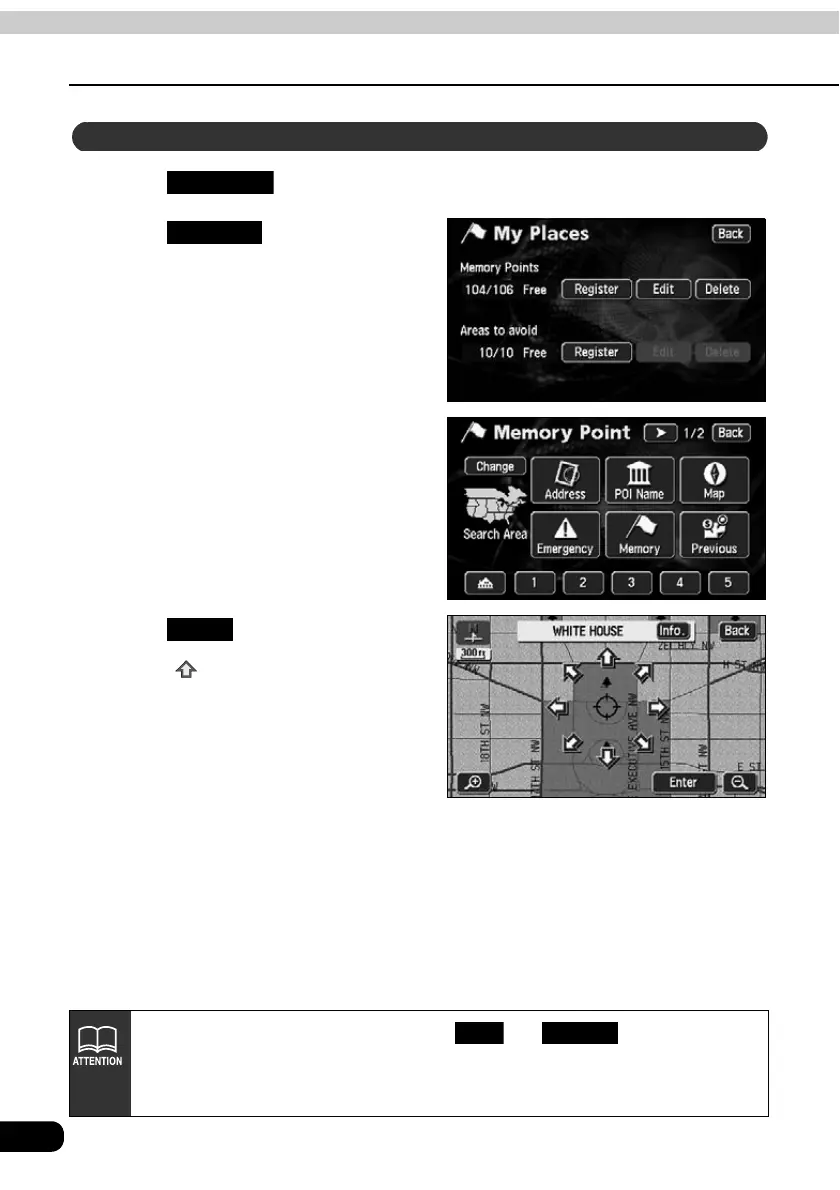
Touch in the Menu screen.
Touch for Memory
Points.
Select a map retrieval method to
display the map on which the
memory point is to be registered.
• See pages 49 and 65, "How to
retrieve maps" and "
Performing
operations on a retrieved map
".
Touch .
• Touch to move the map.
Registering a far away point
My Places
Register
Enter
• When a memory point is not registered, and are toned down
and will be inoperable even if touched.
• Depending on the location of the registered point and the map retrieval method,
the name and telephone number may be entered simultaneously.
Edit Delete



 To Next Page