43
Basic
operation
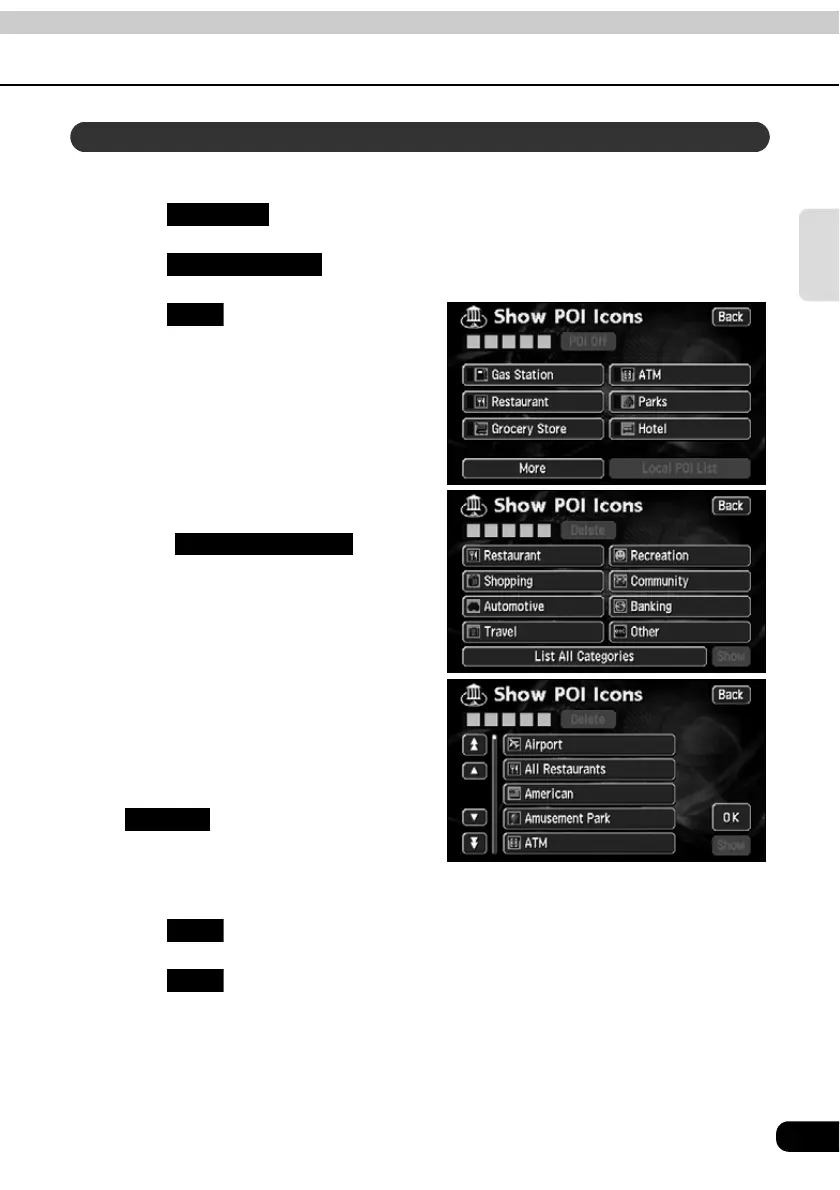
Multiple POI landmarks (5 types) can be displayed simultaneously.
Touch if a map is displayed.
Touch .
Touch .
Touch the POI type to be displayed.
• Touch to show
all the types of POI.
Touch the POI name to be
displayed.
• Up to 5 POI landmarks can be
displayed simultaneously.
• If having made an error, touch
to cancel one POI
landmark at a time.
• Touch an already selected POI to
cancel that POI.
Touch .
Touch .
• The selected POI landmark is displayed.
Displaying multiple types
Map View
Show POI Icon
More
List All Categories
Delete
OK
Back



 To Next Page