85
Navigation
guidance
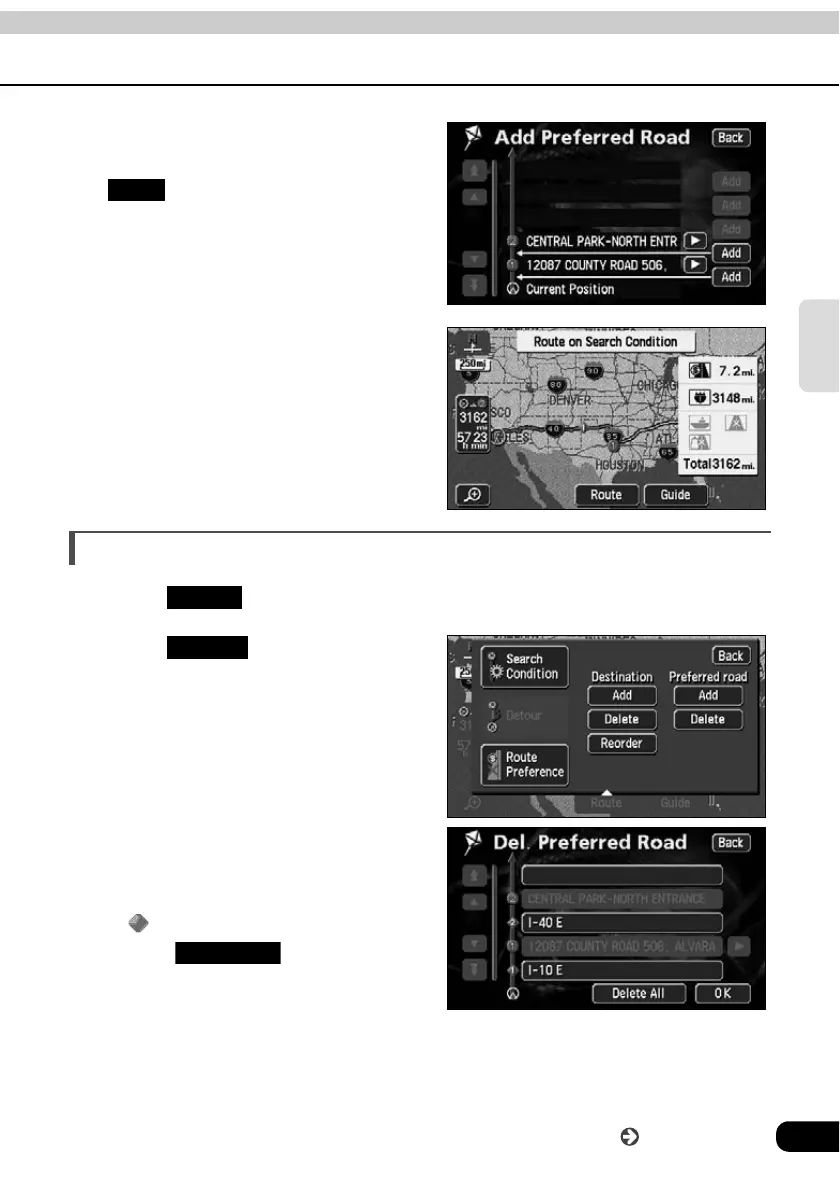
If 2 or more destinations are set or if
a transit road is indicated, touch
in the segment to be
indicated.
The route search is started.
Canceling a transit road indication
Touch .
Touch for Preferred road.
• If only one destination is set, the
screen in will appear.
Touch the road name to be
canceled.
• Indicated transit roads appear with a
mark.
• Touch to cancel all
transit roads.
Add
Route
Delete
Delete All
Go to the next page



 To Next Page