81
Navigation
guidance
• After having set the destination, the
following operations are enabled from
this screen:
Change the search conditions per
segment (Page 81)
Switch the order of destinations
(Page 82)
Delete a destination (Page 83)
Indicate a transit road (Page 84)
Cancel the transit road indication
(Page 85)
• When adding more destinations, touch and the screen in step on page 79
will appear.
Repeat steps to .
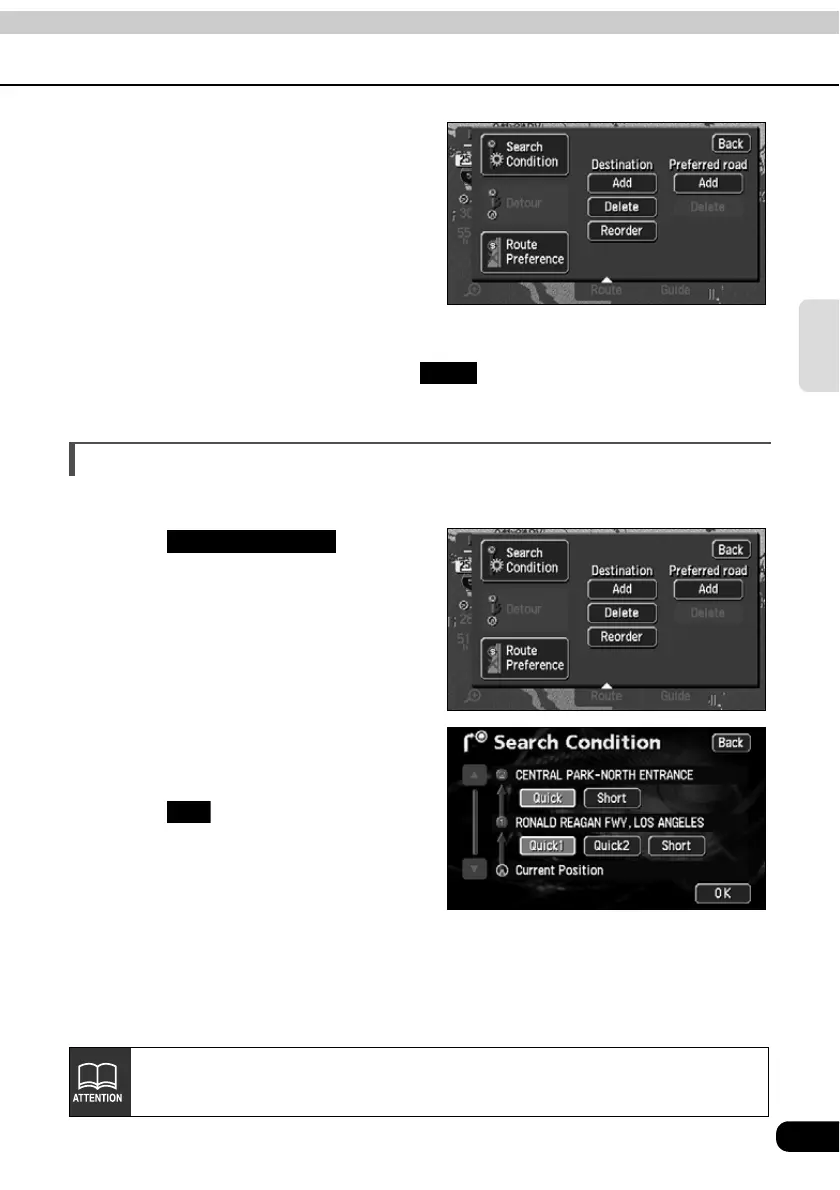
Change the search conditions for each interval
The search conditions per segment can be changed and a search reinitiated.
Touch in the
route modification screen.
Touch the search conditions (for
each route) per individual segment.
Touch .
• The route search is started.
Add
Search Condition
OK
For search condition characteristics, refer to "Reinitiating a route search" on
page 100.



 To Next Page