30
3. Map displays
Basic operation
Moving the map (one-touch scroll)
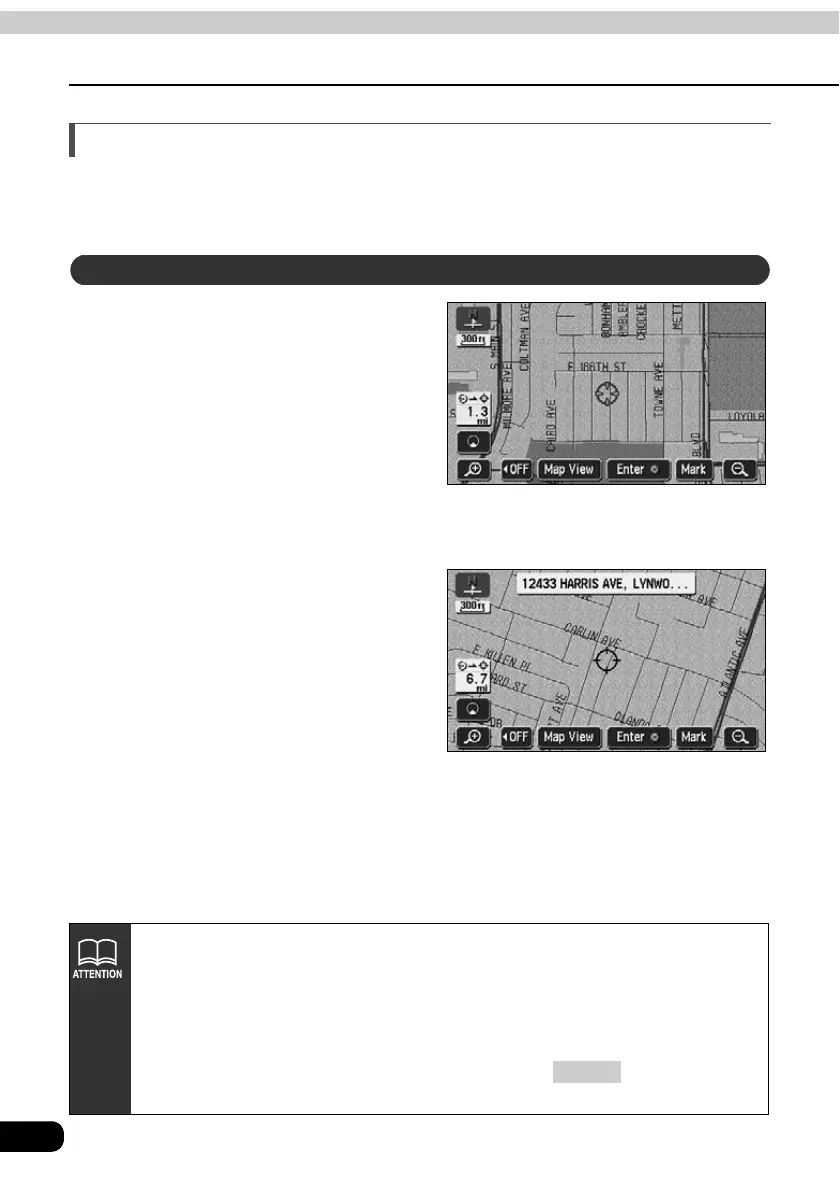
When a map is displayed, touching the map directly (anywhere except the touch switches)
makes the point scroll to the center of the display. The street name around the scrolled point
may appear.
Touch the map (anywhere except
the touch switches).
• On the bottom left of the map, the
distance in a direct line from the
present location is displayed.
• Touch continuously around the center
of the screen and the map will move
slowly.
• Touch continuously near the edge of
the screen and the map will move
quickly.
Moving the map
● While scrolling
● Scrolling stopped
• For safety reasons, the map can only be scrolled up to a predetermined
distance while driving.
• The map orientation can be switched while driving.
* For a scrolled map, you can only switch from "Heading up" to "North up".
(Switching from "North up" to "Heading up" impossible)
• Move the map with one-touch scroll and the map will freeze into position and will
not move even if moving the present location. Press to return to the
original status (moving map).
MAP



 To Next Page