142
Helpful tips
1. Correction of the present location and distance
A correction is necessary in the following situations:
• When changing a tire: perform an automatic correction (Distance correction)
Also, a correction can also be made in the following situations.
• When the vehicle position mark appears in a location different from the actual present
location (the vehicle position mark is misaligned), the vehicle position mark
position and direction can be corrected. (Present location correction)
• When the progression of the vehicle position mark on the map and the actual
progression of the vehicle while driving: the vehicle position mark progression can be
corrected. (Distance correction)
However, even if the vehicle position mark on the map is misaligned, continue driving
for a moment and the present location will be automatically corrected using map matching
and GPS data. (Depending on the case, this may take several minutes.)
In the event the device does not use GPS data and the present location is not automatically
corrected, park the vehicle in a safe area and perform present location correction.
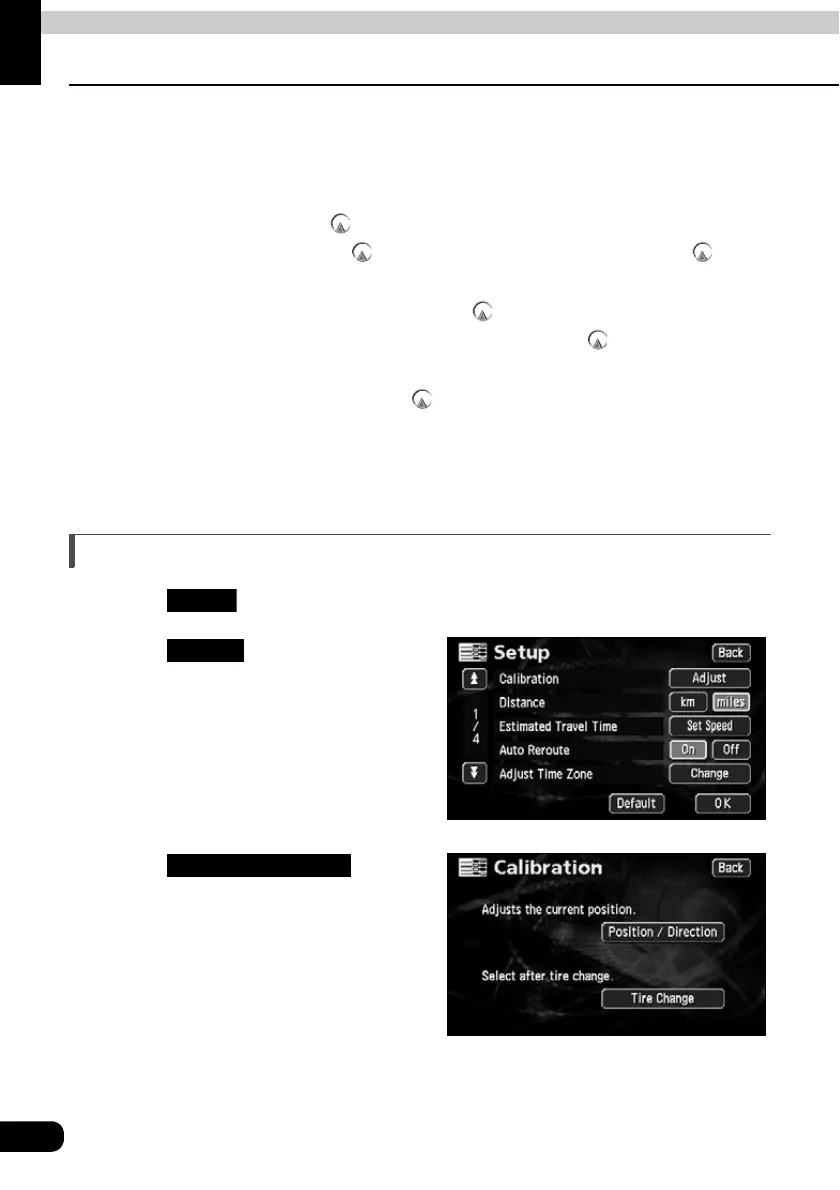
Present location correction
Touch in the Menu screen.
Touch for Calibration.
Touch .
Setup
Adjust
Position/Direction



 To Next Page