83
Navigation
guidance
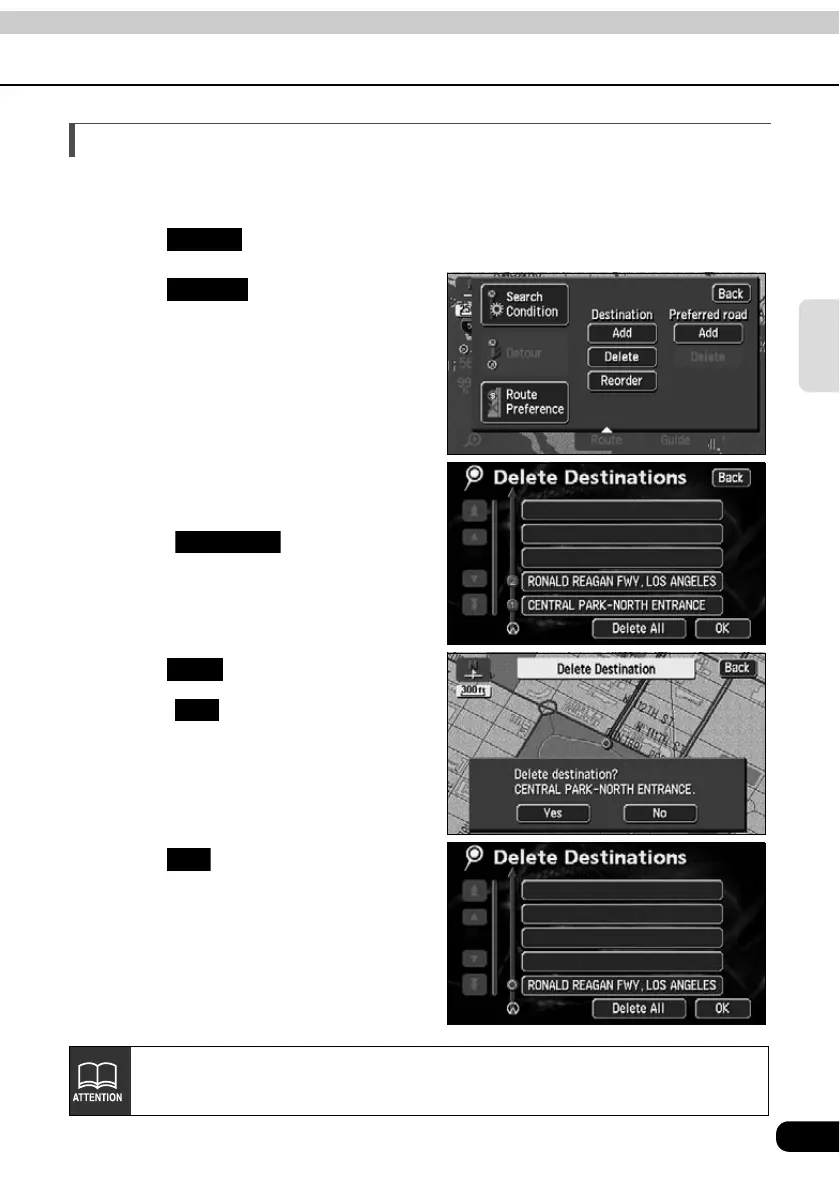
Deleting a destination
Multiple set destinations can be deleted. It is also possible to delete all the destinations at
the same time.
Touch .
Touch for Destination.
• If only one destination is set, the
screen in will appear.
Touch the destination name to be
canceled.
• Touch to delete all the
destinations.
Touch .
• Touch to return to the original
screen.
• When all destinations are deleted and
only one point is set, the present
location screen appears.
Touch .
• A route search is started and the all-
route display screen appears.
Route
Delete
Delete All
Yes
No
OK
When all destinations are deleted, route guidance cannot be restarted. Setting a
destination is necessary to activate route guidance.



 To Next Page