Basic operation
65
Basic
operation
5.
Performing operations on a retrieved map
When retrieving a map, either a map with a pinpoint search result or without a pinpoint search
result (vicinity) will be displayed. Information on POIs can be displayed from the map retrieved.
Performing operations on a displayed map
The following conditions are necessary to display a map from a pinpoint:
1 When entering a POI name in "Retrieving a map using a POI name"
2 When "Retrieving a map in the event of an emergency"
3 When "Retrieving a map using an intersection name"
4 When a corresponding POI is made available when "Retrieving a map using a freeway
exit/entrance name"
The following operations are enabled on a retrieved map.
■ Changing the position
Scroll to change the position.
■ Displaying POI information
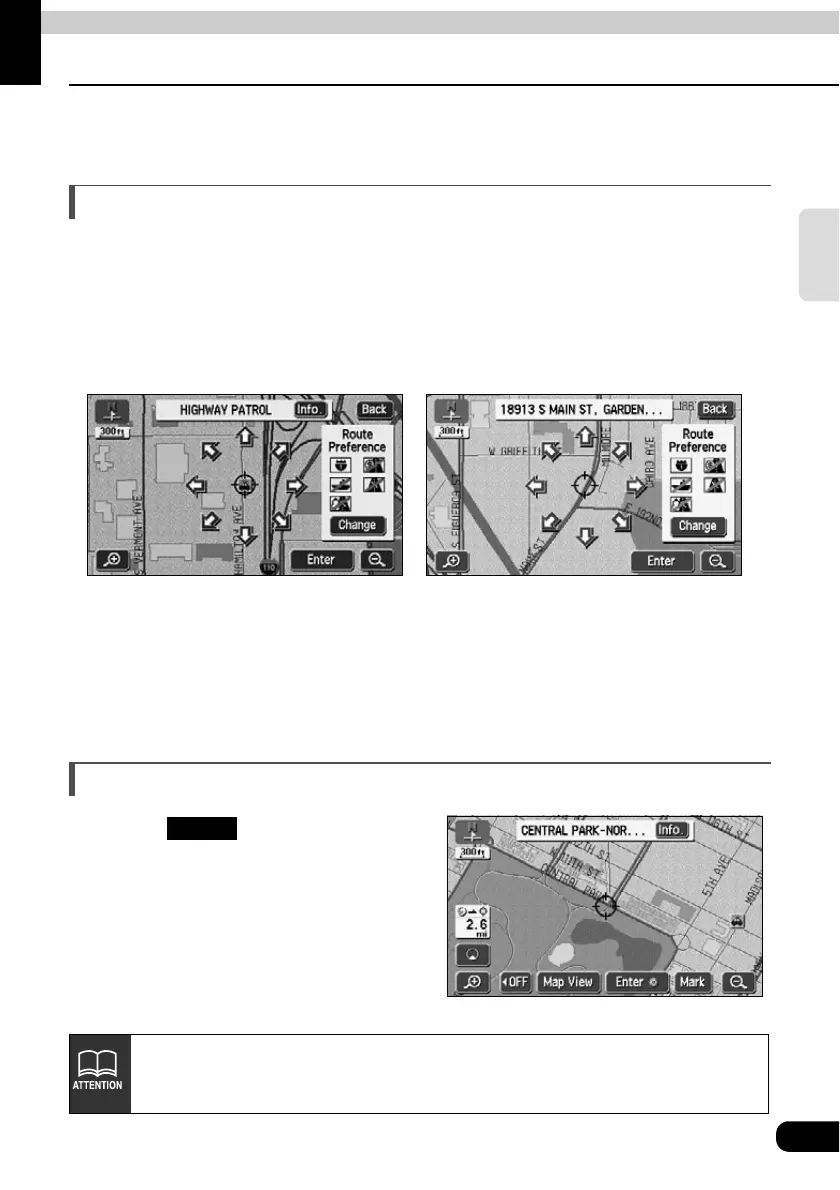
The POI data displayed as per the conditions described in steps 1 to 4 above is shown.
Displaying POI information
Touch .
• Information on the POI is displayed.
● When a search is made using a pinpoint
● When a search cannot be made using a pinpoint
Info.
• Information on POIs can be displayed only when the method described in 1 to
4 above was used to call up a map.
• There may be no information available for some POIs.



 To Next Page