SECTION IV
4 OPERATION
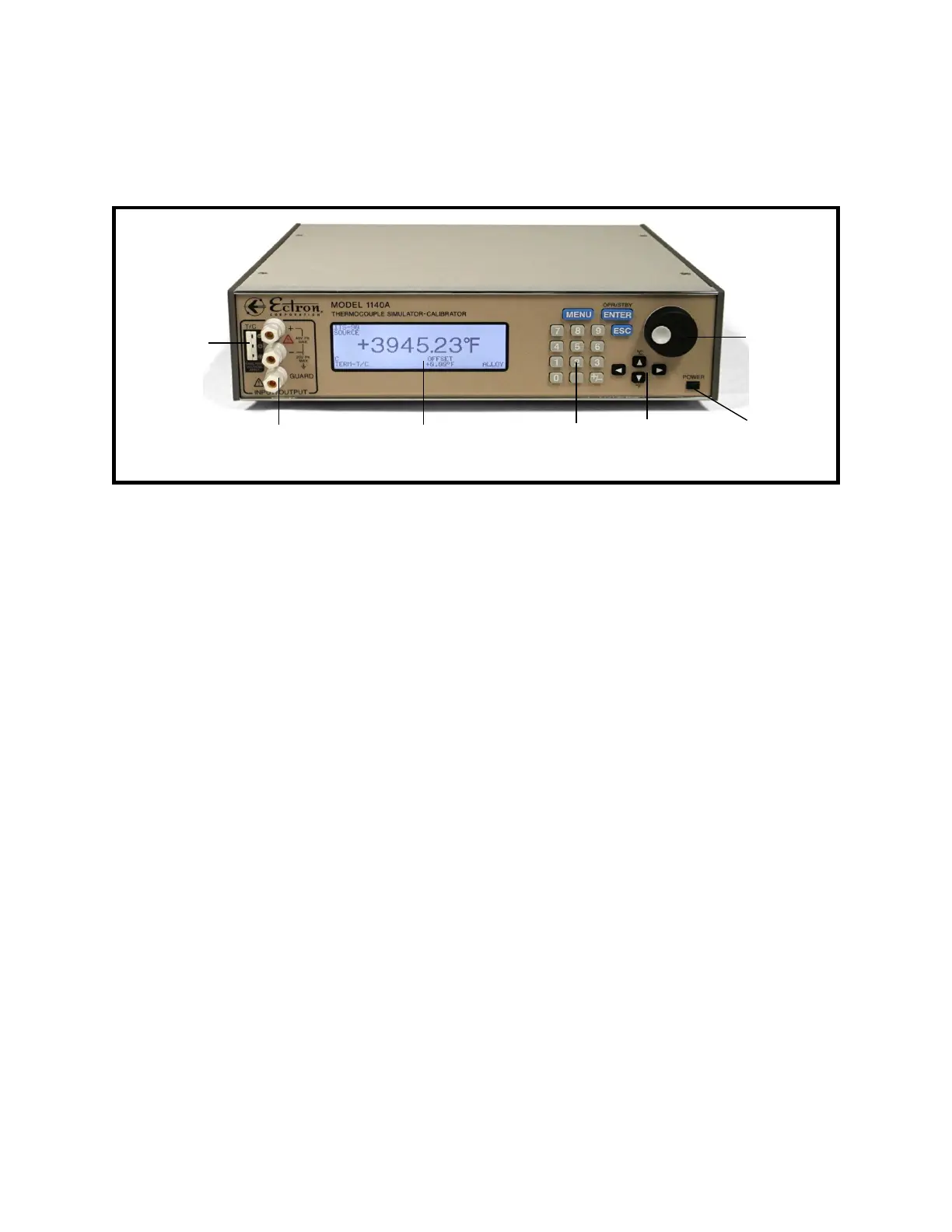
Figure 4-1: Front View of the Model 1140A
GENERAL
The microprocessor-based Model 1140A thermocouple simulator-calibrator can either be
controlled from the front panel (local control) or controlled over one of several interfaces
(remote control) offered by Ectron, two of which can be installed at any one time with either
being active at one time. Remote control is discussed in Section VI.
In this manual, controls are indicated by bold, capitalized text (for example, ENCODER). Words
that are displayed on the screen are indicated by non-bold, capitalized text (for example,
SEQUENCE). When selection of a screen display is discussed, it is assumed that the selection
includes pressing the ENTER key to confirm the selection.
FRONT-PANEL CONTROLS
The Model 1140A can be controlled from the front panel using the ENCODER and keys, which
include the NUMBER PAD, the MENU key, the ENTER key, the ESCape key, and the four ARROW
KEYS.
Connections
The front-panel controls provide the user complete control of all setup parameters needed to
operate the Model 1140A. Binding posts and a mini-three-pin thermocouple connector are
provided for connections. Setup is accomplished through the Main Menu and its sub-menus.
Power
The POWER push button turns instrument power on and off. When the Model 1140A is running,
power may be turned off at any time; no special shutdown procedures are needed.
4-1
Power
button
Mini
thermocouple
connector
Binding
posts
Encoder
Arrow
keys
Keypad
LCD display, showing the
operating screen



 To Next Page