4-33
=
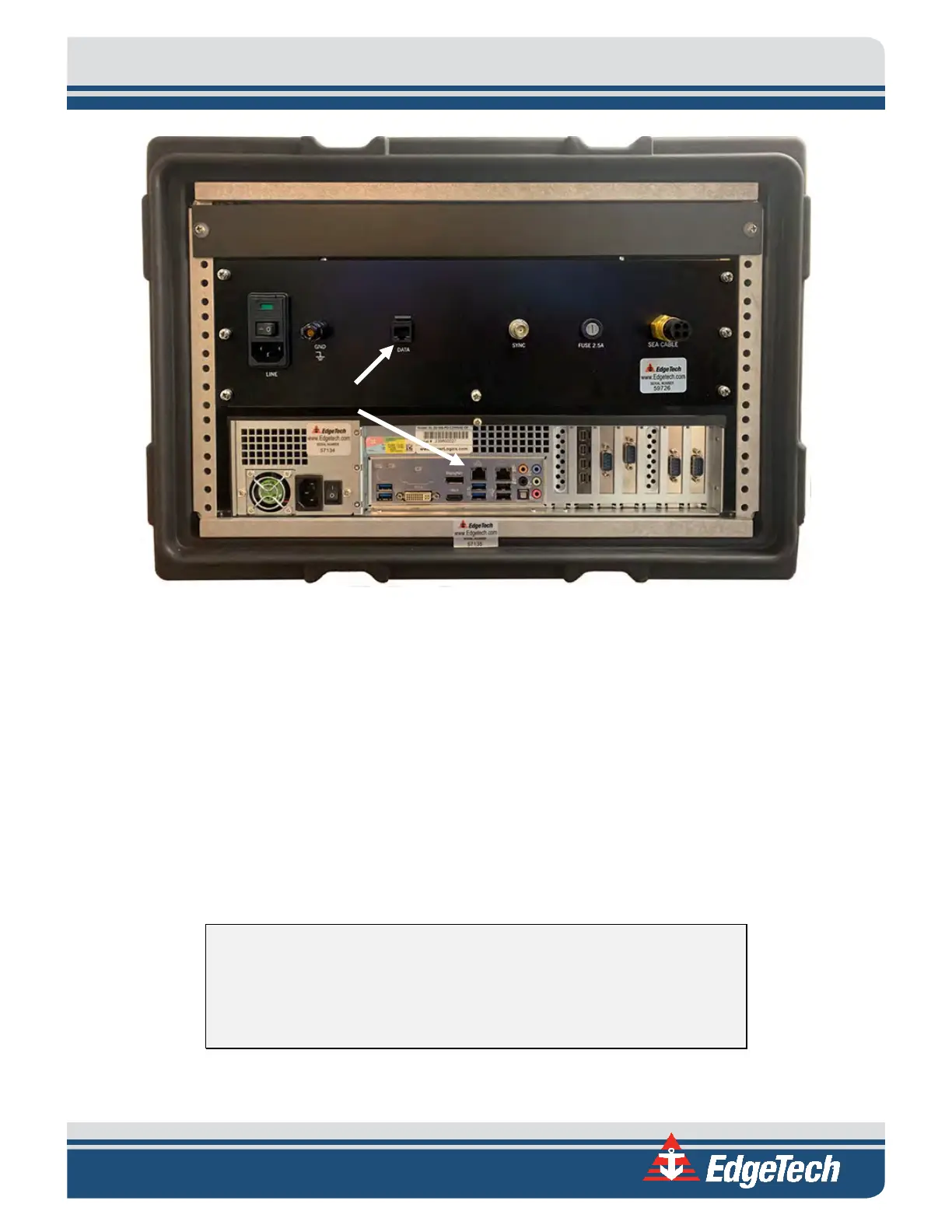
Figure 4-1: Starmux IV and Computer Connected By Ethernet Cable
4.4.1 Connecting and Attaching the Tow Cable to the Towfish
• A tow winch with a slip ring should be used with the tow cable to tow the vehicle.
• The armored tow cable termination should be connected via a D-Ring to the shackle at the top of
the towfish bridle.
• The cable from the termination should be managed down and secured to the bridle arm with
cable ties. Be sure to provide enough slack in the data line so as not to be load-bearing.
• The termination cable should be connected to the towfish extension cable.
4.4.2 Connecting the Tow Cable to the Starmux IV
WARNING! Do not connect the tow cable to the topside processor
before connecting it to the towfish. Injury or death can occur if the
exposed connector on the tow cable is energized. Always connect the tow
cable to the towfish first.
The tow cable connector is connected to the Sea Cable port on the rear panel of the Starmux IV.
Right Ethernet Port on
Computer


 To Next Page