4-3
Removing the Lifting Support
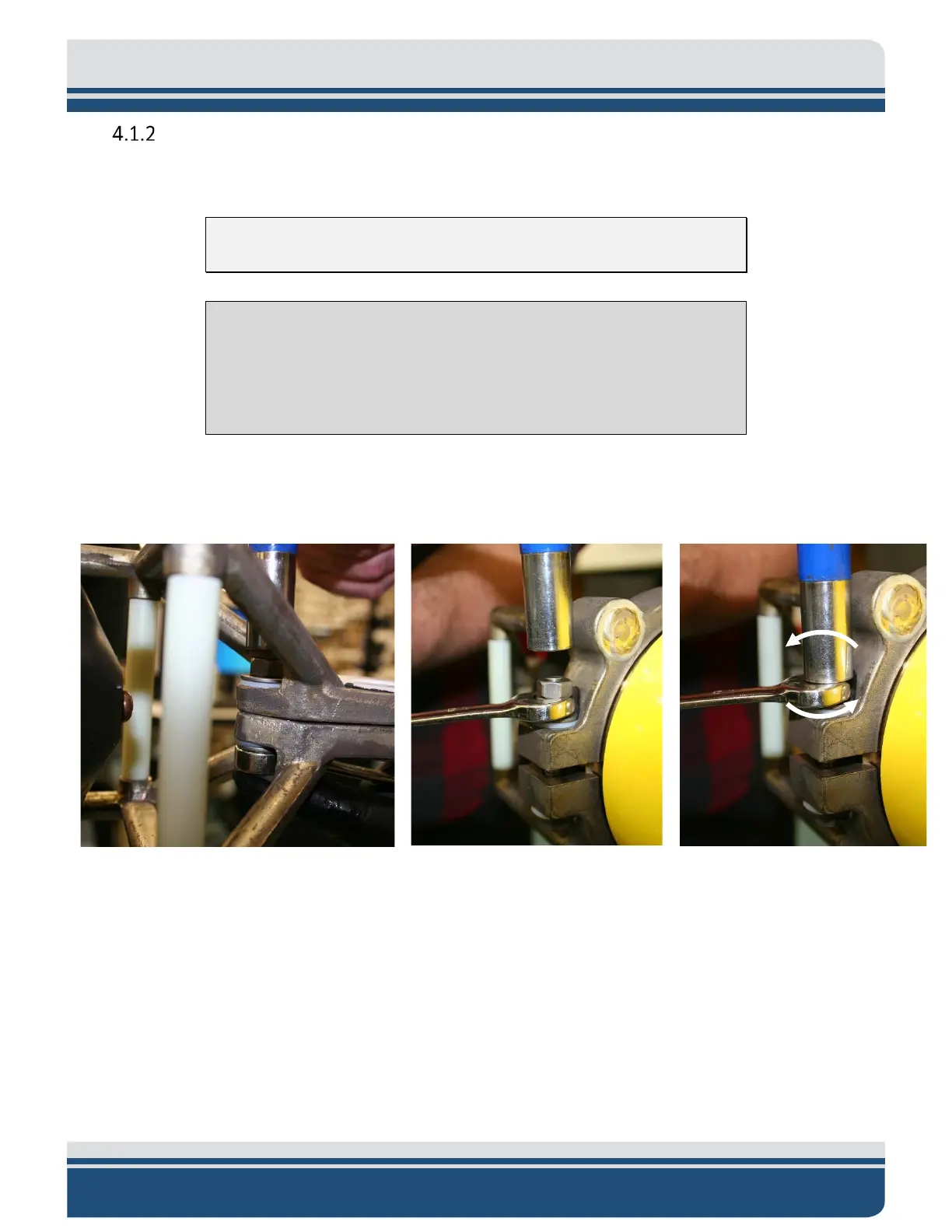
1. Remove the three titanium bolts from the top cage-clamp assembly. This must be done carefully.
NOTE: The Bolt at the top of the Cage is shorter than the other two.
CAUTION!
Never put the socket wrench over both nuts when attempting to
removing the Top Nut from the three titanium bolts. This can cause the
nuts to seize together and prevent loosening the bolt.
a. Remove the second nut from each of the three titanium bolts using a ½” wrench and ½”
socket wrench, as shown in F
IGURE 4-4.
Figure 4-4: Removing the (3) Top Nut from the (3) Titanium Bolts
b. Remove the remaining nut from each of the three titanium bolts with the same tools,
using the same method depicted in F
IGURE 4-4.


 To Next Page