5-9
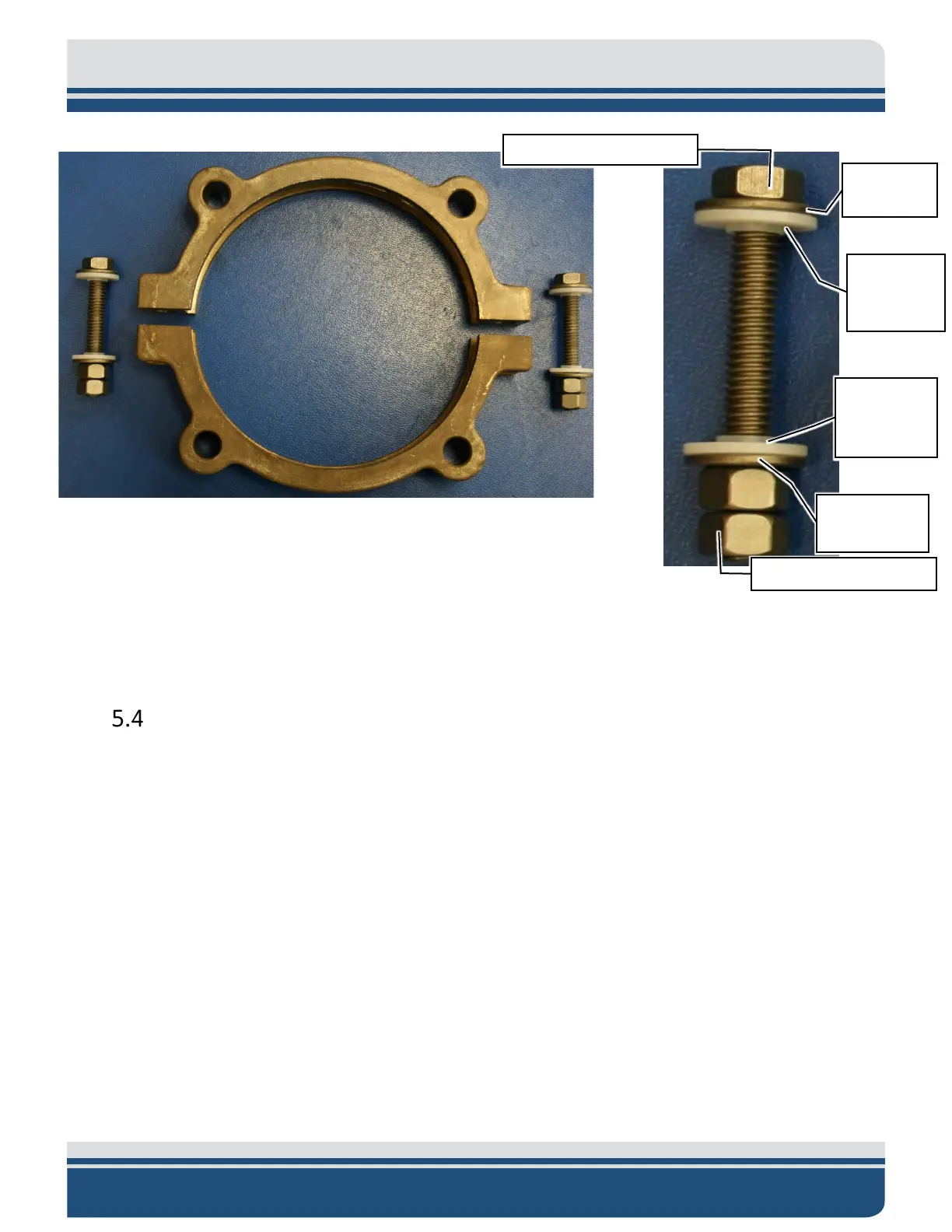
Figure 5-9: Clamping Hardware
6. Continue tapping all parts of both clamps with the soft mallet until no further tightening of the
hardware is possible. Use a torque wrench if available and torque all five of the titanium fasteners
to between 175 and 200 in. lbs. (200-230 centimeter kilograms).
Battery Replacement
Remove the electronics chassis from the housing according to the disassembly procedure. Make sure that
the battery connector is disconnected from the board and remove the brackets which hold the battery
pack to the aluminum plate. Discard the old battery. Install the new battery and replace the brackets
which hold it in. Route the battery connection in such a way that it will not be crushed when assembling
the electronics in to the housing. After replacing the batteries, the user is advised to perform an air
acoustic check of the release. Assemble the electronic chassis in the release housing.
Shoulder
Shoulder


 To Next Page