5-11
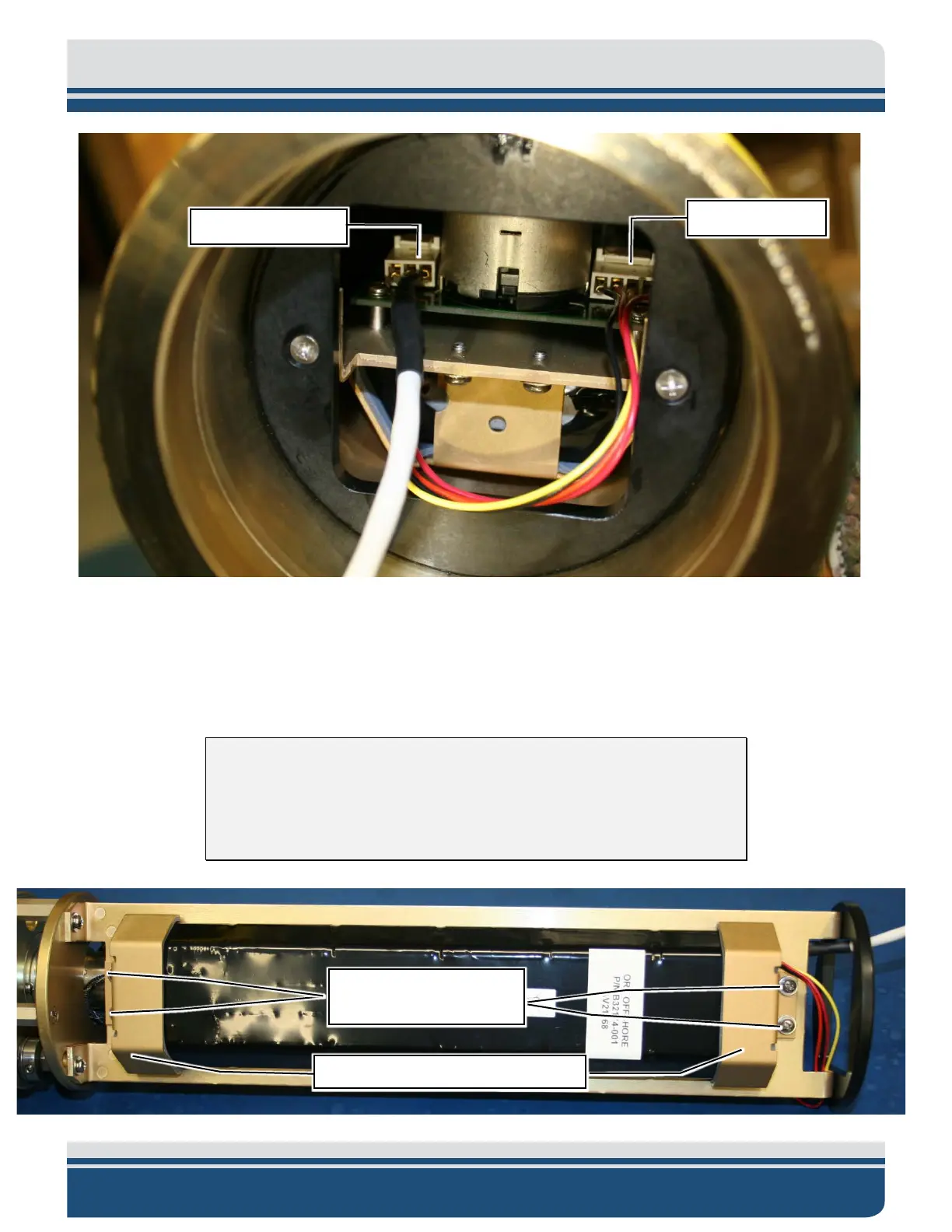
Figure 5-10: The Plugged in Battery Cable and Transducer Cable
6. Remove the Clevis End, referring to sub-section 5.2.2.
7. Remove the four screws that connect the Battery Pack retaining brackets to the electronics chassis
as shown in
FIGURE 5-11. There are two screws on each Battery pack retaining bracket.
NOTE: Before removing the Retainer Brackets and Screws, be sure to
note the orientation of the wires. The wires MUST be inserted the same
way to avoid being pinched or damaged by the retainer brackets, which
may result in Unit failure.
Battery Pack Retainer
Brackets Screws (4)
Battery Pack Retainer Brackets (2)



 To Next Page