EFKA FP220A5911
15
6.3 Parameter Selection
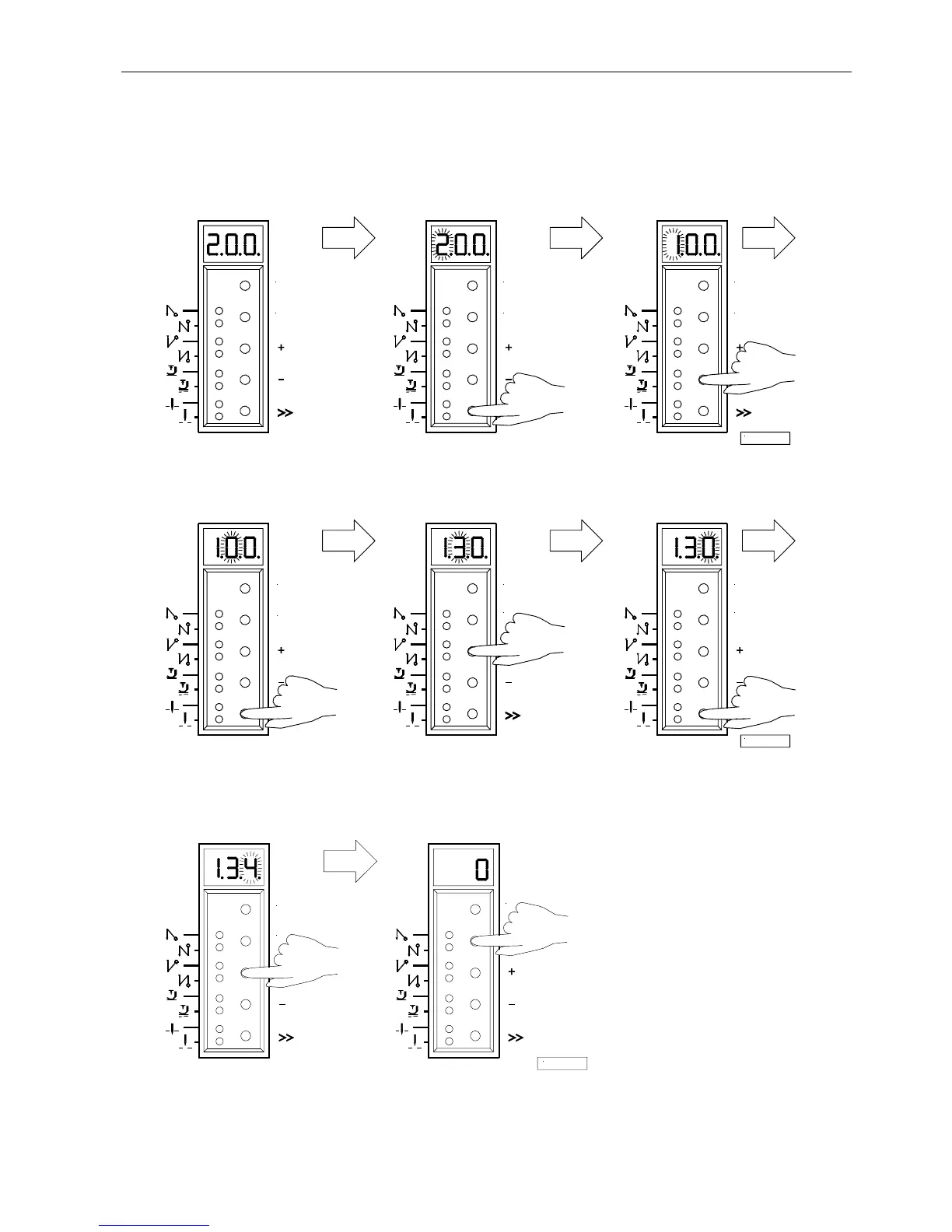
6.3.1 Direct Selection
1.
After code number input at the
2.
Press the >> key
3.
Press the + or – key to select
programming level (1st digit blinks) the 1st digit
4.
Press the >> key
5.
Press the + or – key to select
6.
Press the >> key
(2nd digit blinks) the 2nd digit (3rd digit blinks)
7.
Press the + or – key to select
8.
Press the E key; the parameter
the 3rd digit value is displayed. There are no
points between the digits.
P
E
P
E
4/KL2319
P
E
P
E
P
E
5/KL2320
P
E
P
E
6/KL2321
P


 To Next Page