EFKA FP220A5911
46
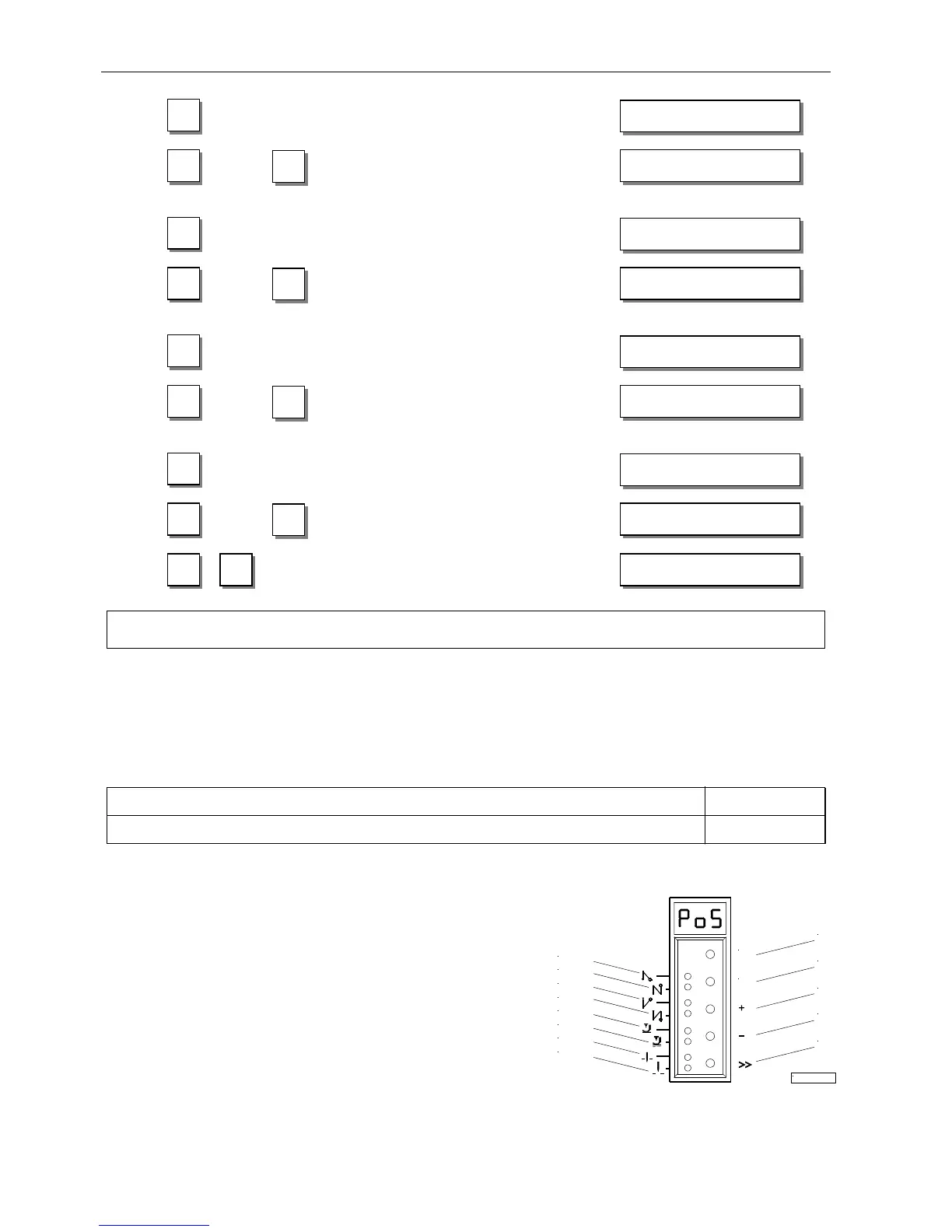
Display of the 1st parameter value
of position 1 (B key) "
If necessary, change parameter value
... by pressing the +/- or 0...9 keys or "
by turning the handwheel.
Parameter value of position 2
appears on the display "
If necessary, change parameter value
... by pressing the +/- or 0...9 keys or "
by turning the handwheel.
Parameter value of position 1A
appears on the display "
If necessary, change parameter value
... by pressing the +/- or 0...9 keys or "
by turning the handwheel.
Parameter value of position 2A
appears on the display "
If necessary, change parameter value
... by pressing the +/- or 0...9 keys or "
by turning the handwheel.
Settings are completed. "
Exit programming.
Note
When setting the positions by turning the handwheel, make sure that the displayed numerical value changes.
!
The display unit of the set position values is “degrees“.
10.9 Display of the Signal and Stop Positions
Function with or without control panel Parameter
Display of positions 1 and 2 (Sr3) 172
The position settings can easily be checked by means of parameter 172.
! Select parameter 172
! Without control panel, the control display shows "PoS"
!
With control panel, the control panel display shows "Sr3"
! Turn handwheel according to the direction of motor rotation
Control display without control panel
!
LED 7 on corresponds to position 1
!
LED 7 turns off corresponds to position 1A
! LED 8 on corresponds to position 2
!
LED 8 turns off corresponds to position 2A
V810 control panel display
!
Arrow above symbol "position 1" on the 4 key on corresponds to position 1
!
Arrow above symbol "position 1" on the 4 key turns off corresponds to position 1A
! Arrow above symbol "position 2" on the 4 key on corresponds to position 2
!
Arrow above symbol "position 2" on the 4 key turns off corresponds to position 2A
0 P1E XXX
9
»
P1E 140
0 P2E XXX
9
E
P2E 460
0 P1A XXX
9
E
P1A 080
P P
4000 FP220A
0 P2A XXX
9
E
P2A 400
16/KL2331
P
LED1
LED2
LED3
LED4
LED5
LED6
LED7
LED8
E
S3
S4
S5
S2
S1


 To Next Page