EFKA FP220A5911
23
7.3 Program Identification
Function with control panel Parameter
Program number, modification index and identification number display 179
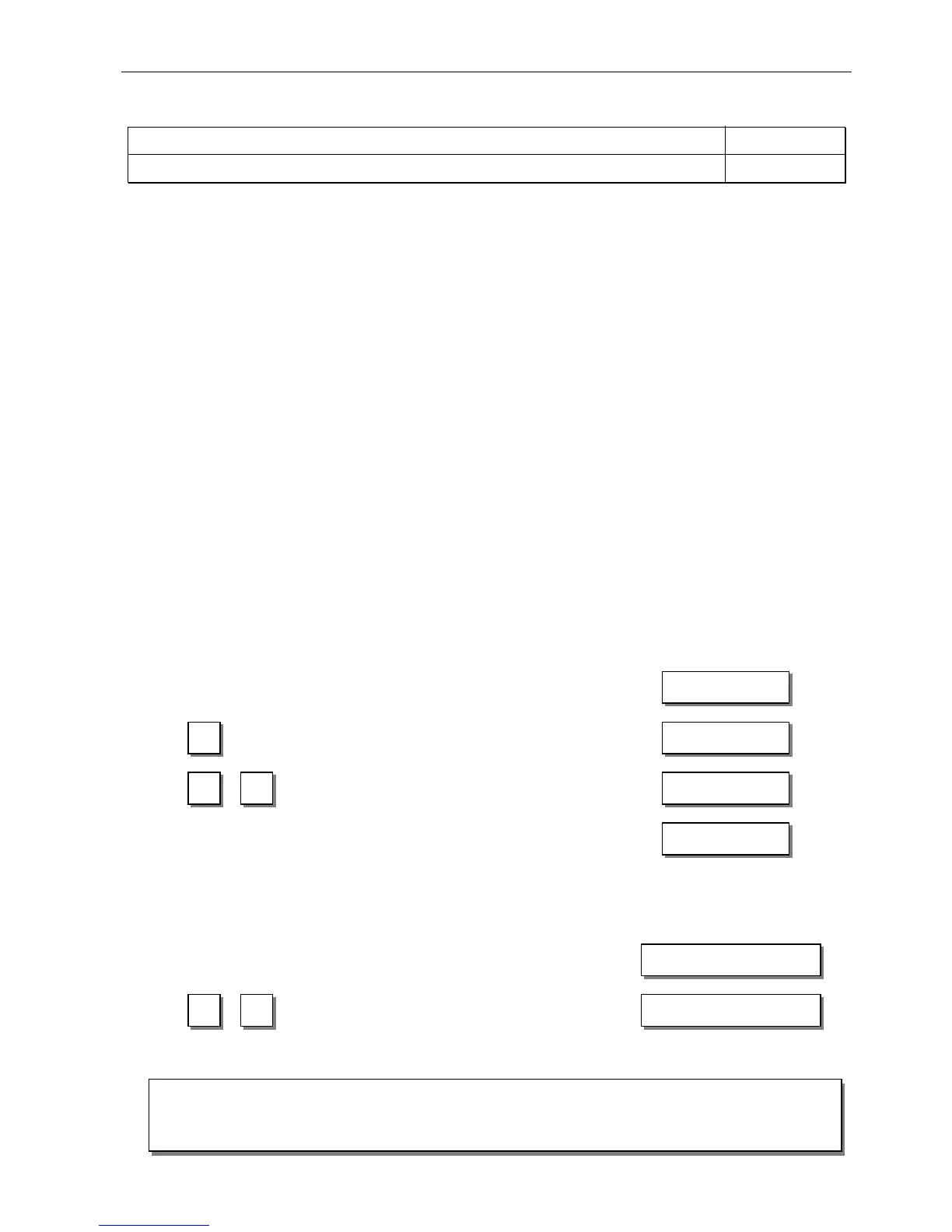
Display example parameter 179 on the V810 control panel:
! Select parameter 179!
!
Press the E key " Sr5 [°] is displayed
! Press the >> key " e. g. 5911A is displayed (Program number with index)
! Press the E key " e. g. 010823 is displayed (1st part of identification number)
!
Press the E key " e. g. 15 is displayed (2nd part of identification number)
! Press the P key twice " FP220A is displayed (Sewing process can be started)
Display example parameter 179 on the V820 control panel:
! Select parameter 179!
!
Press the E key " F-179 Sr5 [°] is displayed
! Press the >> key " e. g. 5911A is displayed (Program number with index)
! Press the E key " e. g. 01082315 is displayed (Identification number)
!
Press the P key twice " FP220A is displayed (Sewing process can be started)
7.4 Direct Input of Maximum Speed Limitation (DED) with Control Panel
The maximum speed of the machine must be limited to the specific level according to the application. Do the setting at the
operator level by means of the +/- keys at any time. The actual value is shown on the display. The speed setting range is
between parameter 111 (upper limit) and parameter 121 (lower limit).
7.4.1 Setting on the V810 Control Panel
Type designation is displayed "
Maximum speed is displayed
(reading remains on for max. 5 seconds) "
Change the value;
e. g. press the – key 8 times ! "
After approx. 5 seconds the display shows "
7.4.2 Setting on the V820 Control Panel
Actual display value, in the direct mode
Maximum speed and type designation are displayed "
Change the maximum speed value;
e. g. press the – key 8 times ! "
F P 2 2 0 A


 To Next Page