EFKA FP220A5911
16
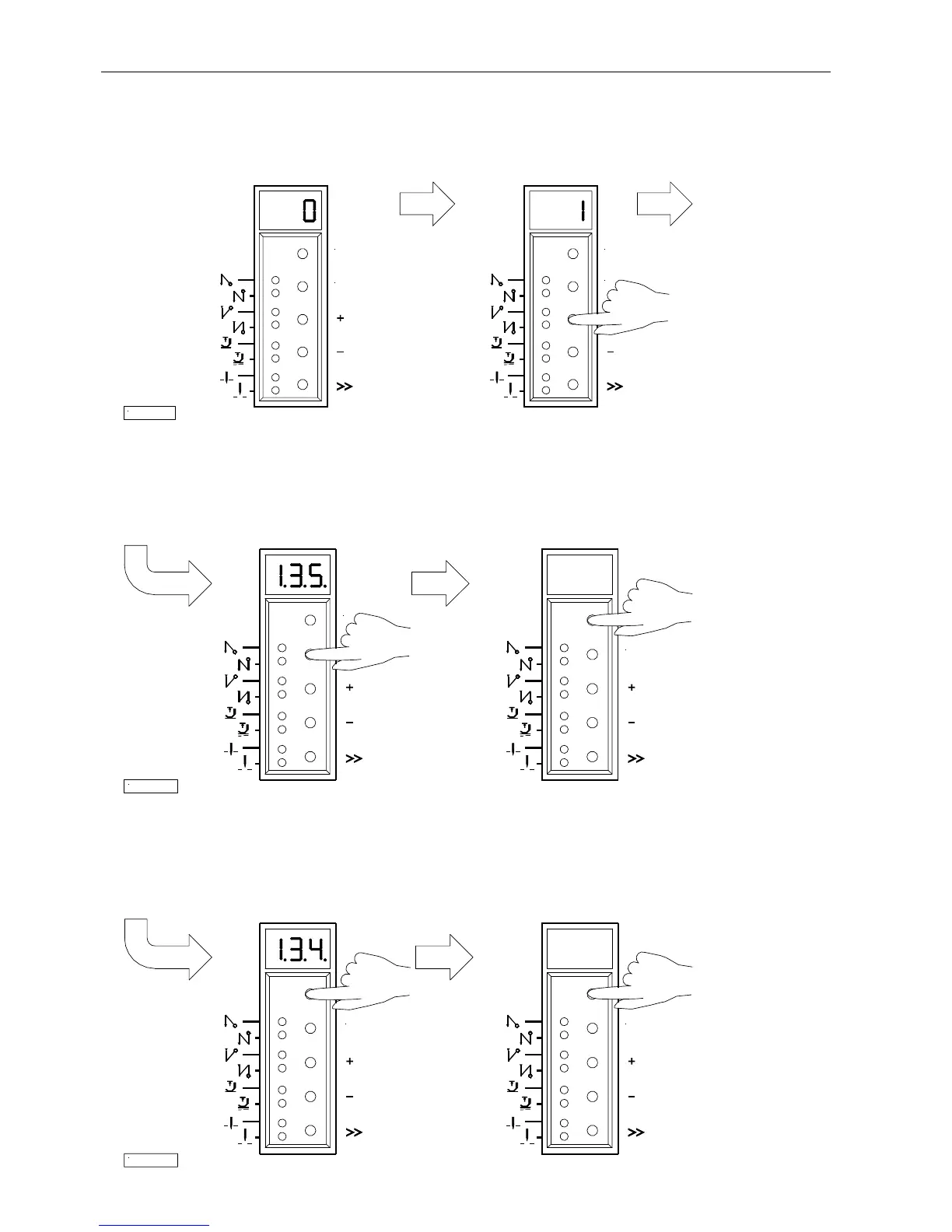
6.3.2 Changing Parameter Values
1.
Display after parameter value selection
2.
Change the parameter value by pressing the
+ or - key
Option 1
Press the E key. The next Press the P key. Exit programming.
parameter number is displayed. The changed parameter values will be saved
when you start sewing again!
Option 2
Press the P key. The same Press the P key. Exit programming.
parameter number is displayed. The changed parameter values will be saved
when you start sewing again!
7/KL2322
P
E
P
E
8/KL2323
P
E
9/KL2324
E E


 To Next Page