EFKA FP220A5911
29
! Display of seam number
!
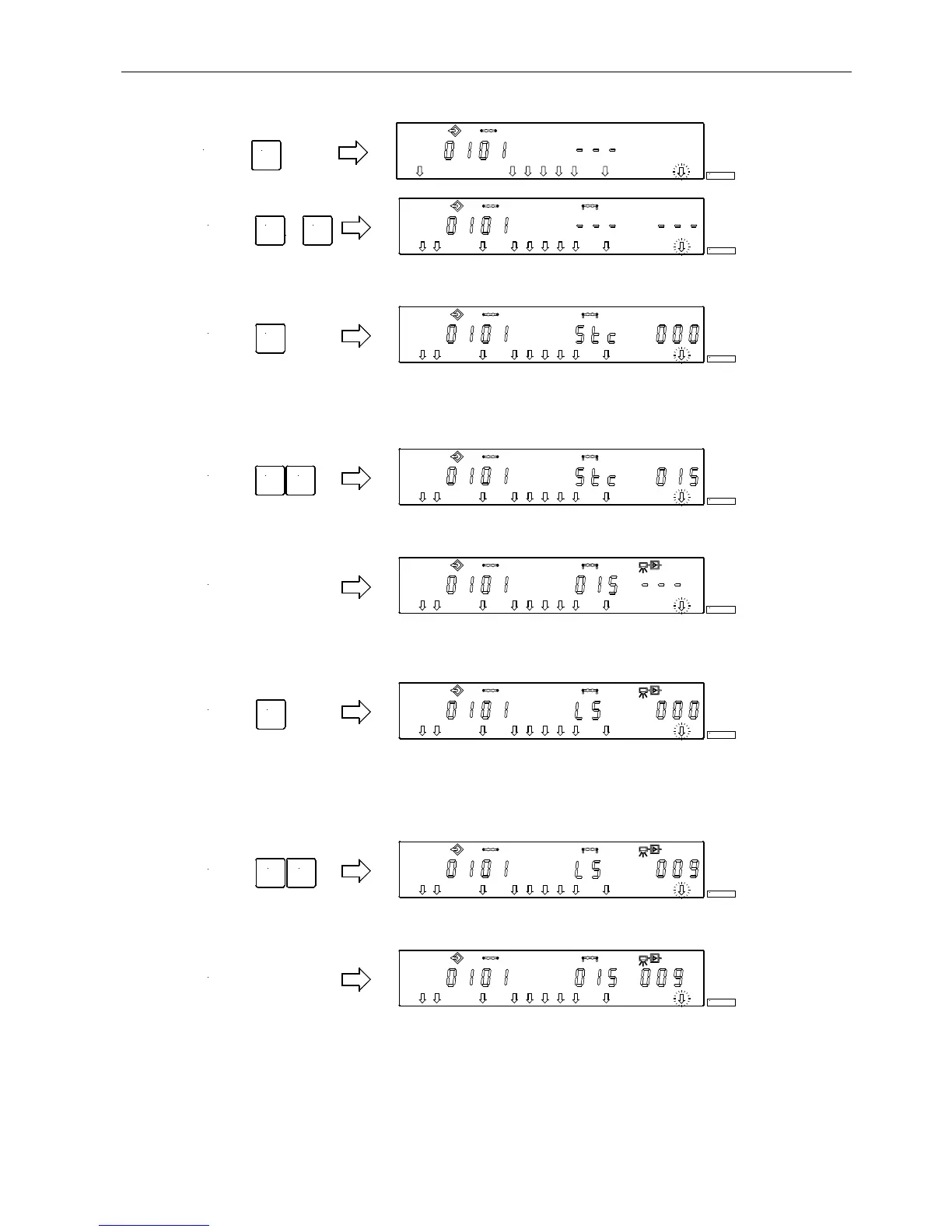
Enable all desired functions of the actual seam. as for ex. light barrier, by pressing the 1...9 keys.
! After having enabled stitch counting by means of the 2 key, the number of stitches can be varied within 2
seconds. If stitch counting has already been selected, press the 2 key for approx. 2 seconds in order to vary
the number of stitches. The arrow above the 2 key switches briefly.
!
Press the + / - key immediately.
! If the + / - key has not been pressed within 2 seconds, the previously input number of stitches will be
displayed under the corresponding symbol (normal display).
!
After having enabled the light barrier by means of the 3 key, the number of light barrier compensating
stitches can be varied within 2 seconds. If the light barrier has already been selected, press the 3 key for
approx. 2 seconds in order to vary the number of light barrier compensating stitches. The arrow above the 3
key switches briefly.
!
Press the + / - key immediately.
!
If the + / - key has not been pressed within 2 seconds, the previously input number of stitches will be
displayed under the corresponding symbol (normal display).
! Change to the next seam by pressing the E key once.
!
Exit programming of seams by pressing the P key twice.
!
Start sewing in order to save the values.
5.)
E
KL2379
6.)
1
...
9
KL2380
7.)
2
KL2381
8.) + -
KL2382
9.)
KL2383
10.)
3
KL2384
11.)
-+
KL2385
12.)
KL2386


 To Next Page