12
WWW.EILERSEN.COM
The status automatically returns to LOCKED after 5 minutes without keyboard activity in
NORMAL screen or when the terminal is power-cycled.
– Enter values
Perform these steps to enter a new parameter value:
• Unlock parameters as described in the above section.
• Use the menus to select the screen where the value is displayed.
• Use and/or to highlight the parameter.
• Press to start entering a new value.
Entry using selection list
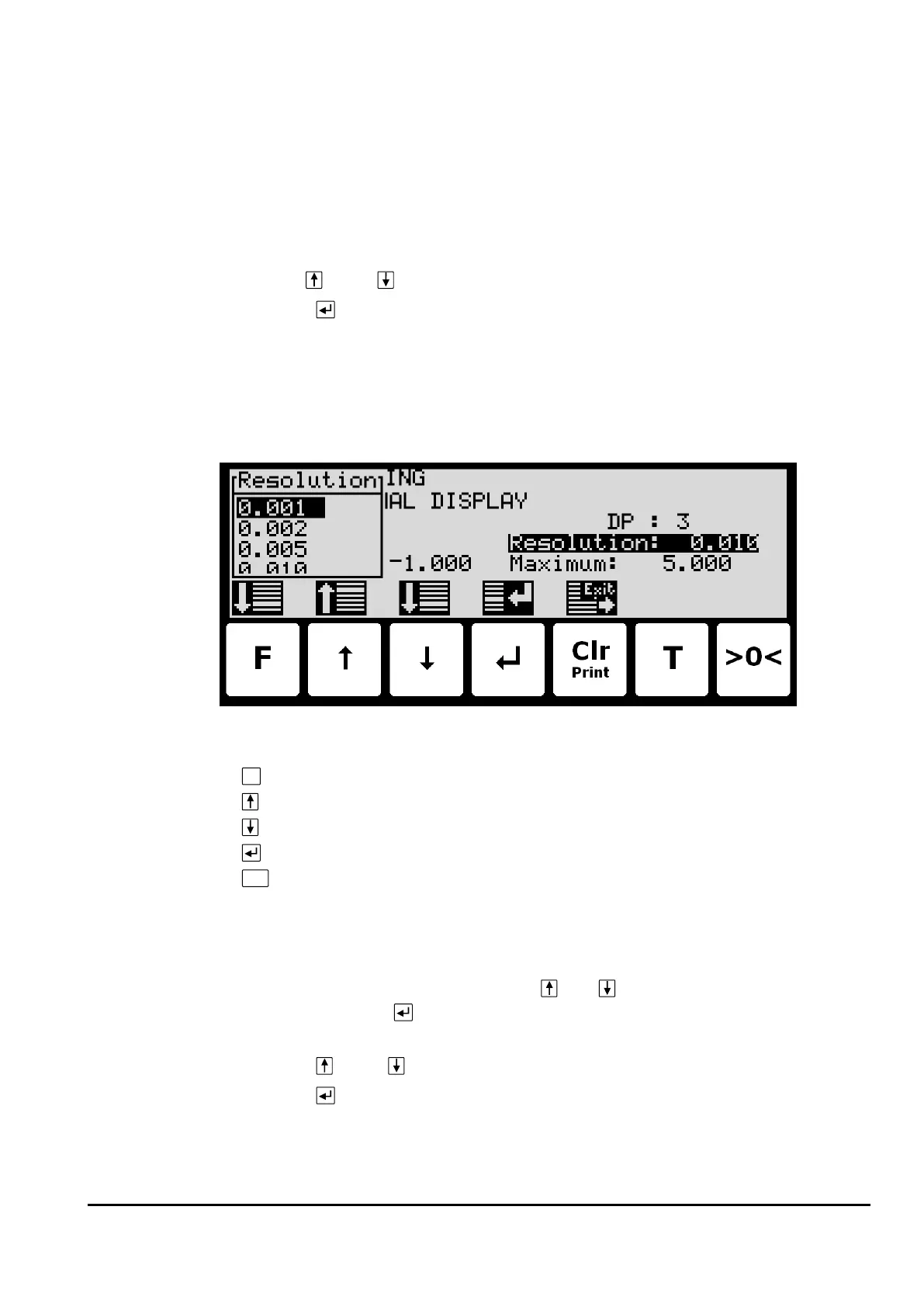
Some parameters (such as resolution and decimal point position) are entered using a selec-
tion list. When change of this type of parameter is requested, a special pull-down menu will
appear with a list of possible values as shown:
The keys can be used as follows:
Move the cursor down in this selection list.
Move the cursor up in this selection list.
Move the cursor down in this selection list.
Accept the selected/marked value as the new desired value.
Abort the entry without change of parameter. This can also be done by selecting
the “CANCEL” entry form the selection list.
Example - Changing resolution from 0.050 to 0.010:
The screen shown above appears once change of resolution is requested from the SETUP
WEIGHING screen by moving the cursor using
and so the Resolution parameter is se-
lected and then pressing . In order to change the “Resolution” parameter to 0.010 perform
the following:
• Press and/or repeatedly until 0.010 is selected in the list.
• Press to accept the selection.
Entry of numbers
Some parameters (such as minimum and maximum weight of the weighing range) are en-
tered using a data entry screen. When change of this type of parameter is requested, a data



 To Next Page