16
WWW.EILERSEN.COM
Load cell communication protocol type
The weighing terminal can be connected to and communicate with different kinds of load
cells from Eilersen Electric. Depending on load cells and how they are connected, the weigh-
ing terminal can communicate with the load cells using the following load cell protocols:
• 2010: Load cells connected using MCE2010 (StdBB protocol).
• 401x: Load cells connected using 4015 connection module.
• 4x40-StdBB: Load cells connected using 4x40 unit (StdBB protocol).
• 4x40-StdLC: Load cells connected using 4x40 unit (StdLC protocol).
Please notice: Therefore, selection of protocol type must also take into consideration, the
software version in the used load cell modules (MCE2010/4x40).
Number of load cells
The weighing terminal can be connected to a maximum of 16 load cells.
Number of supports
The actual number of supporting points must be in the range 1-16. Note that it is the total
number of supporting points including corners supported by load cells. As an example, the
Supports parameter should be 3 in a system consisting of a three legged tank.
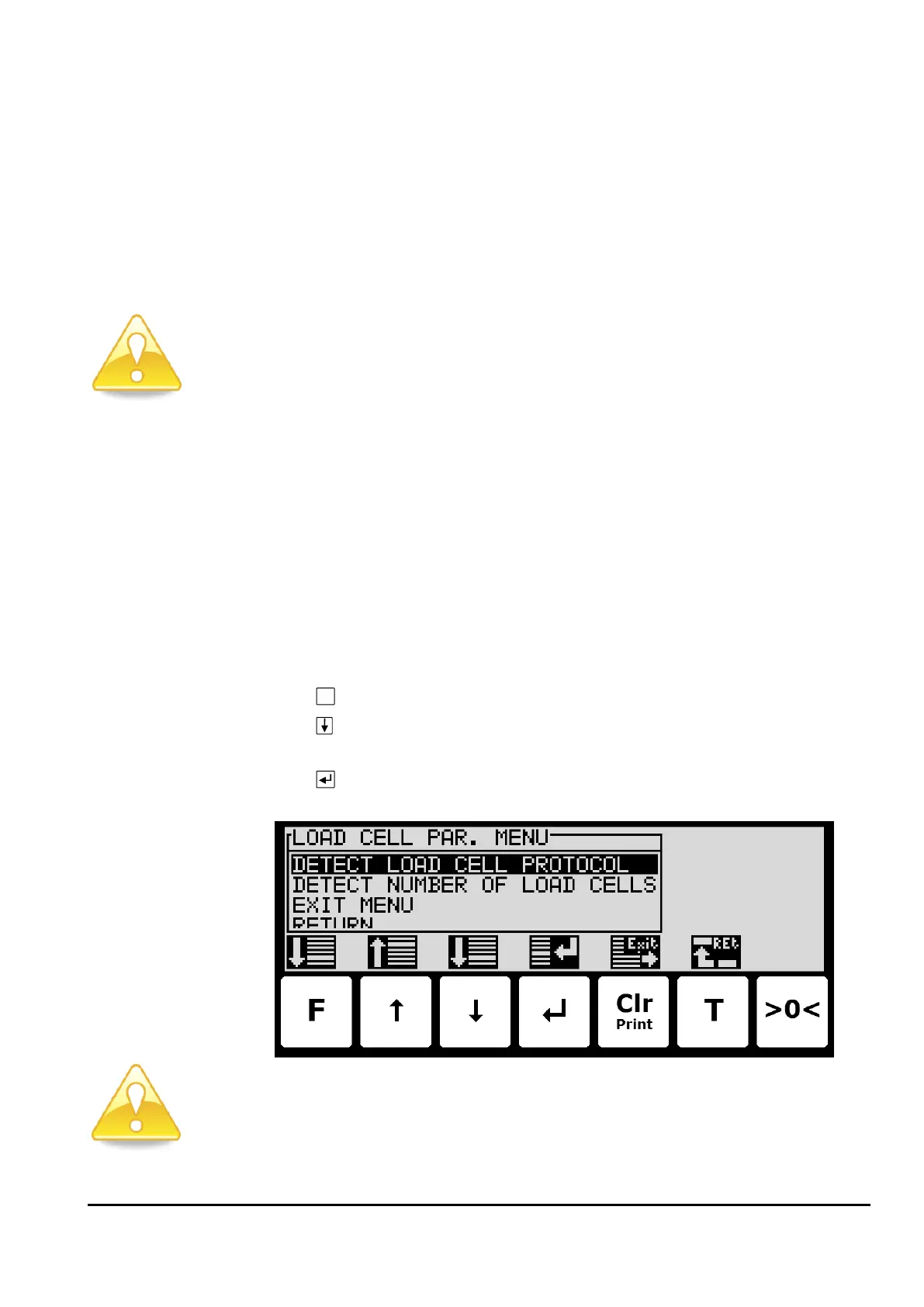
– Detect the load cell configuration
To detect load cell protocol, number of load cells and number of supports the following is
performed:
• Use the screens and menu system to select the LOAD CELLS screen.
• Press
to invoke the LOAD CELL PAR. menu.
• Press to select the DETECT LOAD CELL PROTOCOL or DETECT NUMBER OF LOAD
CELLS menu item.
• Press to perform the selected action, and follow the instructions in the following
screens.
Please notice: The load cells must be connected for the above detection to work correctly.



 To Next Page