8
WWW.EILERSEN.COM
– Change setpoints for automatic dosing
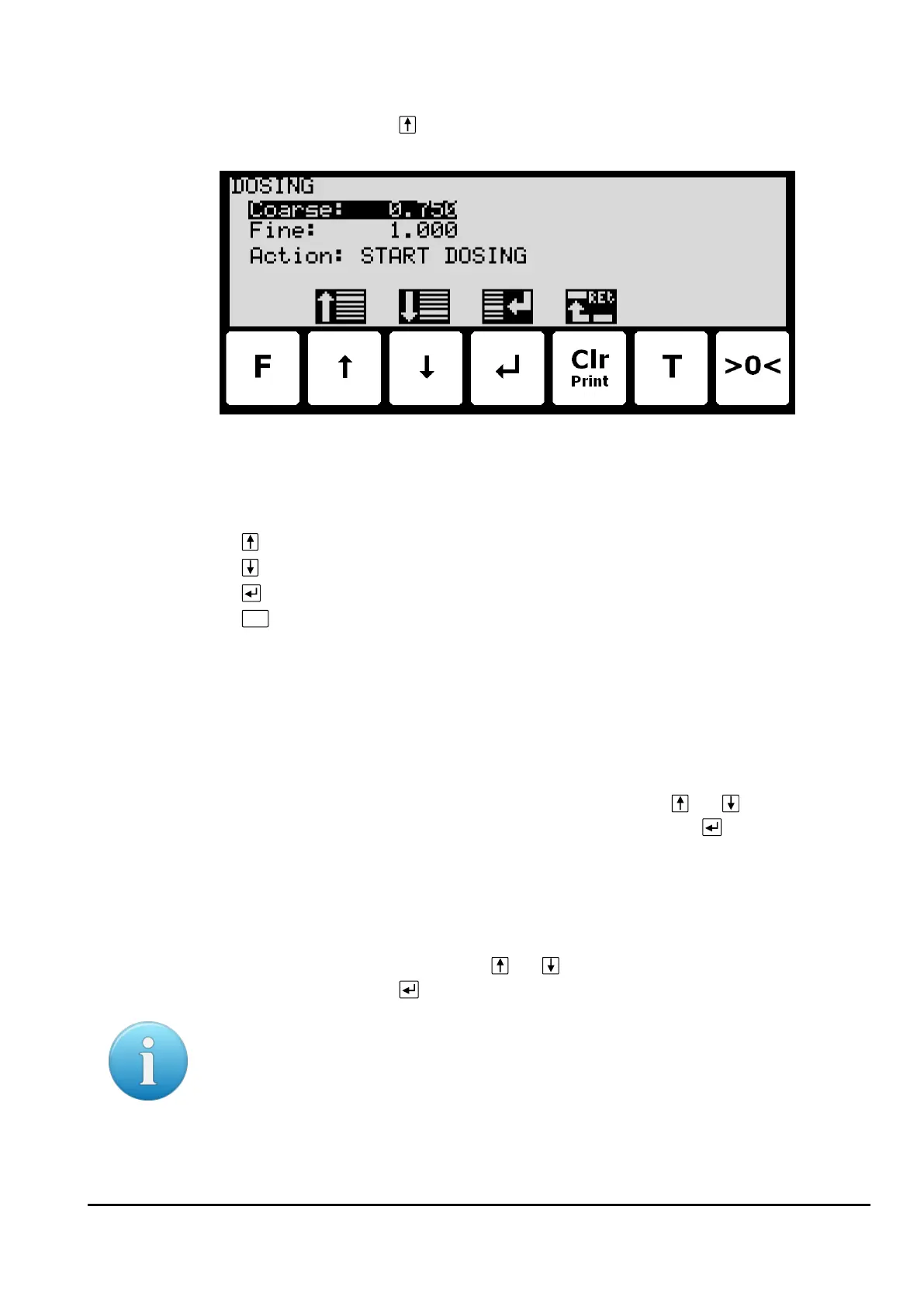
In the MAIN screen press to select the DOSING screen, looking like this:
In this screen setpoints for dosing are shown and can be changed. It is also possible to
start/stop a dosing.
Keys/actions:
Select the previous setpoint/parameter.
Select the next setpoint/parameter.
Start entry of the selected setpoint or chooses the marked action.
Return to the MAIN previous screen.
Setting Coarse and Fine limits
The COARSE and FINE setpoints used for automatic dosing must be specified in the DOSING
screen.
The COARSE limit is used to control the COARSE output indicating high speed dosing until the
COARSE setpoint is reached. The FINE limit is used to control the FINE output indicating the
desired amount to be dosed. The setpoints are changed by using and to select the de-
sired setpoint (“Coarse” or “Fine”) with the cursor, and then pressing to request change
of the setpoint.
Start/Stop of dosing
In addition to starting a dosing using the digital START input, a dosing can be started (or
stopped if a dosing is already in progress) using the keyboard in the DOSING screen.
A dosing is started or stopped by using and to select the “Action” parameter with the
cursor, and then pressing to request the indicated action (“START DOSING” or “STOP DOS-
ING”).
Please notice: Some other dosing parameters (such as registration period and afterflow cor-
rection) are configured in the DOSING PAR. screen.



 To Next Page