22
WWW.EILERSEN.COM
Please notice: The calibration load parameter from the CALIBRATION screen is not used dur-
ing corner calibration; instead the corner calibration procedure will result in a gross reading
of approximately the average value of the registered load cell/corner values.
– Perform system calibration
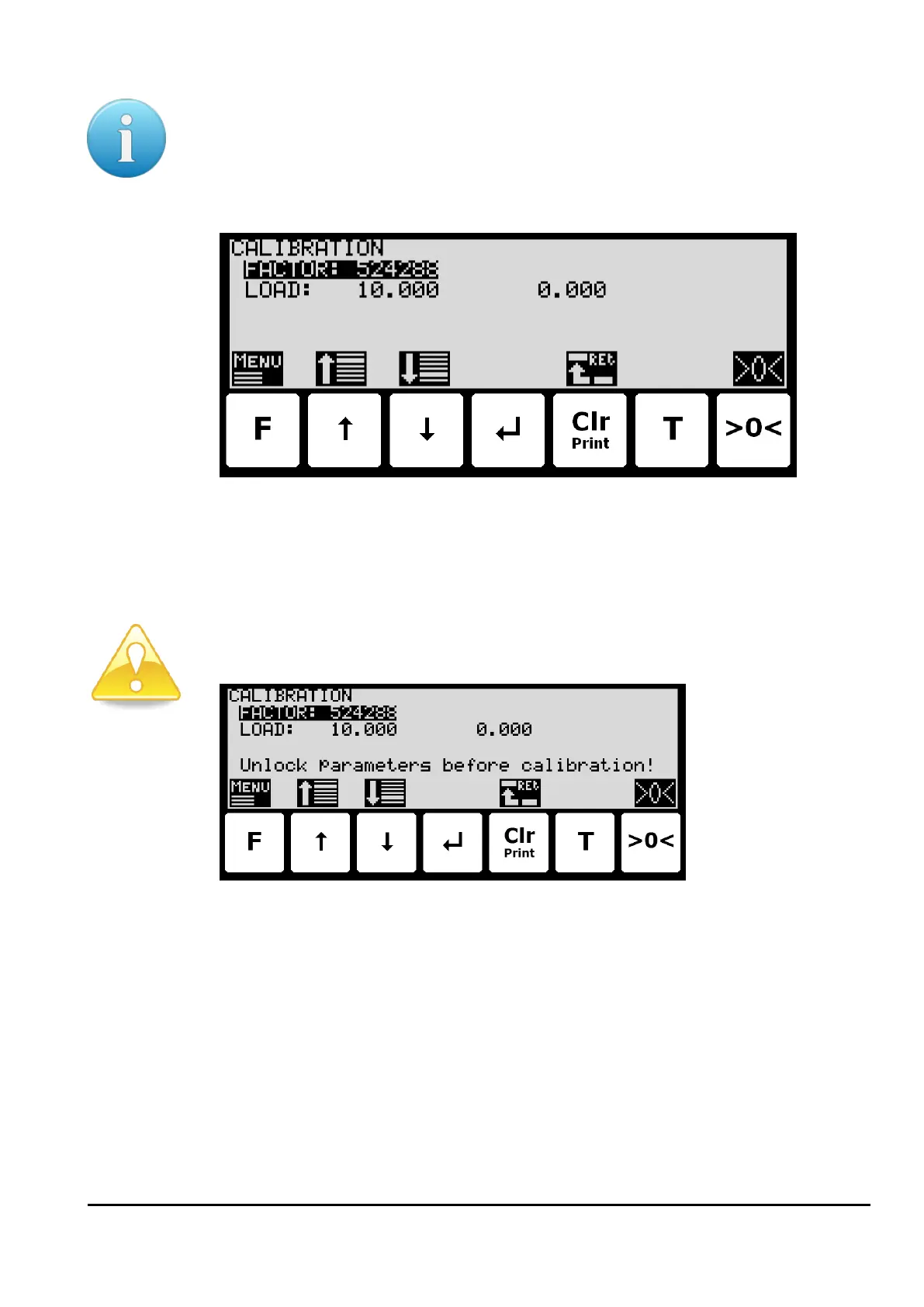
A common system calibration can be done from the CALIBRATION screen:
In this screen calibration parameters such as calibration factor, calibration load (to the left)
and actual gross weight (to the right) are shown and can be changed. This makes it possible
to calibrate the system. From the CALIBRATE menu it is possible to select the CORNER CALI-
BRATION screen for corner calibration of the system. A cursor (inverted text) indicates the
currently selected parameter.
If parameter change is locked, then remember to unlock parameter change prior to calibra-
tion attempt, as shown in the display:
Calibration factor
The actual system calibration factor can be changed/specified in the CALIBRATION screen by
performing a calibration of the system as described below or by manually entering a new fac-
tor.
The calibration factor indication can be manually changed. This is useful when a previous cal-
ibration must be re-established. Note that this is only possible, if the calibration factor for
this previous calibration is known. The standard calibration factor is 524288. If this value is
changed 1% (up or down), the gross weight indication will also change 1% (up or down).
Calibration load
The actual mass of the load used for calibration must be specified in the CALIBRATION screen
before calibration is performed.



 To Next Page