19
WWW.EILERSEN.COM
– Change reading to high resolution mode
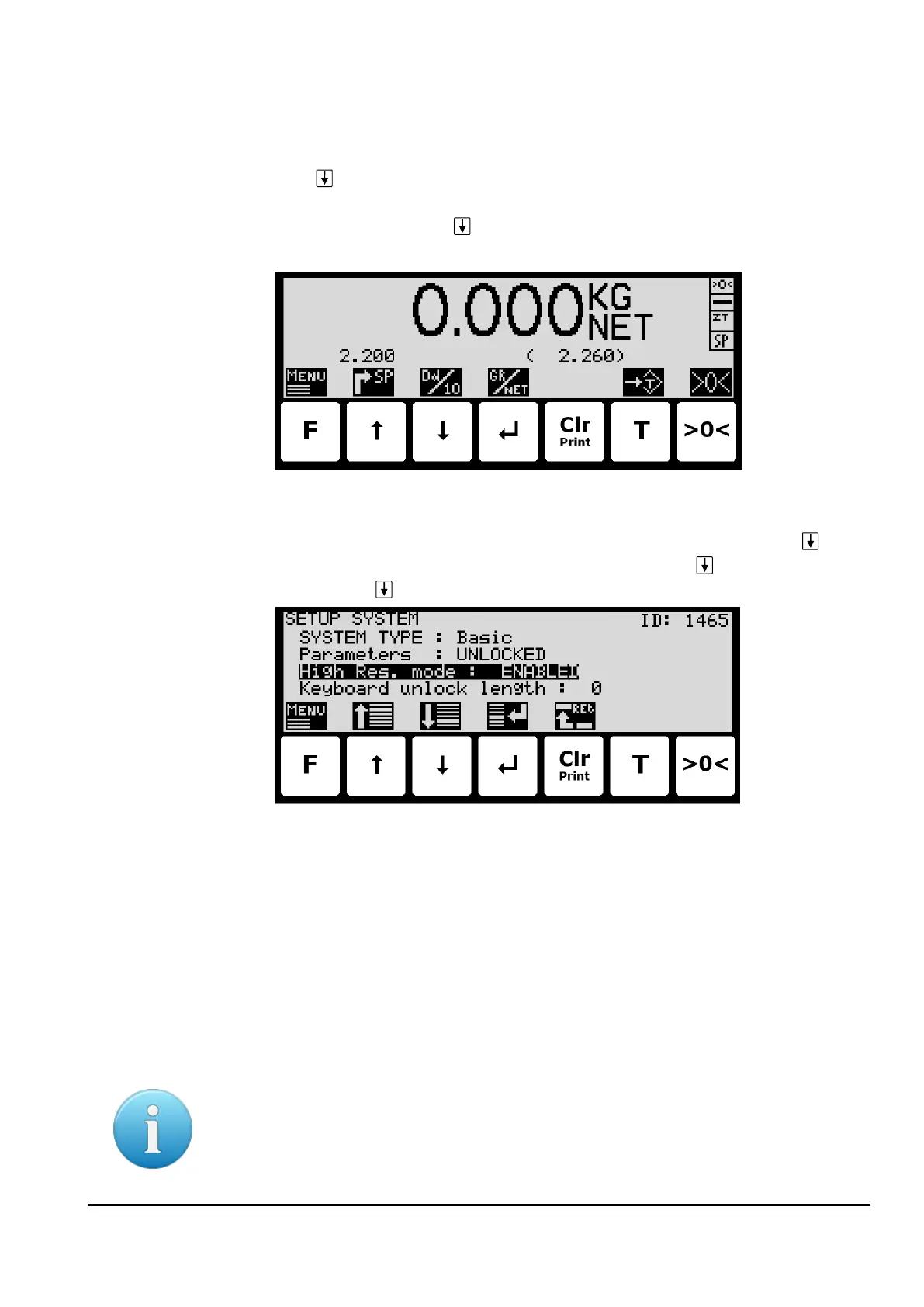
High resolution mode changes the display reading to the enhanced resolution entered as the
CALI weighing range. This can be done in two ways:
• Press in the NORMAL screen. This will select high resolution mode for 3 seconds
(assuming the High res. mode parameter in the SETUP SYSTEM screen is set to DISA-
BLED). The symbol above will flash while high resolution is active.
• In the SETUP SYSTEM screen, change the High res. mode parameter to ENABLED
(this can only be done when parameters are unlocked). Now when pressing in the
NORMAL screen high resolution mode will be selected until is pressed again. The
symbol above will flash while high resolution is active.
– Perform load check
When checking the weight reading please observe these points:
• Use different loads; small and near the maximum load.
• Do not place the full load on the corners.
• Use approx. 1/3 of full load to check the corners.
• Use High resolution mode for a more accurate reading.
– Perform corner calibration
Please notice: Corner calibration is only necessary in system with more than one load cell.
Corner calibration is not possible when there are more supports than load cells and should
only be used in weighing systems where system mechanics shows non ideal behavior regard-
ing load in the corners.



 To Next Page