20
WWW.EILERSEN.COM
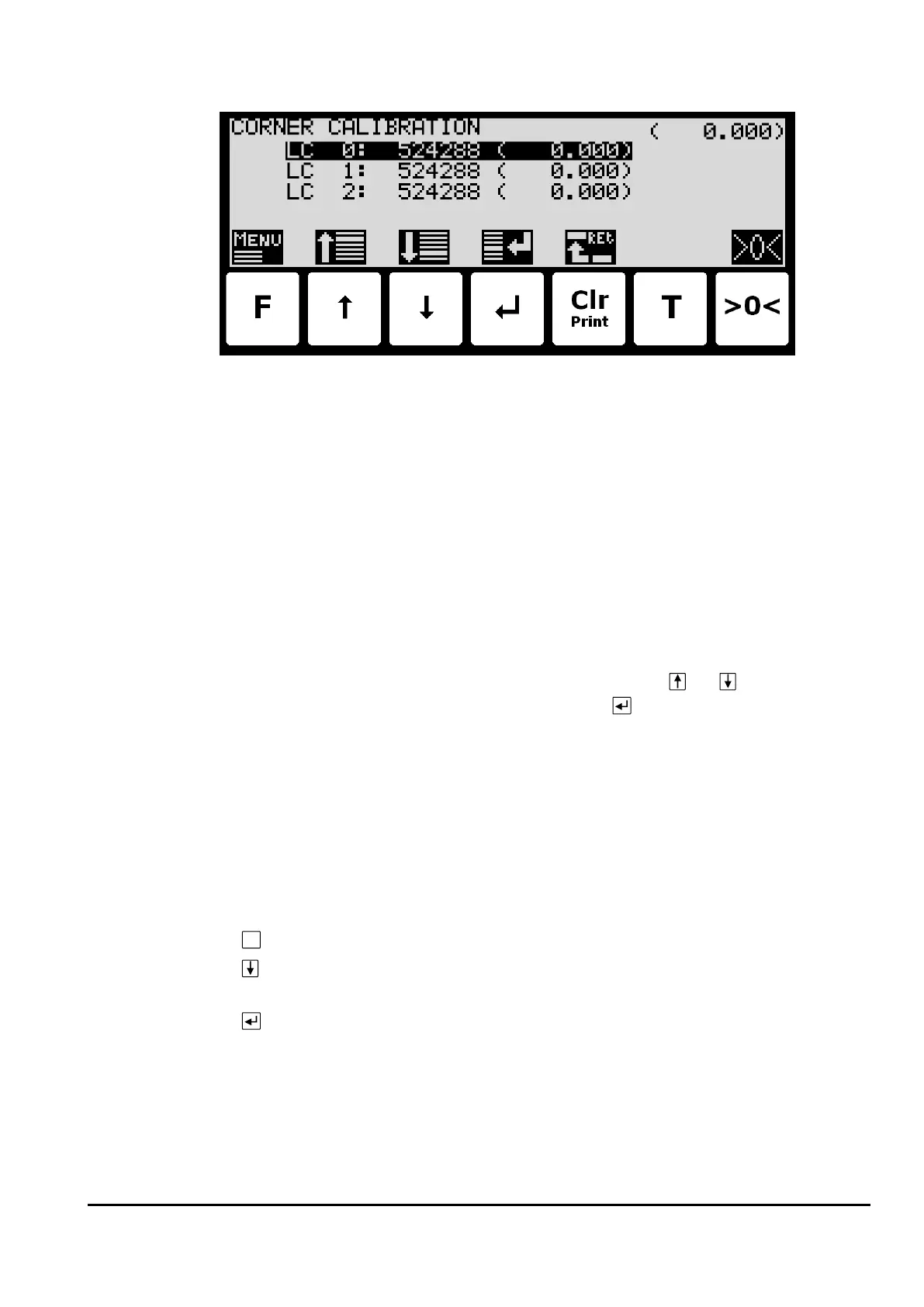
Use the CORNER CALIBRATION screen to perform a corner calibration if necessary.
In this screen corner calibration parameters such as corner calibration factor, and actual load
on corresponding load cell is shown on one line for each load cell. The actual gross weight is
shown in the upper right corner. This makes it possible to manually enter the corner calibra-
tion factor for each load cell. From the CORNER CAL. menu it is possible to select the COR-
NER CAL. PROC. screen for corner calibration of the system. It is also possible to reset the
corner calibration factors to default values from the menu. A cursor (inverted text) indicates
the currently selected parameter.
Corner calibration factor
The corner calibration factors can be changed/specified in the CORNER CALIBRATION screen
by performing a calibration of the corners by switching to the CORNER CAL. PROC. screen as
described below or by manually entering a new factor.
The corner calibration factors can be manually changed by using and to select the de-
sired load cell/corner with the cursor, and then pressing to request change of the selected
corner calibration FACTOR parameter. This is useful when a previous calibration must be re-
established. Note that this is only possible, if the calibration factor for this previous calibra-
tion is known. The standard calibration factor is 524288. If this value is changed 1% (up or
down), the signal from that load cell/corner will also change 1% (up or down).
Reset corner calibration factors
It is possible to reset the corner calibration factors to default values (524288) by using the
CORNER CAL. menu. To perform a reset of corner calibration factors from the CORNER CALI-
BRATION screen use these steps:
Press once to select the CORNER CAL. menu.
Press once to select the “RESET CORNER CAL. FACTORS” entry from the CORNER
CAL. menu.
Press once to perform the reset of the corner calibration factors.
Corner calibration procedure
It is possible to perform an automatic corner calibration of the system by selecting the COR-
NER CALIBRATION PROCEDURE screen from the CORNER CAL. menu.



 To Next Page